NOVA chat User’s Guide Page 103
Setting Activation Delay
This option gives you a chance to change your mind when you have
selected a button. The option is set to your scanning speed automatically.
For example, let's say your activation delay is set to one second (1.0).
You scan to and select a button, then realize it is not the button you
want. You have one second to activate your switch again to "de-select"
the button and then scan to a new button.
To set the activation delay, choose Menu > Settings > Input > Scanning
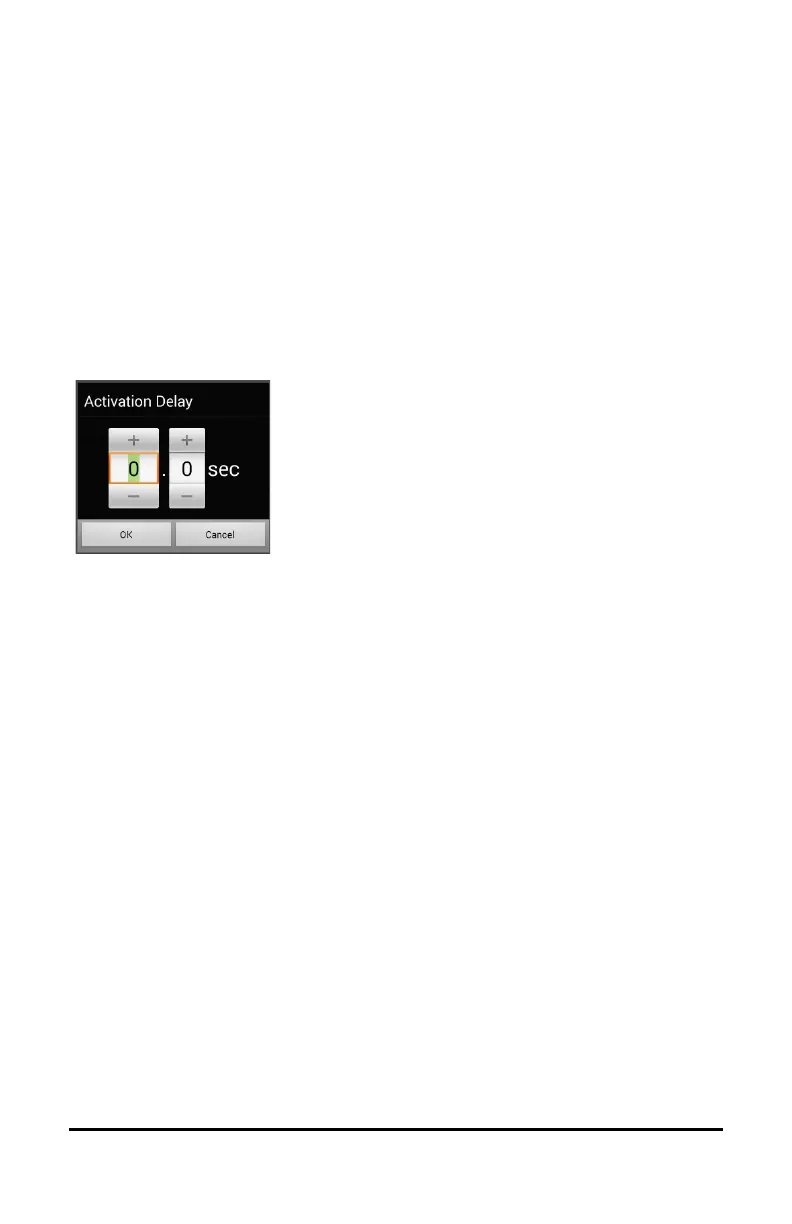
> Scan Timing > Activation Delay. The Activation Delay window opens.
To increase the delay, tap +.
To decrease the delay, tap –.
Or use the keyboard to enter
the exact setting you want.
Choose OK.
Turning on Auto Restart
This option allows you to restart a scan cycle automatically after an
activation. To turn on auto restart, choose Menu > Settings > Input >
Scanning > Scan Timing > Auto Restart.
Setting Auditory Prompts
This option enables audio feedback during scanning. To set auditory
prompts, choose Menu > Settings > Input > Scanning > Auditory Prompts.
Enable Auditory Prompts
Scanning with auditory prompting turned on provides not only a visual
cue, but also an auditory cue to indicate where the scan is currently.
To enable auditory prompts, choose Menu > Settings > Input >
Scanning > Auditory Prompts > Enable Auditory Prompts.
If you are scanning, simply activate your switch. To retrieve a message,
activate the switch again after you hear the prompt.



 To Next Page