NOVA chat User’s Guide Page 104
Audio Output Device
Choose Menu > Settings > Input > Scanning > Auditory Prompts >
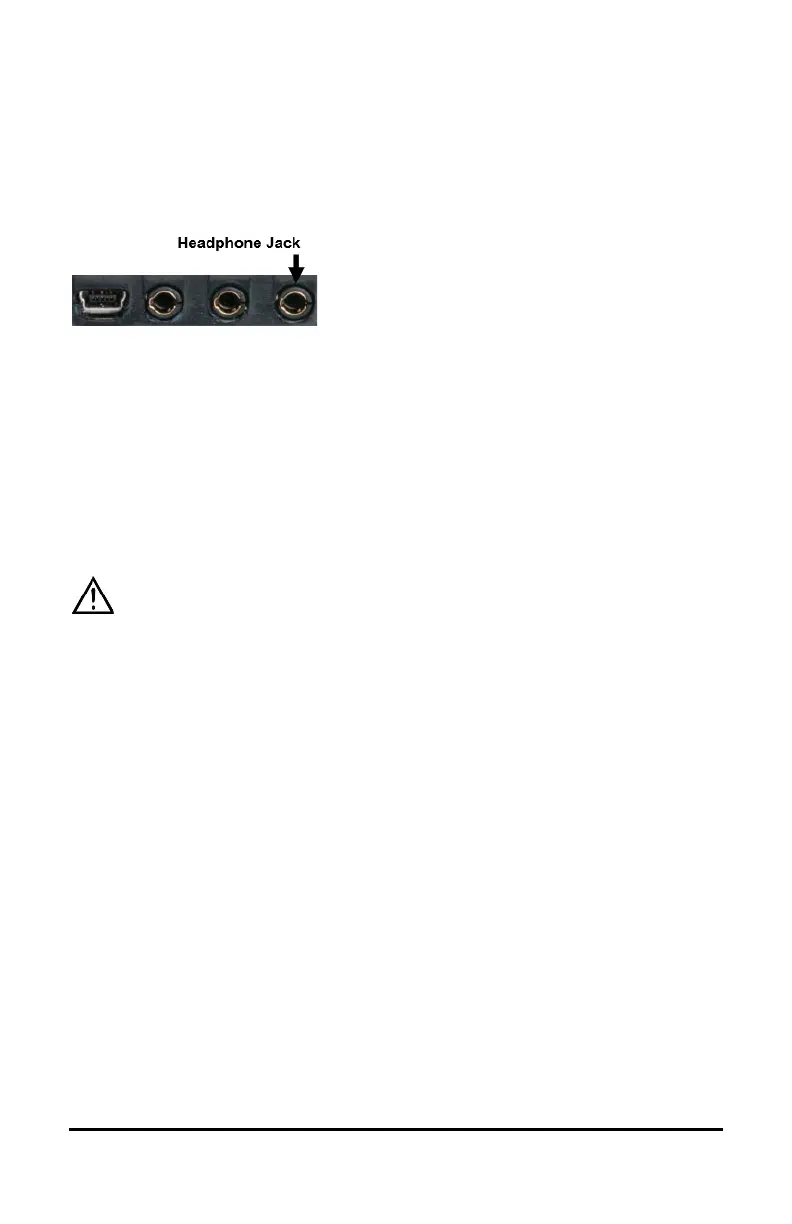
Audio Output Device. Choose either Speaker or Earphone. You can hear
prompts through the device's speaker. You can also plug stereo
headphones into the headphone jack on the side of the device.
This allows you, but not others, to hear the prompts. If you are using
headphones, choose the Earphone option.
Earphone Volume
If you select Earphone as the audio output device, use this option to set
how loud the prompt is when using an earphone or headset. If you need
to change the volume level, slide your finger along the Earphone
Volume bar or tap the bar at a specific point. Then choose OK.
Excessive volume or sound pressure level when using earphones or
headphones can cause hearing loss over extended periods of time.
Scanning Beep
If you prefer to hear a beep instead of an auditory prompt when you
scan a key, choose Menu > Settings > Input > Scanning > Auditory
Prompts > Scanning Beep.
Button Prompt
Note: Scanning Beep must be turned off to access this option.
The Button Prompt option determines whether the label or message is
spoken as the button prompt. To change the setting, choose Menu >
Settings > Input > Scanning > Auditory Prompts > Button Prompt and
select either Speak Label or Speak Message.
Row or Group Prompts
Since these prompts may be specific to each page, use Scan Editor to
name the rows or groups for prompting. For details, see “Opening the
Scan Editor” on page 106.



 To Next Page