NOVA chat User’s Guide Page 16
NOVA chat 12 Device Features
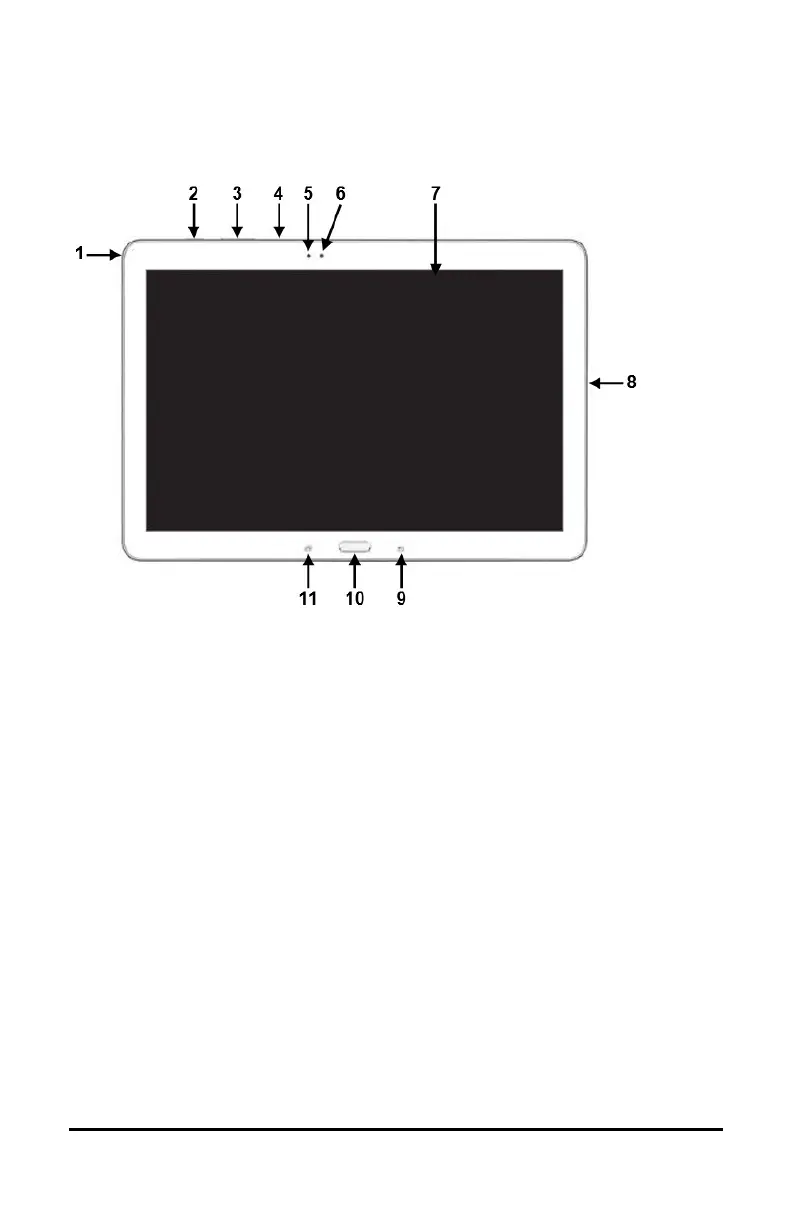
Front View
1 Headset jack (3.5 mm)
2 Power button: Press and hold to turn the device on or off
3 Volume button: Press to turn the volume up or down
4 Microphone
5 Light sensor
6 Camera lens
7 Display screen: Displays the application screens
8
USB port: Connect a USB cable for charging the device or transferring
vocabulary
9
Back: Tap to return to the previous screen or menu. Press and hold to display
an option to close the application.
10 Home: Press to go to the home screen
11
Menu: Tap to display menus that allow you to select a vocabulary file, enable
or disable augmentative options, set how and when to speak messages, and
configure a wide variety of additional options.



 To Next Page