NOVA chat User’s Guide Page 111
7. Choose Create Subgroups Automatically. A list of groups will
appear under “Top Level”.
Note: The number of groups listed is controlled by the scan mode
setting: Menu > Settings > Input > Scanning > Patterns > Mode.
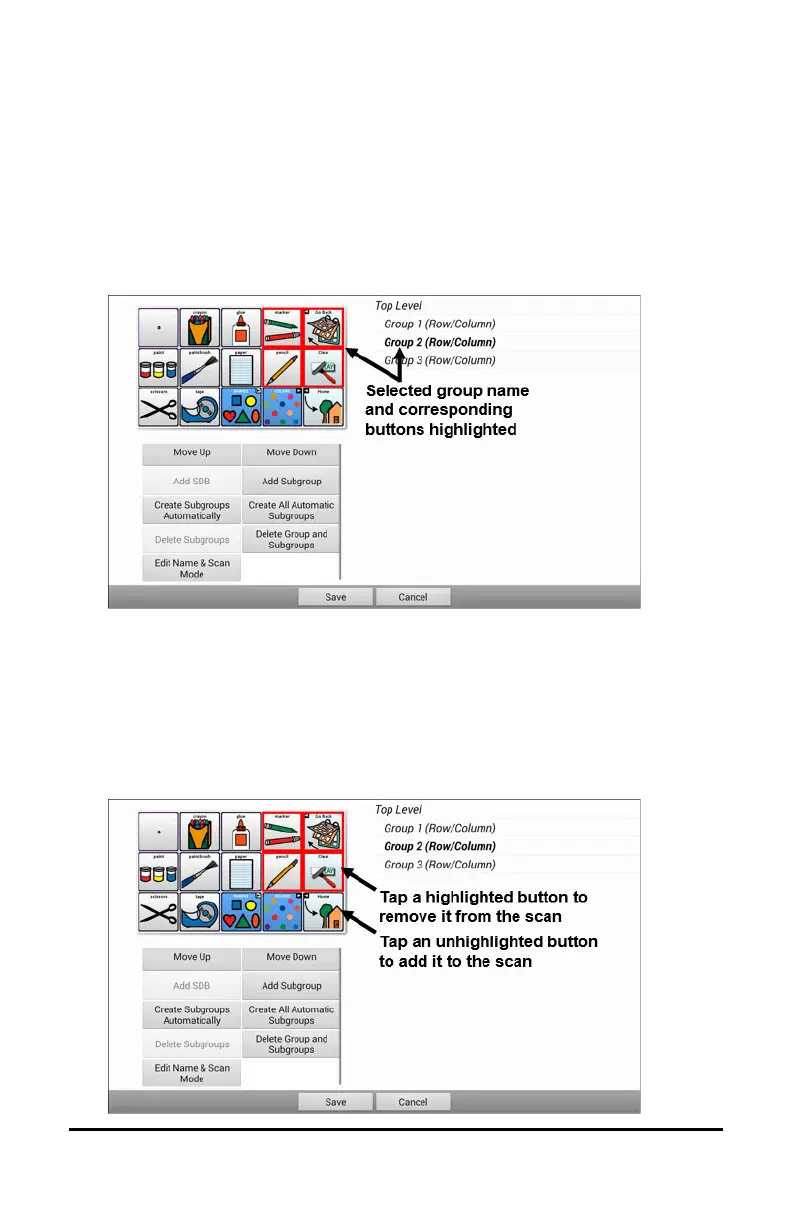
8. From the list of groups, select the group you want to include in the scan.
When you select a group, its name will appear in bold and the
corresponding group of buttons in the preview screen will be highlighted.
9. Select the menu option you want. For example, you could change
the group’s name and scan mode or add one or more subgroups.
10. When you create the basic scan pattern you want, you can refine it.
Example: Tapping a highlighted button on the preview screen will
remove it from the scan pattern. Tapping an unhighlighted button will
add it to the scan pattern.



 To Next Page