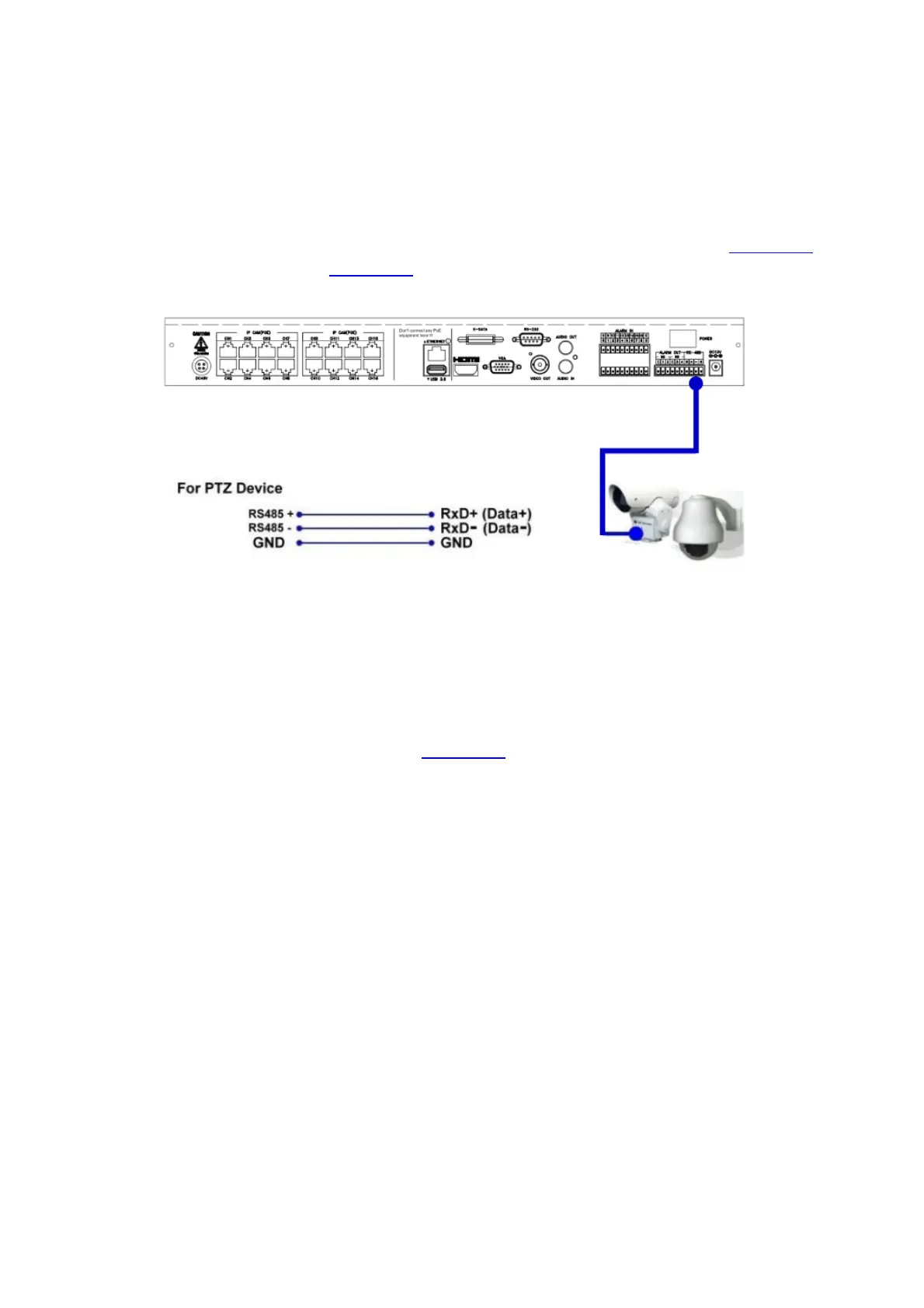
PTZ Cameras
Connect the RS-232 connector or the RS-485 connector to PTZ camera(s) via the
appropriate cable. The system supports a variety of different PTZ cameras, including
Pelco D protocol Dome, SamSung SCC-641P, Kalatel Cyber Dome, Bosch AutoDome, etc.
But different PTZ cameras can coexist in a system only if they support the same protocol.
Please make sure to set the PTZ ID of the camera(s), and setup the camera (Section 6.1),
and RS-232 or RS-485 (Section 6.8) accordingly.
eSATA Hard Disk
Connect the eSATA connector to an eSATA hard disk for HDD extension.
GPS modem
Connect the RS-232 or RS-485 connector to GPS modem via the appropriate cable.
The system supports the GPS modems with NMEA0183 protocol. Please make sure to
setup the RS-232 and RS-485 port (Section 6.8) accordingly.



 To Next Page