POS system
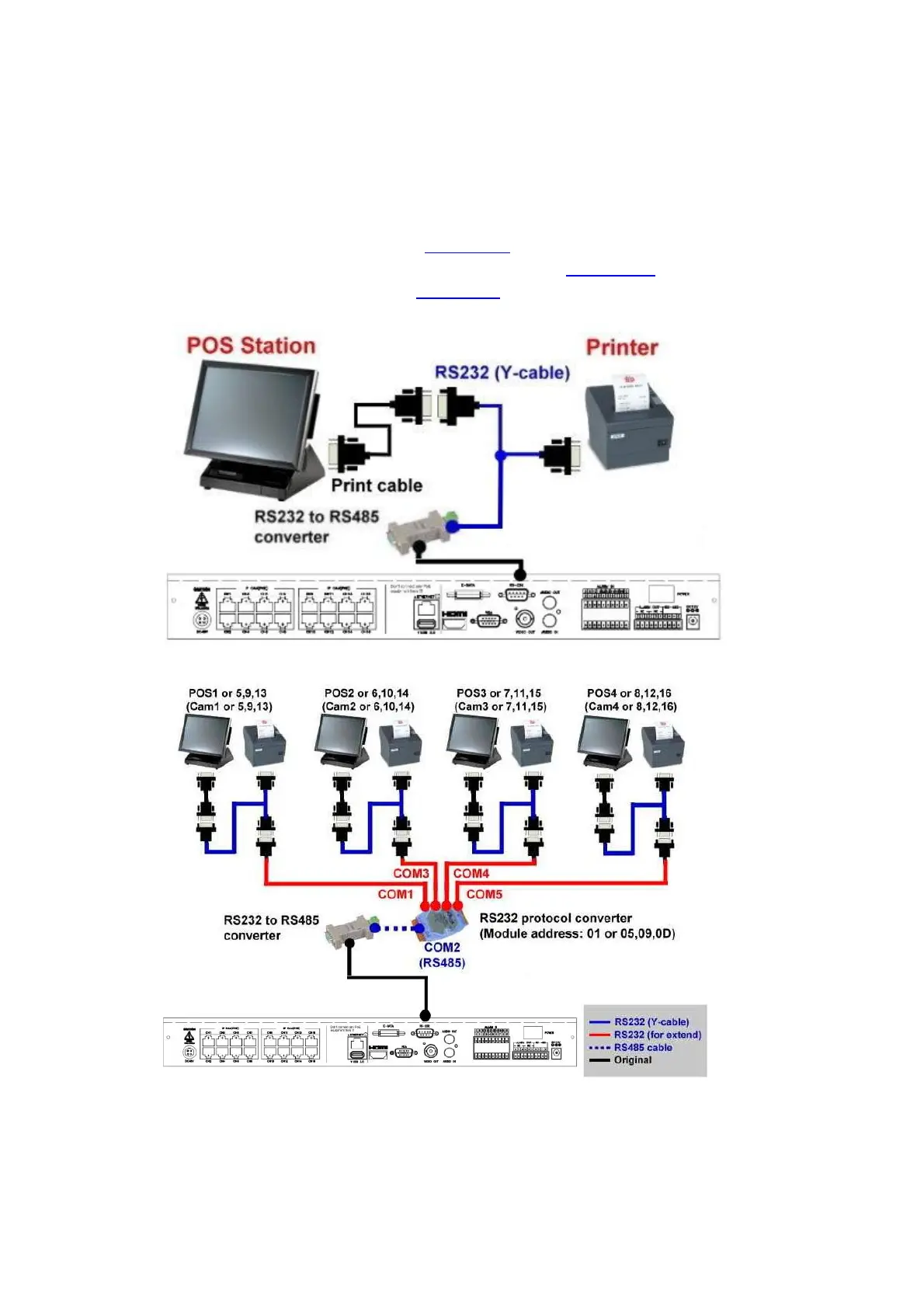
Connect the RS-232 connector to POS system via the appropriate cable. The system
supports the POS systems which can be connected to the following printers –
Epson-TM200, Epson-TMU295, Epson-TMU300, Epson-TMU675, Epson-TMT882,
Epson-RPU420, and Epson-MD332S. For 1-to-1 POS, please make sure to setup the
RS-232 and RS-485 port correctly (Section 6.8). For Multiple POS, please make sure to
setup the ID of protocol converter I-7524 correctly (Appendix D), and then setup the
RS-232 and RS-485 port correctly (Section 6.8).
Top figure: 1-to-1; bottom figure: RS-232/Multiple, 1-to-many



 To Next Page