Chrome
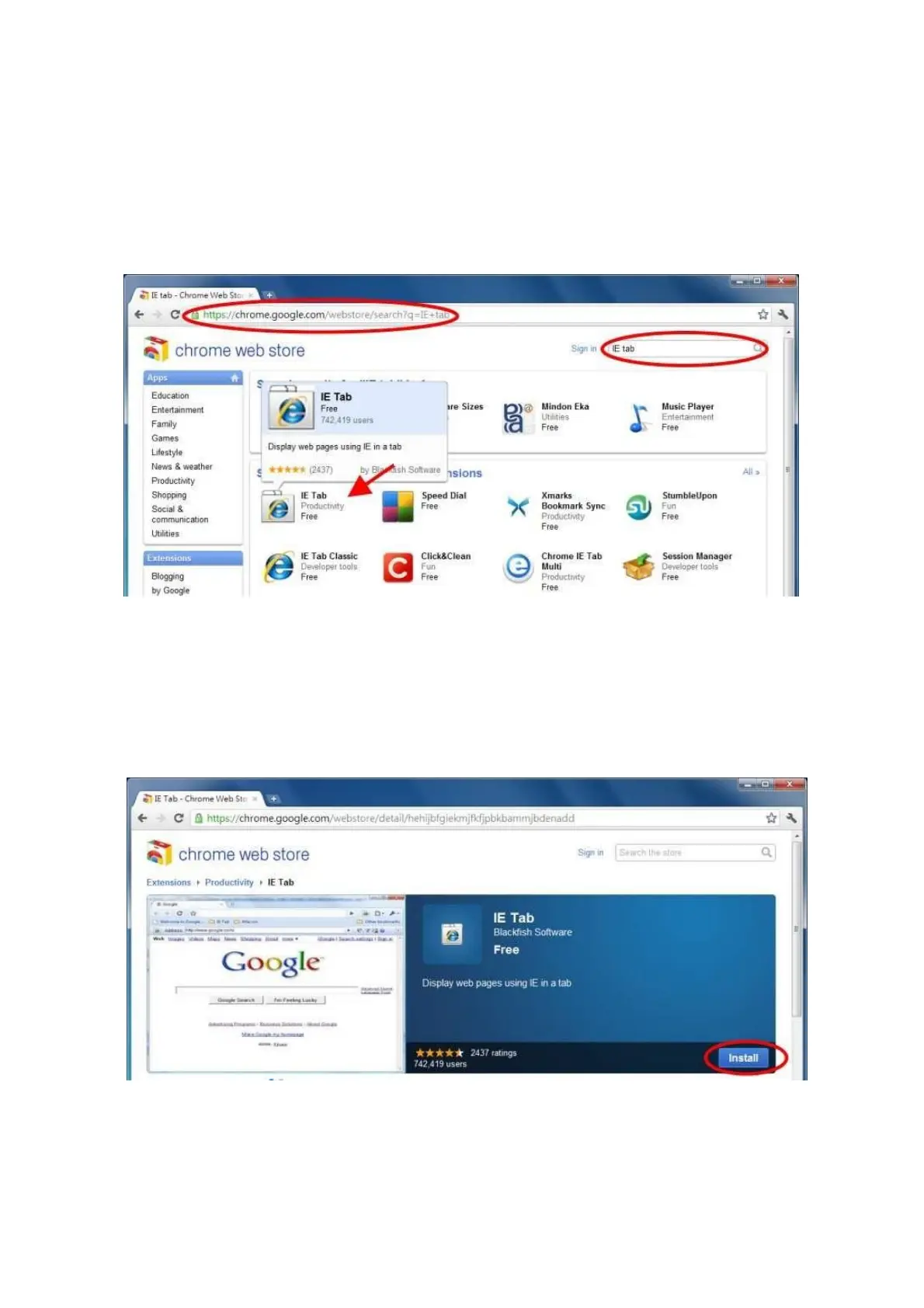
1.) After downloading Google Chrome browser, go to the Chrome web store and search “IE
Tab” for the IE Tab plug-in app. Click on the IE Tab icon for installation page. (please refer
to the above figure for reference
2.) Click on the install button to download and install the IE Tab plug-in. Once you have
finished downloading, the installation page will refresh and the install button area will
show “installed.”



 To Next Page