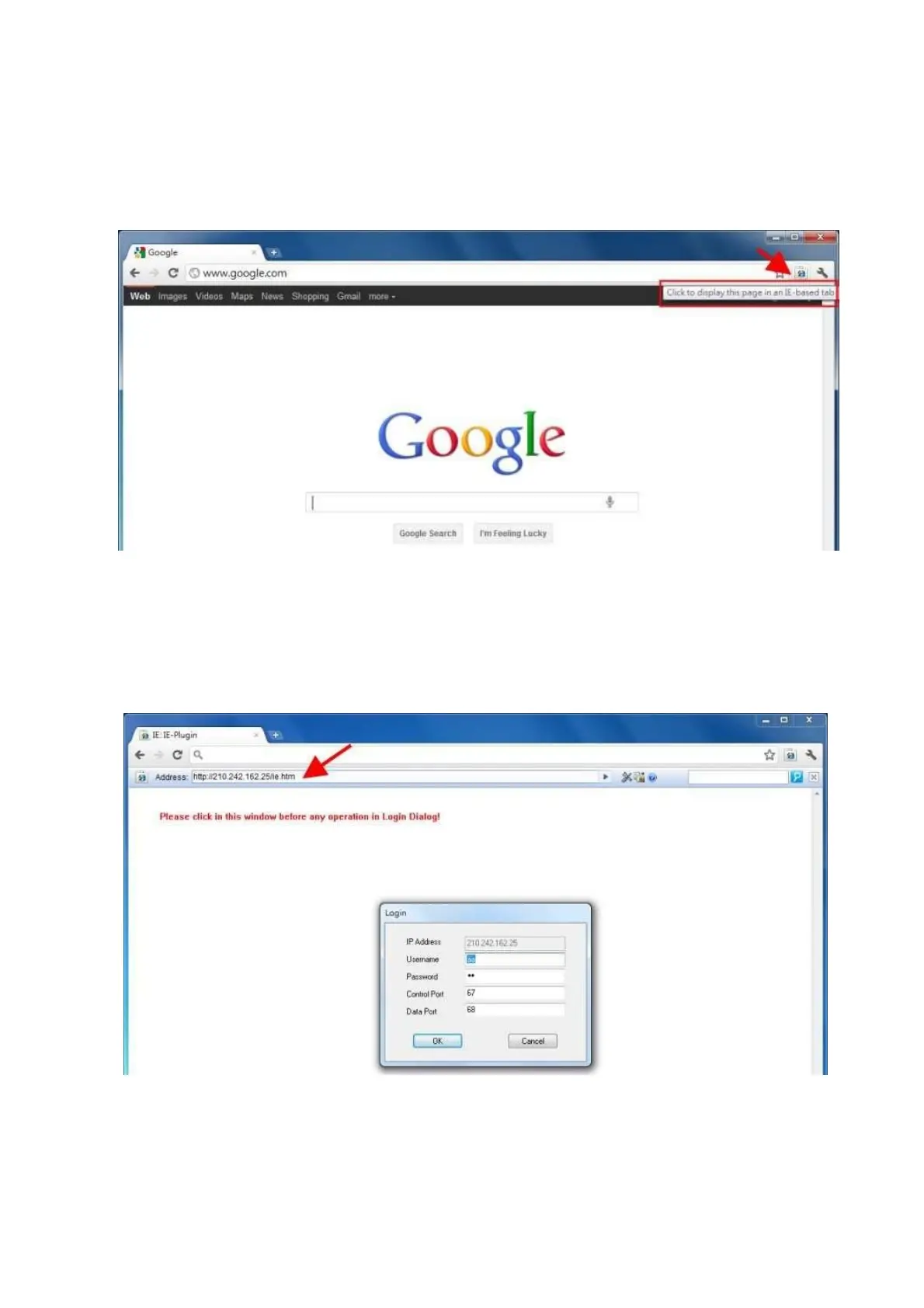
3.) After installing the IE Tab plug-in, you will see a small IE icon appear on the top right hand
corner. Click on the icon to display your current active page in an IE-based Tab. (please
refer to the above figure for reference)
4.) Once your page is changed to IE-based display, you may enter your DVR URL or IP address
where indicated to log in remotely. (please refer to the above figure for reference)



 To Next Page