73
5
Basic phone functions
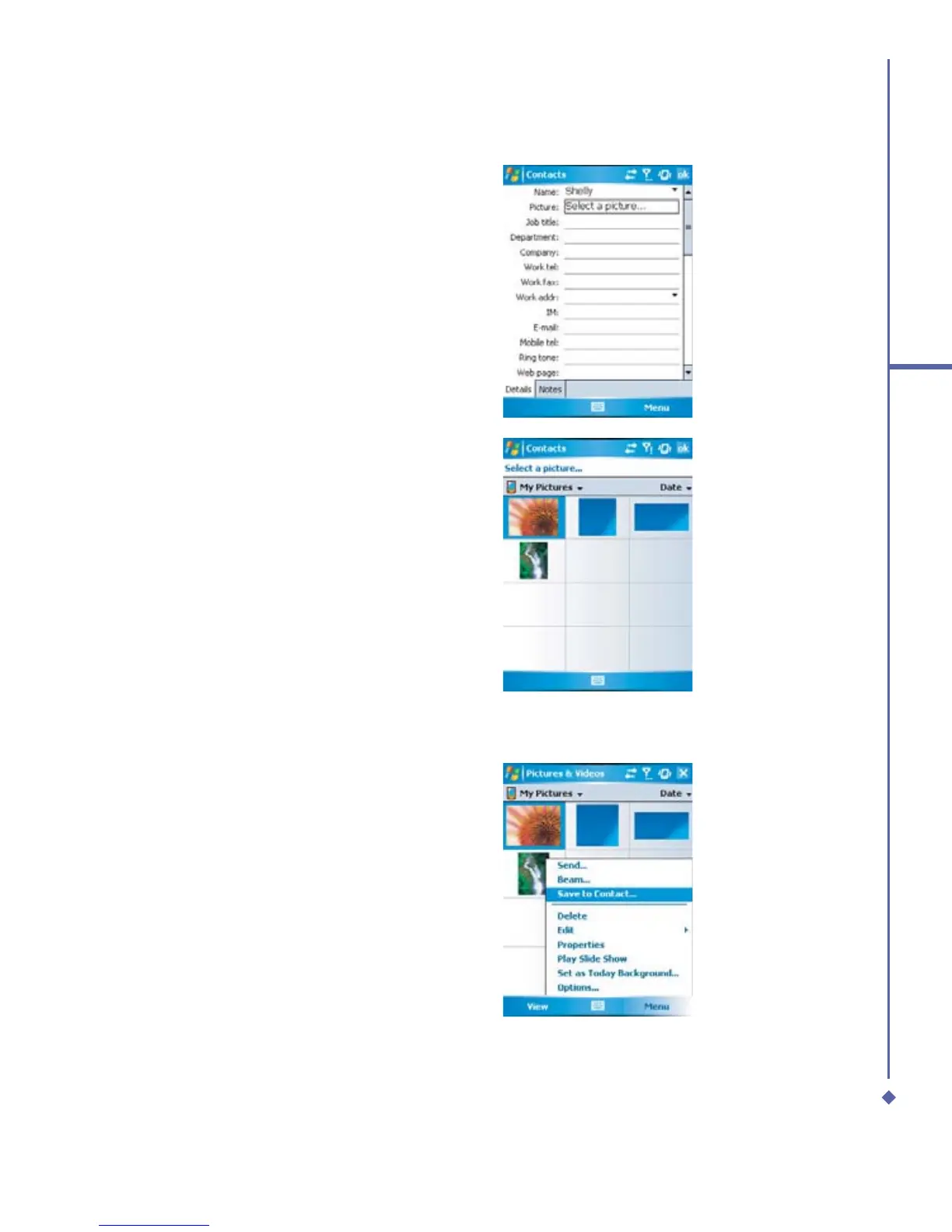
3. Scroll to the Picture field and tap Select
a picture.
4. Tap on a desired picture and it will be
assigned to the entry. (To delete the
picture, from the Contacts edit screen,
tap Menu tab > Remove Pictures).
Alternatively, you can assign a picture to a contact.
1.
Tap Start > Programs > Pictures &
Videos > My Pictures folder.
2.
Tap the desired picture to view and tap
Menu > Save > Save to Contact.



 To Next Page