96
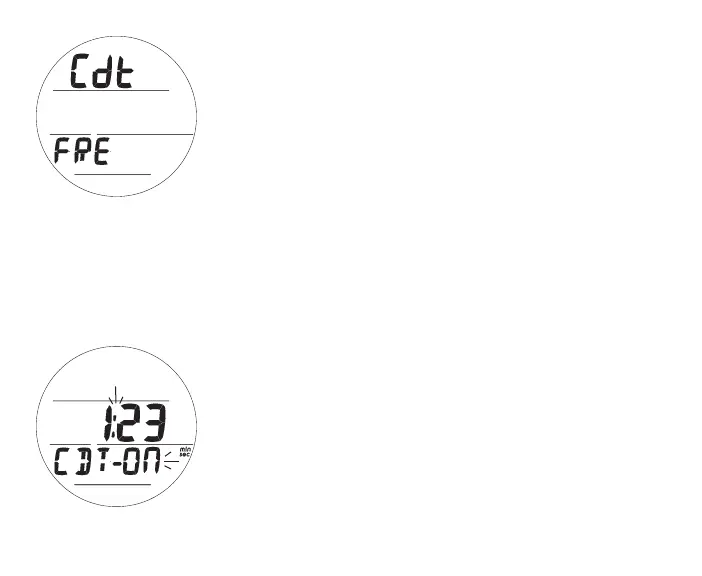
Fig.112-CDTSTATUS
(On,running)
CDT Lead-in, information includes (Fig. 111):
> Graphics Cdt and FRE
• A (< 2 sec) - to step forward to Set FA Lead-in.
• M (< 2 sec) - to step back to ALT 2.
• S (< 2 sec) - to access CDT Status.
CDT Status, information includes (Fig. 112):
> Countdown Time (min:sec) remaining or set/ready to start,
0:00 if complete
> Graphics CDT - with OFF (or ON) flashing
• A (< 2 sec) - to step up through OFF, ON, SEt (Fig. 113).
• M (< 2 sec) - to step back through OFF, ON, SEt.
• S (< 2 sec) - to save the setting.
>> If On is saved and a CDT was set, the CDT will start
counting down and operation will revert to the Lead-in.
>> If Off is saved, the Timer will stop counting down and
operation will revert to the Lead-in.
>> If Set is saved, the Set CDT screen will be displayed.
• S (2 sec) - to revert to CDT Lead-in.
The CDT will run in the background, while on the surface and
during dives, until it counts down to 0:00, or it is turned OFF.
Fig.111-CDTLEAD-IN



 To Next Page