10 Conducting the Examination with a Computer/Laptop
Instruction Manual Mesotest II (G/62800/0715/en) 29 / 86
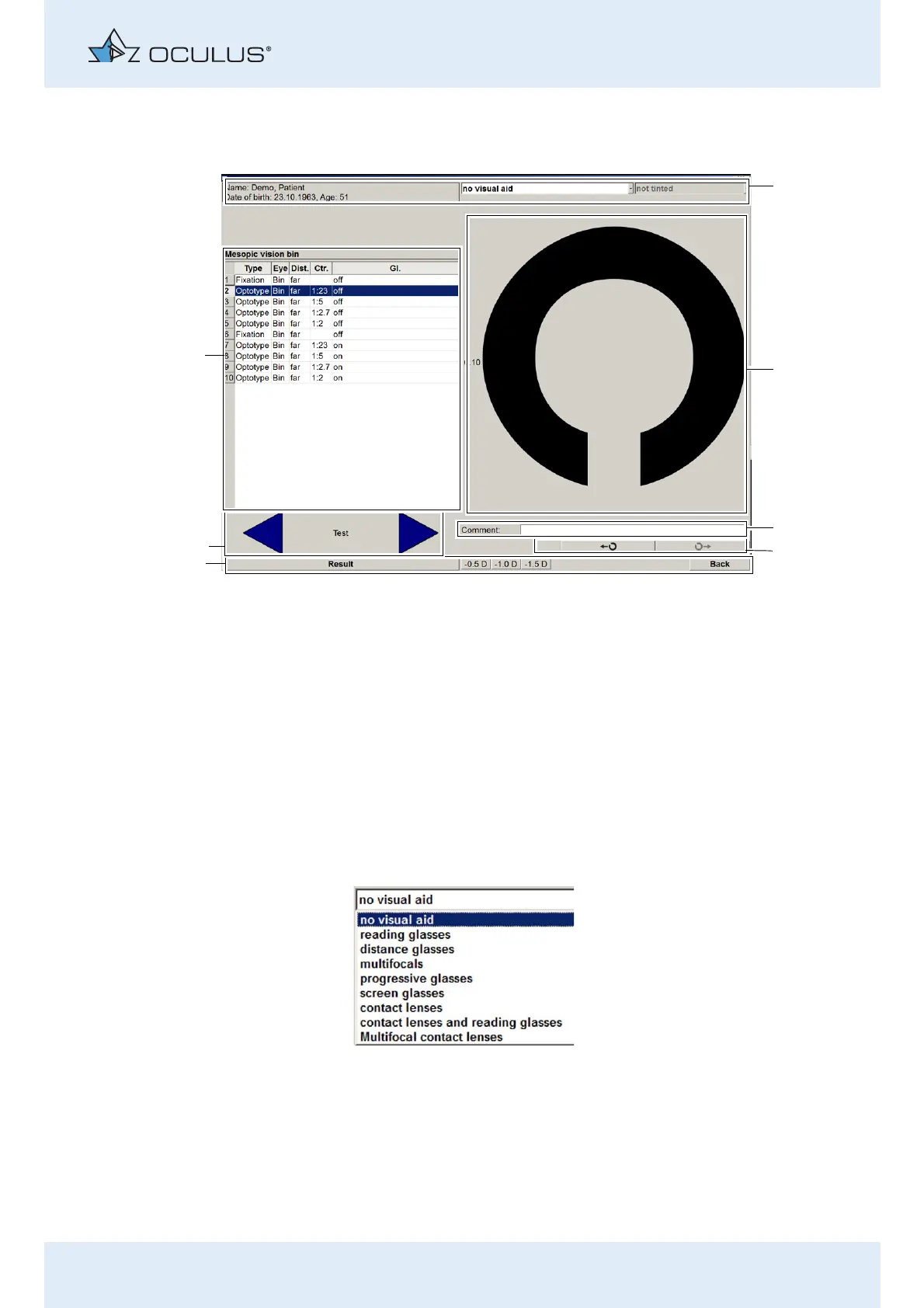
The following components are available:
10.1.1 View the Patient’s Information and Enter any Visual Aid
The name, date of birth and age of the patient are displayed in the header
(item 1). If the patient wears visual aids, you must select these here before
conducting the examination.
A drop-down list appears with the following options.
Select the visual aid(s) worn by the patient.
Specify whether the visual aid is tinted or not.
When you select a visual aid at the beginning of an examination, it is
applied to all subsequent test steps.
1 Header with information about the patient and
“vision aid” selection field.
5 Task bar with the buttons [Back] and [Result], as well
as minus lenses for myopia test (Mesotest II konkav)
2 Optotype display 6 Arrow keys for steps: “back” and “next”
3 Input field “Comment” 7 Display the exam programme with test steps
4 Button: Change Landolt ring position
Fig. 10-2: Examination menu
Fig. 10-3: Selection of visual aids



 To Next Page