12 Patient Data Management
Instruction Manual Mesotest II (G/62800/0715/en) 53 / 86
12.2 Exporting Patient Data
For example, patient and examination data can be exported for
forwarding to another clinic.
Select the patient and also one of the examinations in the respective
list.
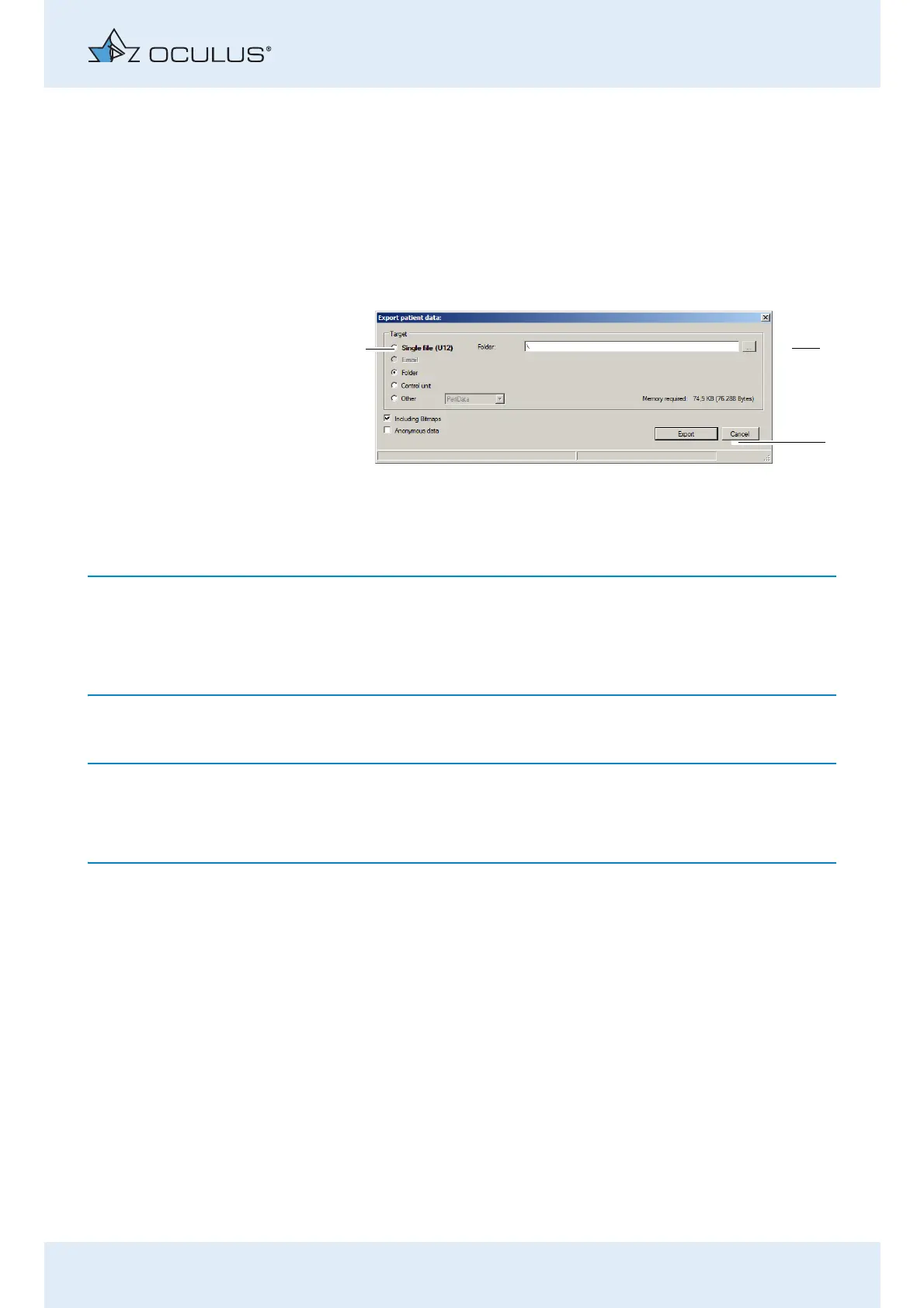
Press the [Export] button below the patient list. The following dialog
appears:
The options for import and export of data are set as defaults in the
"settings" field, see also sec. 12.5, page 57.
Depending on the settings you may not have to perform all of the follow-
ing steps (for example selection of the directory).
Select the "Target" (1) where you would like to export the data.
Recommendation: Export the patient data using the "Individual file
(U12)" option.
Press the [...] button. (2)
In the dialog that appears, select the folder or the file to which the
patient data should be exported.
Confirm your selection with [OK] or [Save].
To export the data, press the [Export] button (3).
1 Select destination
2 [...] button
3 [Cancel] and [Export] buttons
Fig. 12-1: "Export patient data" dialog



 To Next Page