12 Patient Data Management
64 / 86 Instruction Manual Mesotest II (G/62800/0715/en)
12.5.4 "Email" tab
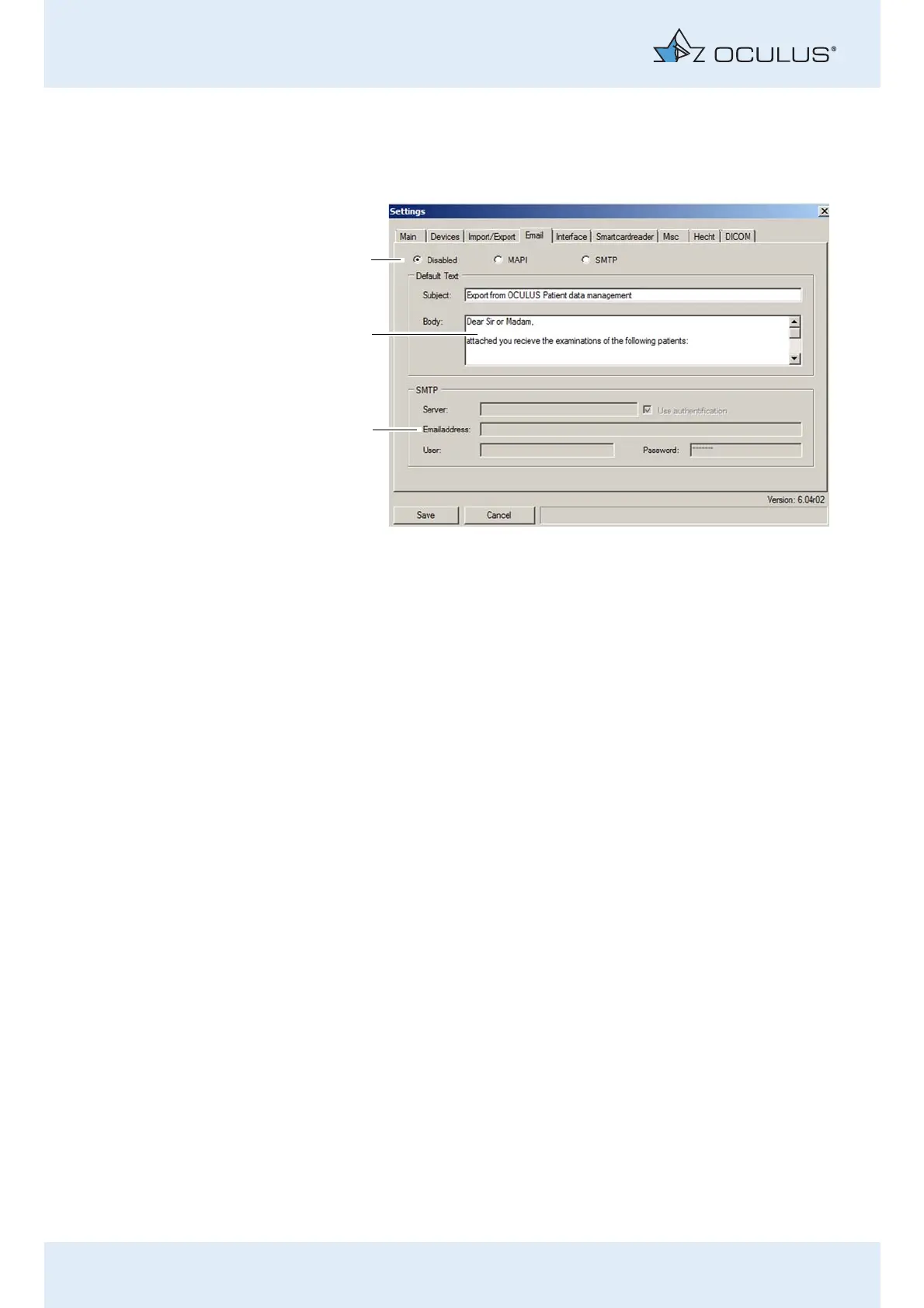
With the three radio buttons in the upper part of the tab (1), you can
determine whether the email connection is active, and if it is, how the
transfer of data should take place.
Enable the option "MAPI" if an email program (for example
Microsoft Outlook) is installed on your computer and if data should
be sent using this program.
Enable the option "SMTP" if no email program is installed on your
computer but you would still like to send the databy email. In this
case, additional entries in the "SMTP" box are necessary.
"Default text" group box
Enter the default text for sending emails in the "Subject" and "Body"
(2) boxes. You can adjust this text before email is actually sent (for
example particular to patients or examinations).
"SMTP" group box
If no email program is installed on the computer, several additional
entries must be made here to be able to send emails.
Contact your system administrator if you have questions about the
individual entries.
1 Select e-mail connection 3 SMTP connection selection
2 Standard text for subject and body text
Fig. 12-10: "Email" tab



 To Next Page