12 Patient Data Management
Instruction Manual Mesotest II (G/62800/0715/en) 57 / 86
12.4.3 Automatic backup
In addition to the manually performed backup, it is also possible to
automatically run a backup when exiting the Patient Data Management
program. The settings required for this can be made in the "Settings" area,
see sec. 12.5.3, page 62.
12.5 Change settings
Basic specifications for working with the Patient Data Management user
interface can be made in the "Settings" area.
Press the [Settings] button in the upper right portion of the Patient
Data Management user interface.
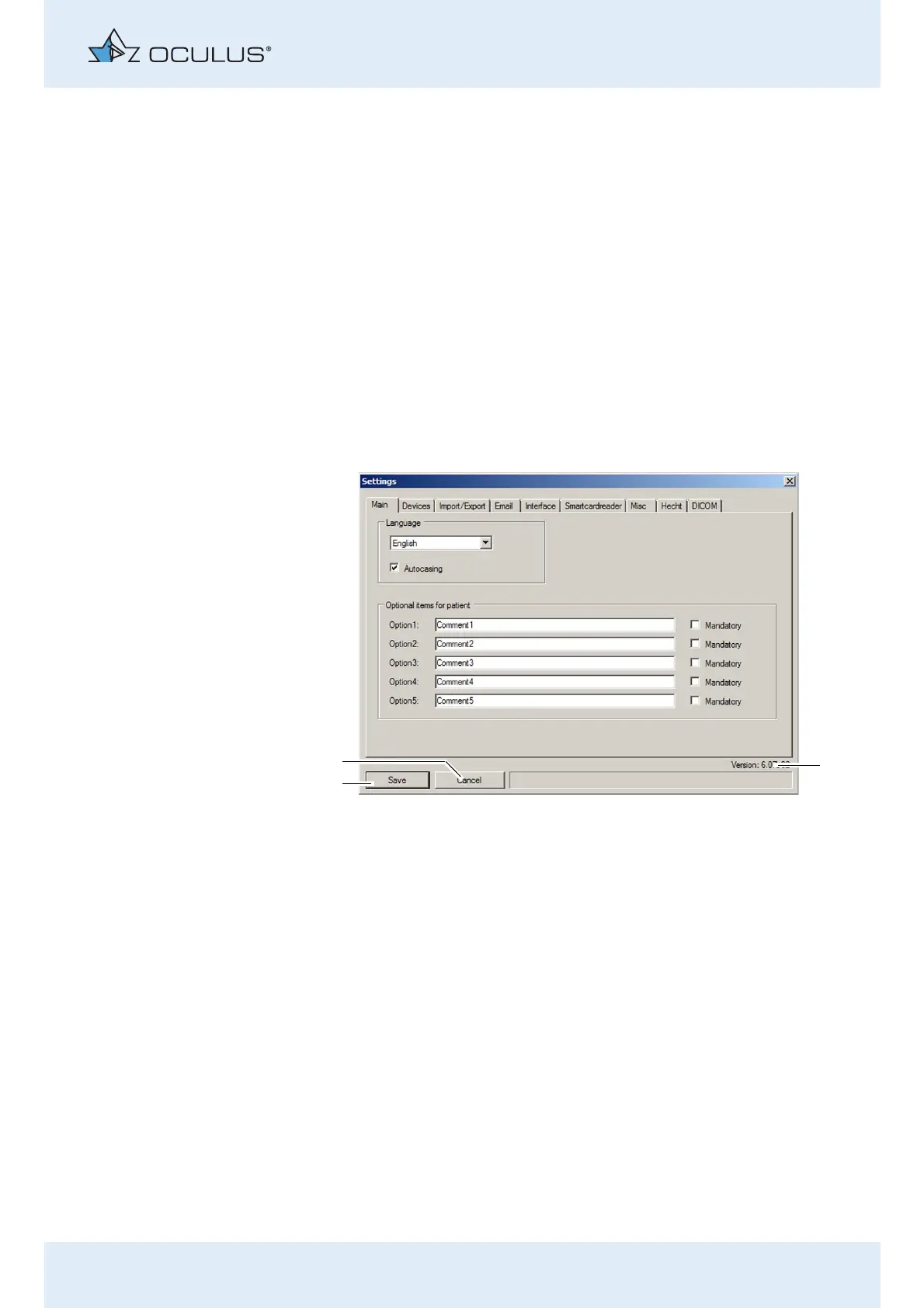
The "Settings" menu page will be displayed. The "Main" tab will appear in
the foreground.
The following information and buttons are available to you on all tabs:
The version of the Patient Data Management program appears on
the lower right (3).
There are two buttons below and to the left for saving (1) or discard-
ing (2) the changes that have been made. All changes are always
saved or discarded, and then the screen is closed.
1 [Save] button 3 Program version of
Patient Data Management
2[Cancel] button
Fig. 12-4: "Settings" screen



 To Next Page