10 Conducting the Examination with a Computer/Laptop
Instruction Manual Mesotest II (G/62800/0715/en) 39 / 86
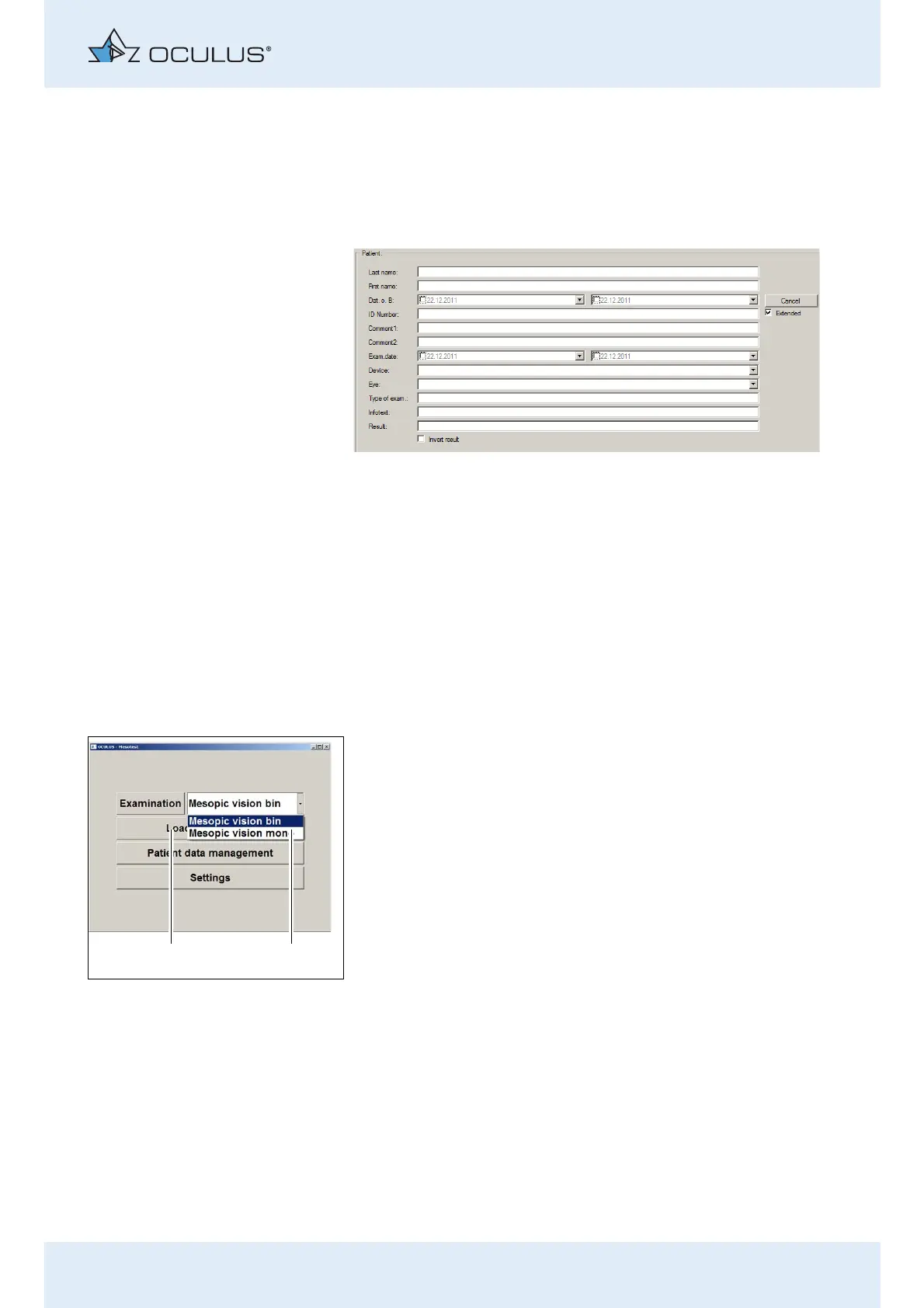
Extended patient search: [Extended] checkbox
Click on the [Extended] checkbox.
The screen displays additional search parameters which reference
previous examinations.
Enter a search parameter.
The respective patient is highlighted in the list.
Press the button [End search].
Proceed as for entering a patient name.
10.4 Select and Start Exam
If necessary, press the [Mesotest II] button to start the Mesotest II
programme.
The following dialogue appears:
Select a program (2):.
You can choose between "Mesopic vision bin" and „Mesopic vision
mono“.
If you have created your own programs, a drop-down list showing all
programs is displayed here, sec. 11, page 47.
Press the button [Examination] (1) to start the examination.
The selected programm appears:
Mesopic vision bin, sec. 10.4.1, page 40
Mesopic vision mono (optional with Mesotest II konkav),
sec. 10.4.2, page 42
Fig. 10-15: Advanced search
Fig. 10-16: Menu “Mesotest II“



 To Next Page