10 Conducting the Examination with a Computer/Laptop
Instruction Manual Mesotest II (G/62800/0715/en) 37 / 86
10.3.1 Starting Patient Data Management
You can enter patient data in the Patient Data Management and then use
it.
After you have switched on the computer, it first loads the operating
system.
If the Windows desktop is displayed, you have to start the Patient Data
Management programme from there.
If necessary, click on the Mesotest II icon: .
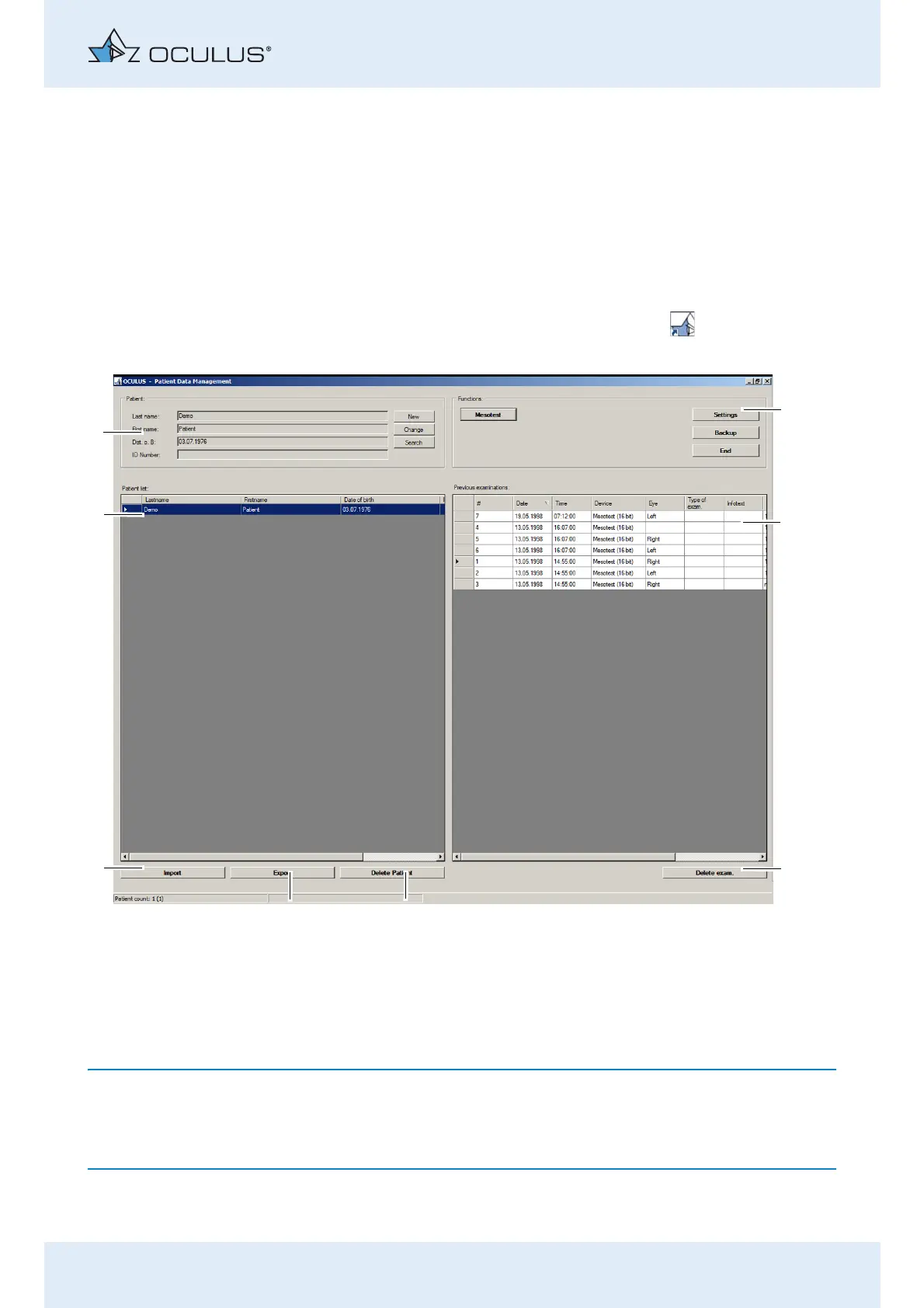
The user interface for the Patient Data Management is displayed
To start the Mesotest II programme, first enter a new patient (8) , or select
an existing patient from the list of patients (7). For more information on
Patient Data Management, refer to the sec. 11, page 47.
1 “Functions” box 5 [Export] button
2 Previous examinations 6 [Import] button
3 [Delete exam] button 7 Patient list
4 [Del. Patient] button 8 “Patient” box
Fig. 10-12: User Interface for Patient Data Management



 To Next Page