10 Conducting the Examination with a Computer/Laptop
Instruction Manual Mesotest II (G/62800/0715/en) 31 / 86
10.1.4 Swing in Minus Lenses
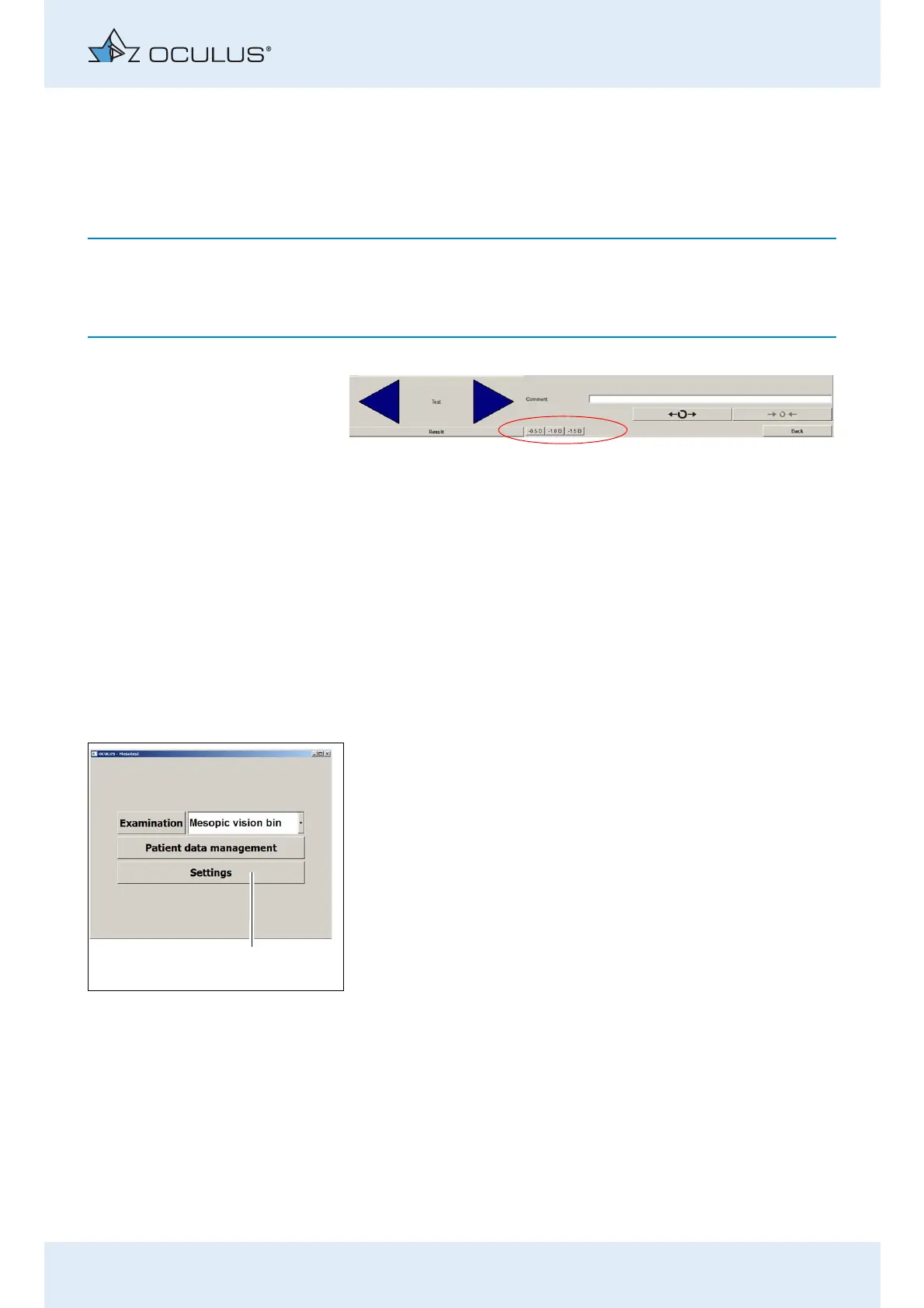
You can swing in minus lenses to determine whether the patient suffers
from night myopia.
You can only use the myopia test if your Mesotest II has this function
(Mesotest II konkav), and the myopia test has been
activated in the “Settings” , see sec. 10.1.4, page 31.
Swing in the minus lenses for the last test that the patient just
recognised.
Press the button with the desired lens power.
If the visual acuity of the patient improves, he may suffer from night
myopia.
You can determine the extent of the night myopia by swinging in lenses
of different powers (-0.5/-1.0/-1.5 D).
10.2 Change Settings
If necessary you can make some basic adjustments in the Mesotest II
programme (1). If you do not want to change any settings, proceed as
described in sec. 10.3, page 36.
Select a patient from the list of patients and double-click on the
selected patient to start the Mesotest II programme. The „Mesotest
II“ menu is displayed.
The following settings can be changed:
Set the date format, page 32
Set the language, page 32
Change the visual acuity data, page 32
Activate the myopia test, page 33
Enable the option to allow the patient’s gender to be entered in the
patient data management, page 33
Enable full screen mode when the programme is started, page 34
Enable to load an existing examination without using the OCULUS
patient data management, page 33
Activate Demo mode, page 34
Edit examination programme, page 34
Personalise the results printout , page 34
Fig. 10-5: The buttons for minus lenses are activated
Fig. 10-6: Menu “Mesotest II“



 To Next Page