10 Conducting the Examination with a Computer/Laptop
32 / 86 Instruction Manual Mesotest II (G/62800/0715/en)
Proceed as follows:
Press the button [Settings].
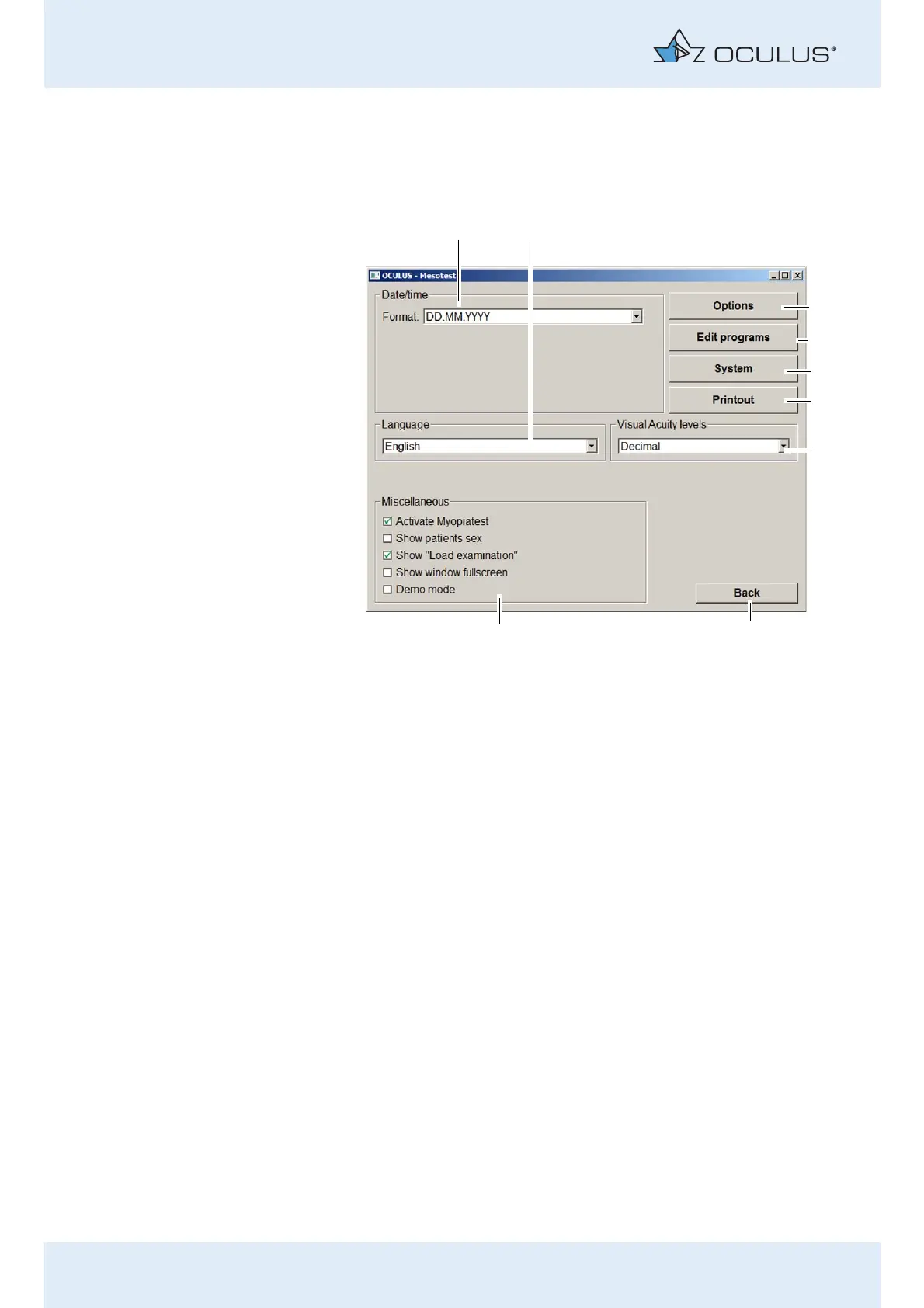
The following dialogue is displayed:
Change date format
“Date / Time” box (fig. 10-7, page 32, item 1):
From the drop-down list, select the desired date format.
Language settings
“Language” box (fig. 10-7, page 32, item 2):
Select the desired language from the drop-down list.
The selected language will be active after the next start of the
Mesotest II programme.
Change visual acuity data
“Visual acuity levels“ box (fig. 10-7, page 32, item 7):
Select the desired setting for the visual acuity data from the drop-
down list.
1 “Date / Time” box 6 [Printout] button
2 “Language” box 7 Box „Visual acuity data“
3 [Options] button 8 [Back] button
4 Button [Edit programs] 9 “Miscellaneous” box
5 Button [System]
Fig. 10-7: “Settings” screen



 To Next Page