12 Patient Data Management
54 / 86 Instruction Manual Mesotest II (G/62800/0715/en)
12.3 Importing Patient Data
If you keep patient data on a USB stick, you can import this data.
Generally speaking, the various software versions are compatible with
each other, so that you can still import data, even if they have been
exported from a newer or an older version of the Patient Data
Management system.
Note
Loss of data due to computer virus
Computer viruses can cause loss of data.
Run a virus check before importing data from the USB stick.
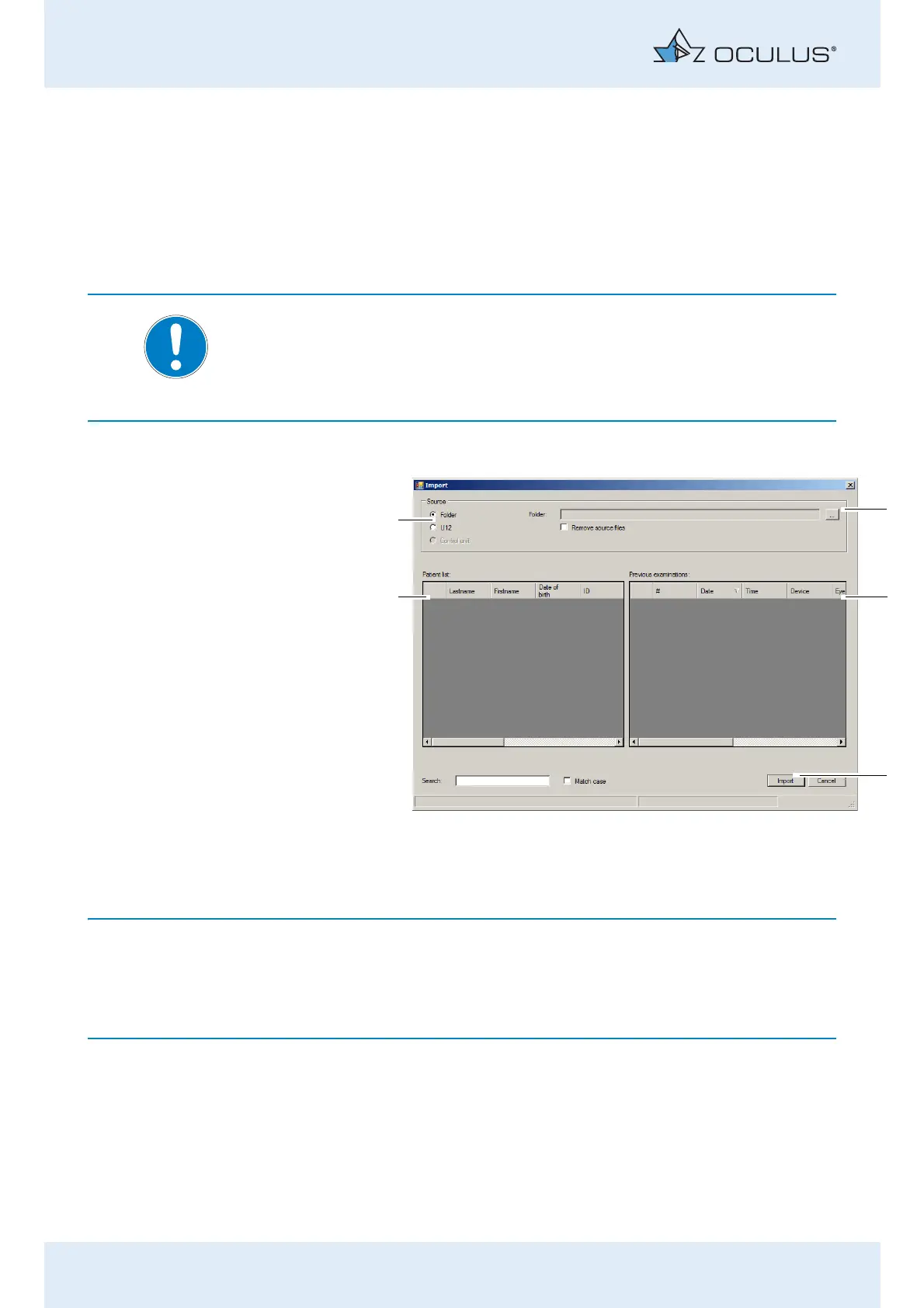
Press the button [Import]. The following dialog appears:
The options for import and export of data are set as defaults in the "set-
tings" field, see also sec. 12.5.3, page 62.
Depending on the settings you may not have to perform all the following
steps (for example selection of the directory).
Select the option (1) which contains the source data ("Folder" or
"Single file (U12)").
1 Select the source of the data 4 [Import] button
2 [...] button 5 Patient list
3 Previous examinations
Fig. 12-2: "Import" dialog



 To Next Page