12 Patient Data Management
Instruction Manual Mesotest II (G/62800/0715/en) 59 / 86
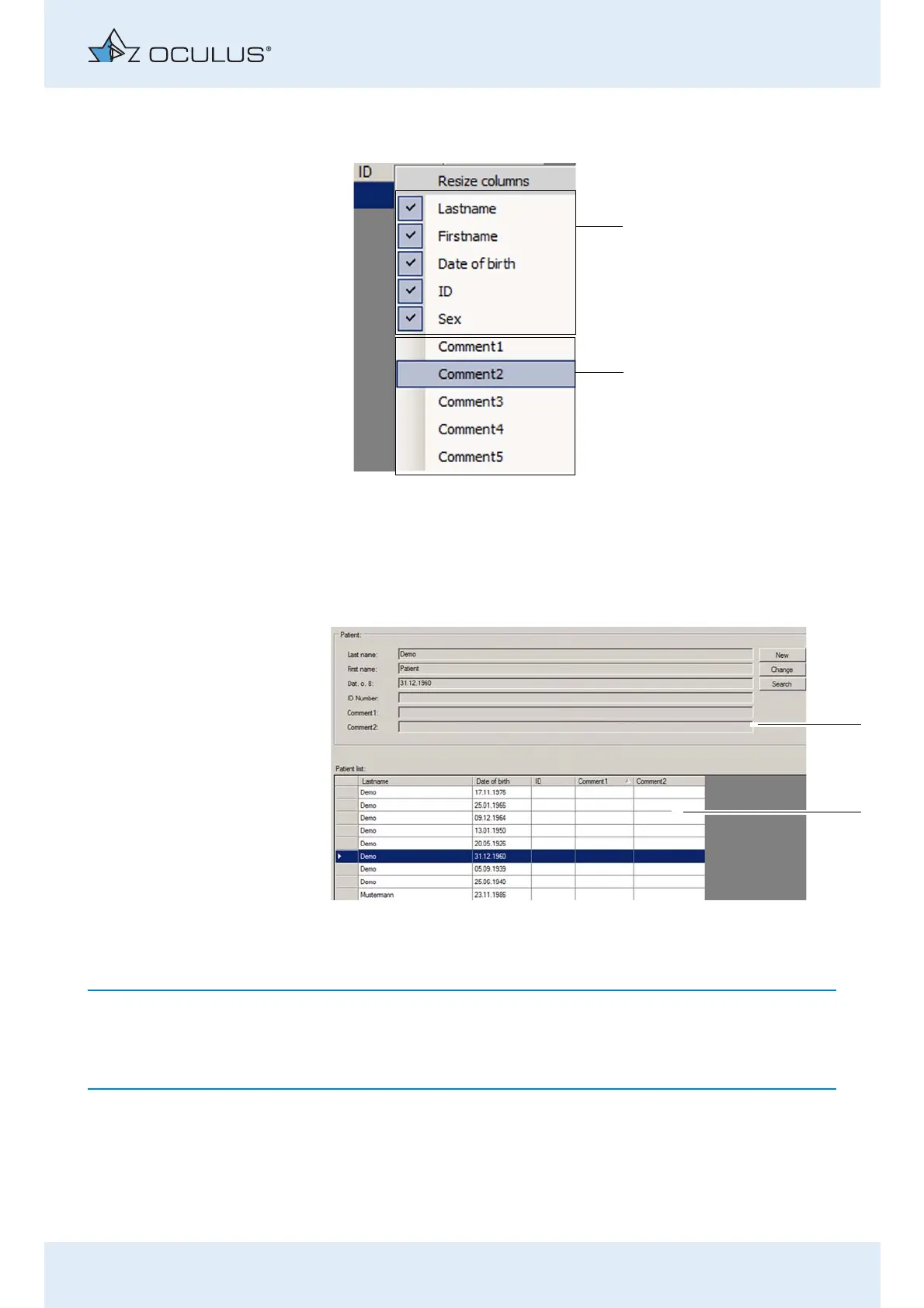
Select the desired attribute, for example "Comment2" [2].
The context menu will close, and the attribute "Comment2" will be
displayed in the upper section of the entry fields for patient data (1) as
well as in the patient list (2).
The deselection of attributes in the context menu is done in the same
manner. The currently selected attributes are marked with a check.
1 Previously enabled attributes
2 New attribute selected
Fig. 12-6: New attribute enabled
1 Attribute "Comment2" as an input field
2 Attribute "Comment2" in the patient list
Fig. 12-7: Custom attribute "Comment"



 To Next Page