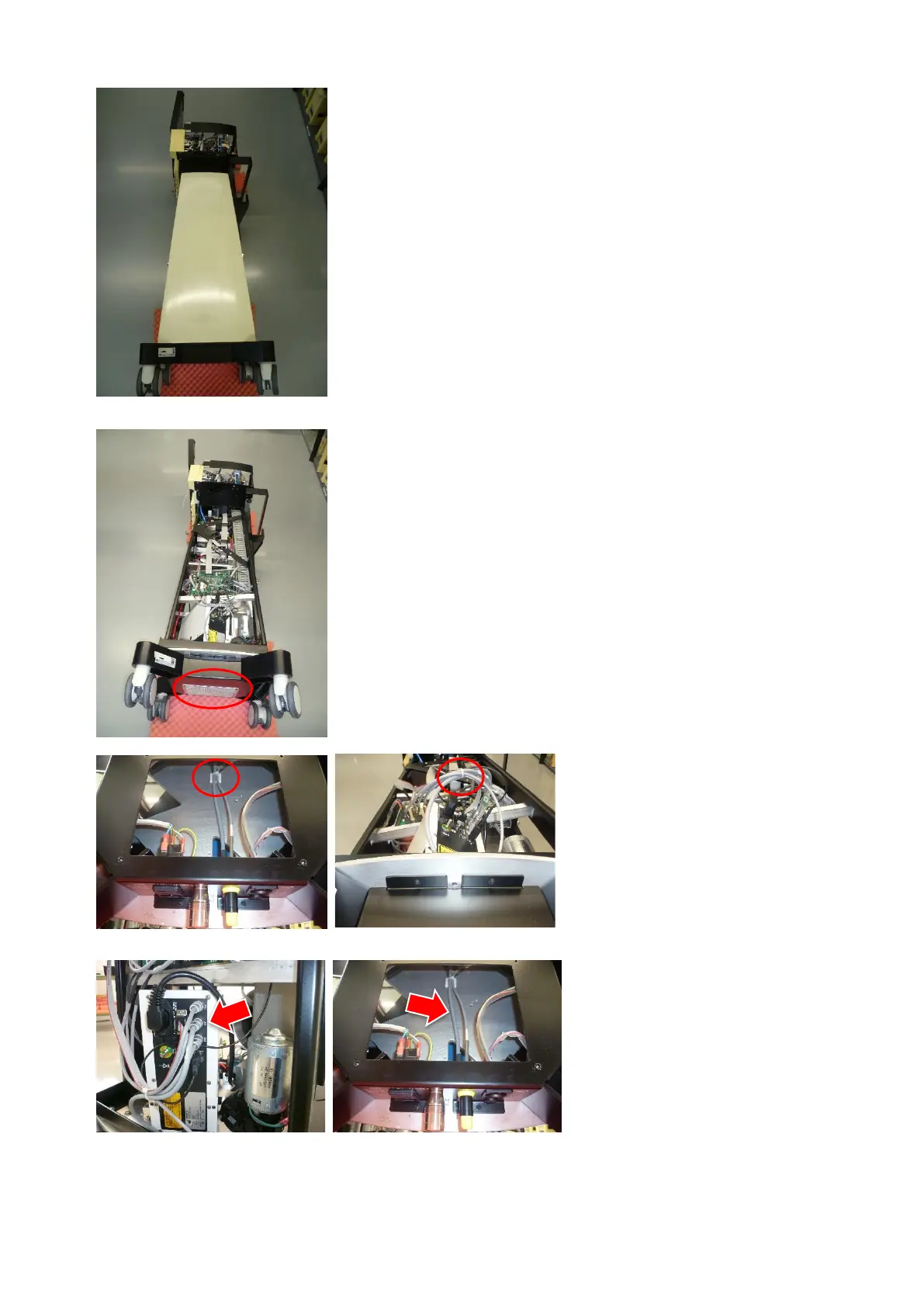
Place the OS4 carefully on its side
(according to the position on the
photo).
Remove the housing and the venti-
lation plate.
Remove the two cable ties accord-
ing to the photos.
Disconnect and unthread the UPF
cable from the laser and completely
remove it.
Mount the replacement cable in re-
verse order.
Remember to secure the UPF
socket with the Lemo key at the end
of the exchange.


 To Next Page
 Loading...