EasyManua.ls Logo

OERTLI OS 4 - Endo Laser Module

OERTLI OS 4
151 pages
Print Icon
To Next Page IconTo Next Page
To Previous Page IconTo Previous Page
Loading...
2021-03-23 / Rev. 10 VV016042 99
11.3.5 Endo laser module
VX210162
Quantity
Description
1
Endo laser module
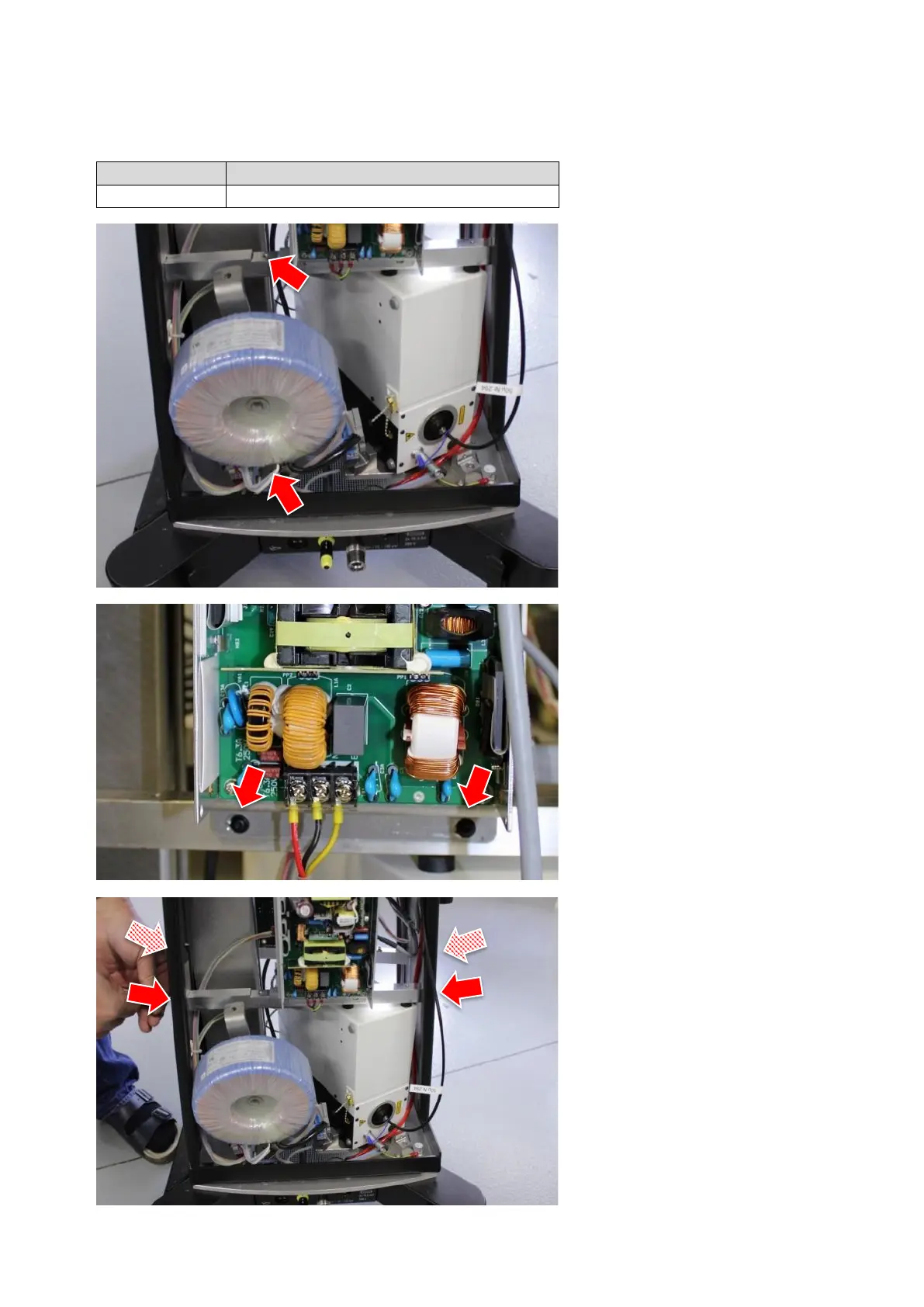
STEP 1:
1.
2.
Remove housing according to sec-
tion 11.1.5 step 3.
Remove isolation transformer as-
sembly to get access to the laser
module.
Remove the top screw completely
(TX30). The bottom screw needs
only to be loosened. Swing the
transformer to the left side.
STEP 2:
3.
Remove 2 (TX10) screws from the
power supply carrier.
STEP 3:
4.
5.
Remove 8 (TX25) screws from both
supports where one of them holds
the supply PCB in place.
Push the supports out of the frame.


Table of Contents