2021-03-23 / Rev. 10 VV016042 57
11 Installing and uninstalling of device components
11.1 General
11.1.1 Fuses
VX520013
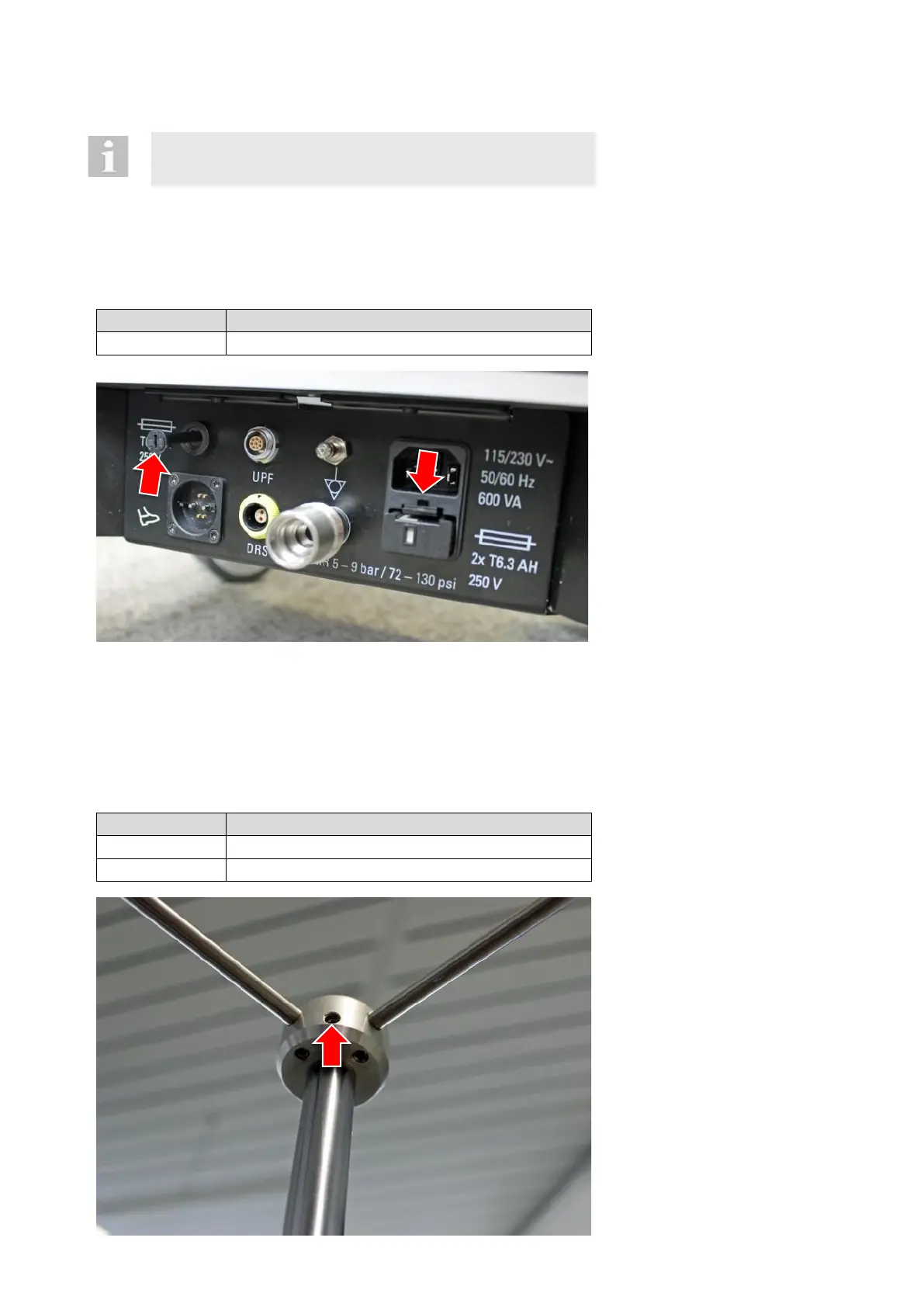
Fuse holder „square“:
Plug in tool (e.g. screw driver)
downwards and replace fuses.
Fuse holder „round“:
Turn fuse holder with tool
counter in clock-wise direction.
Pull drawer out. It cannot be
pulled out completely.
Following the installation of the spare fuses: Check in accordance with 6.2 if the correct voltage has been selected.
The laser module contains another fuse. To find this fuse, please check the laser module.
This should only blow if an internal error of the module occurs.
11.1.2 Hook for infusion pole
VX100869
Mount for infusion pole (incl. hooks)
Unfasten screw of the mount
for infusion pole.
Pull mount out of the infusion
pole.
Please consider during the as-
sembling that both hooks must
be at a 45-degree angle to the
device (see 6.3).
The installation of components is done in the reverse order of their
uninstallation. Each section specifically indicates any points which
are important to observe.



 To Next Page