2021-03-23 / Rev. 10 VV016042 25
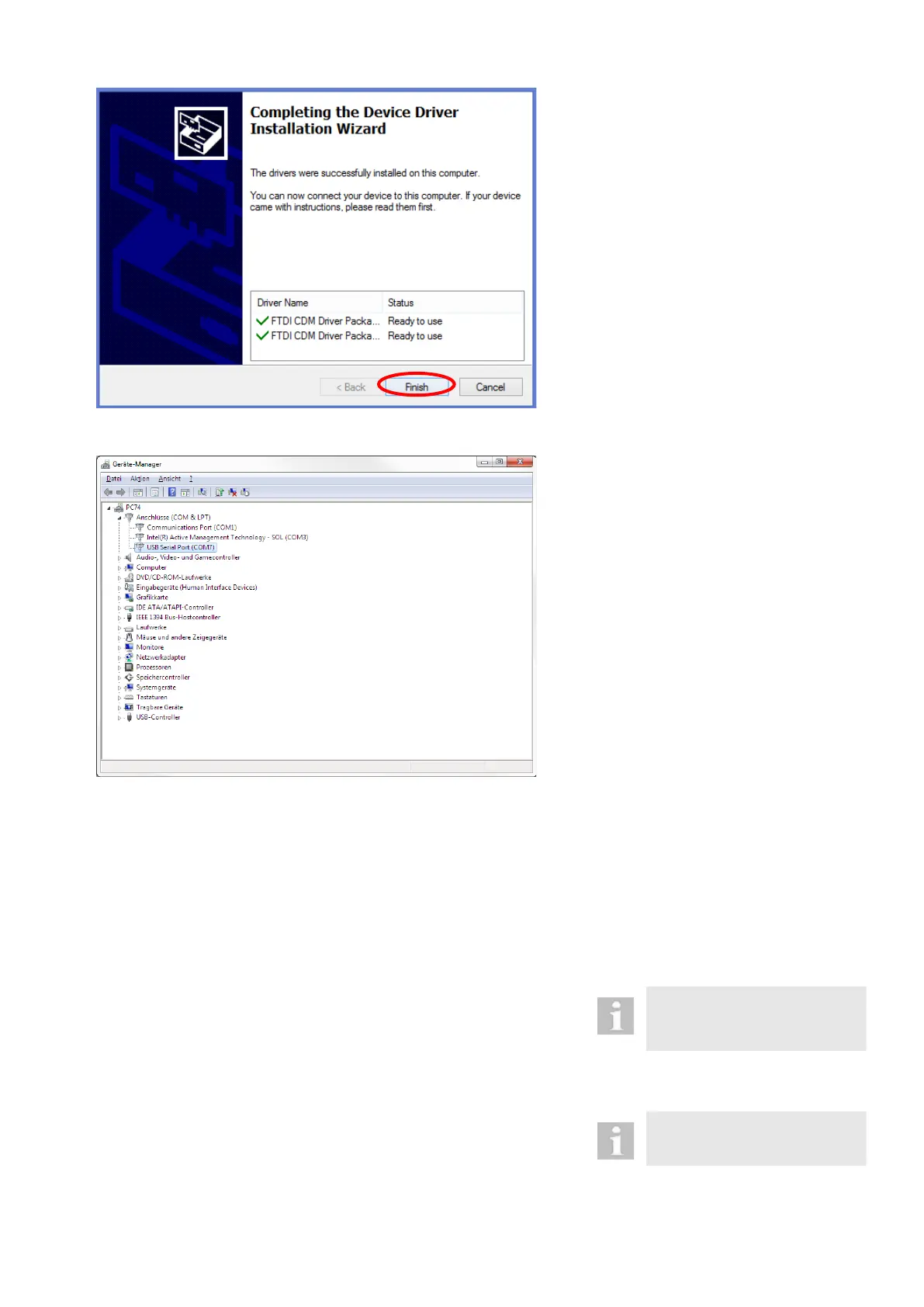
9. A successful installation is confirmed
by the following window. Click on “Fin-
ish” and restart the laptop.
Check interface
1. Connect the USB interface cable
VX400313 with the laptop.
2. Start the device manager under system
control / device manager.
3. Check if there is an entry „USB Serial
Port (COMx)” in the „Connections
(COM & LPT)“ menu.
8.2.2 Loading of adjustment values with the service tool
This chapter describes the procedure when loading adjustment values onto the OS 4 in the case of spare parts. The pre-
condition is that the driver software for the Oertli USB interface cable VX400313 (8.2.1) has previously been installed on
the laptop.
The software for loading the adjustment values does not have to be installed. Simply copying the software onto laptop or
executing it directly from the USB stick is enough.
8.2.2.1 Procedure
The spare part must be installed
in the device before adjustment
values can be loaded.
1. Connect USB interface cable with the
laptop.
The driver software must have
been installed previously
(8.2.1).
2. Connect the USB interface cable with
the plug JP2 DIAGNOSE on the CORE
print.



 To Next Page