2021-03-23 / Rev. 10 VV016042 113
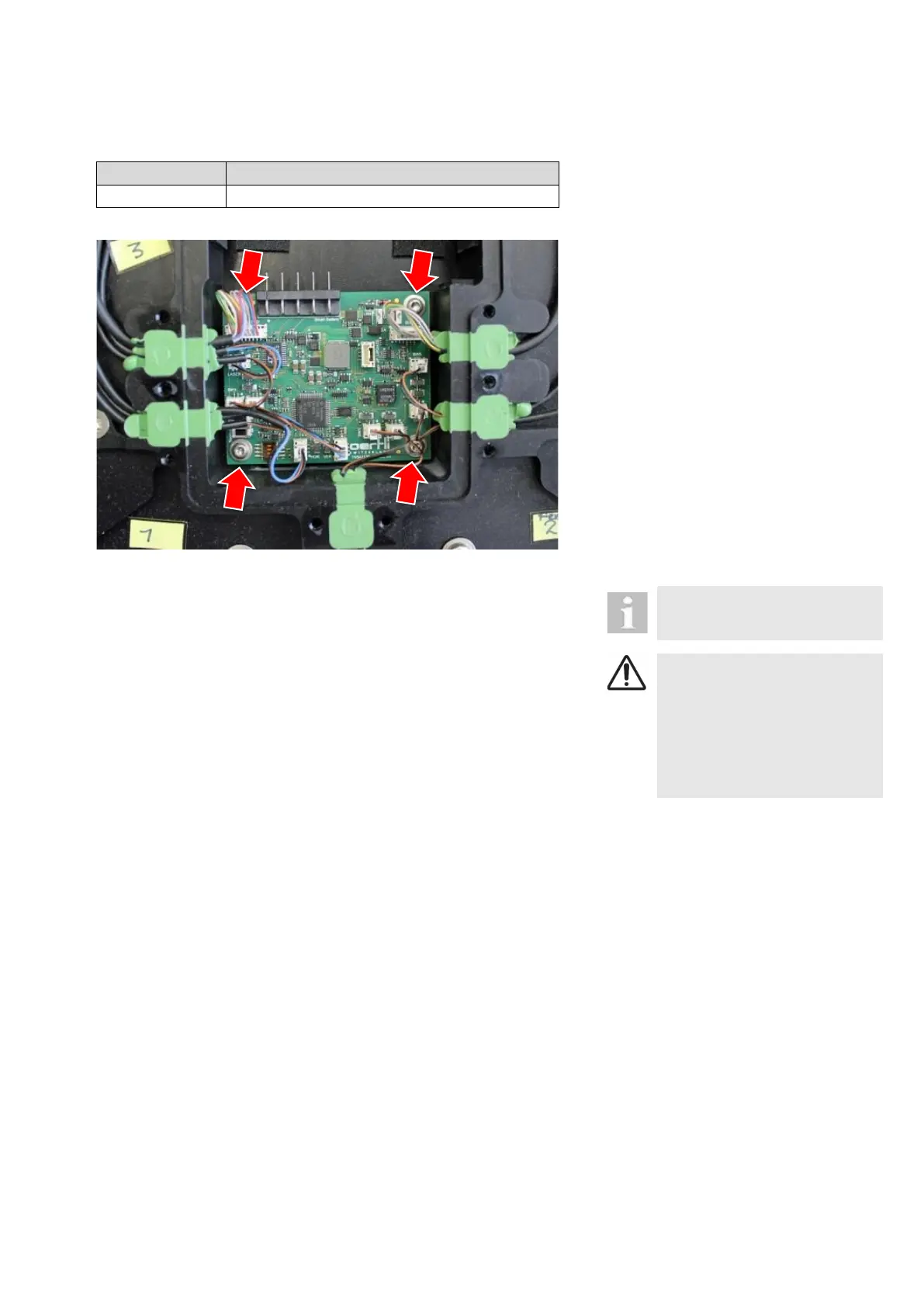
13.4 Pedal PCB
VX541135
Open pedal housing according to
the procedure described in 13.1.
Remove battery pack according to
13.3.
Take a photo of the connected ca-
bles.
Disconnect all cables.
Release PCB by removing 4
screws.
When mounting the new print take
care that you plug in the cables ac-
cording to the photo.
After this procedure, the pedal
must be paired with the unit.
CAUTION!
Incorrect pedal signals trans-
ferred to device
Faulty operation of device
► After this procedure, the pe-
dal needs recalibrating ac-
cording to 7.5.



 To Next Page