2021-03-23 / Rev. 10 VV016042 33
9.7 Calibration procedure
9.7.1 Preparation for calibration
Check and clean the test fibre with recommended kit before using ( 9.4)
Remove right side panel (side of cassette
compartment) according to 11.1.5.
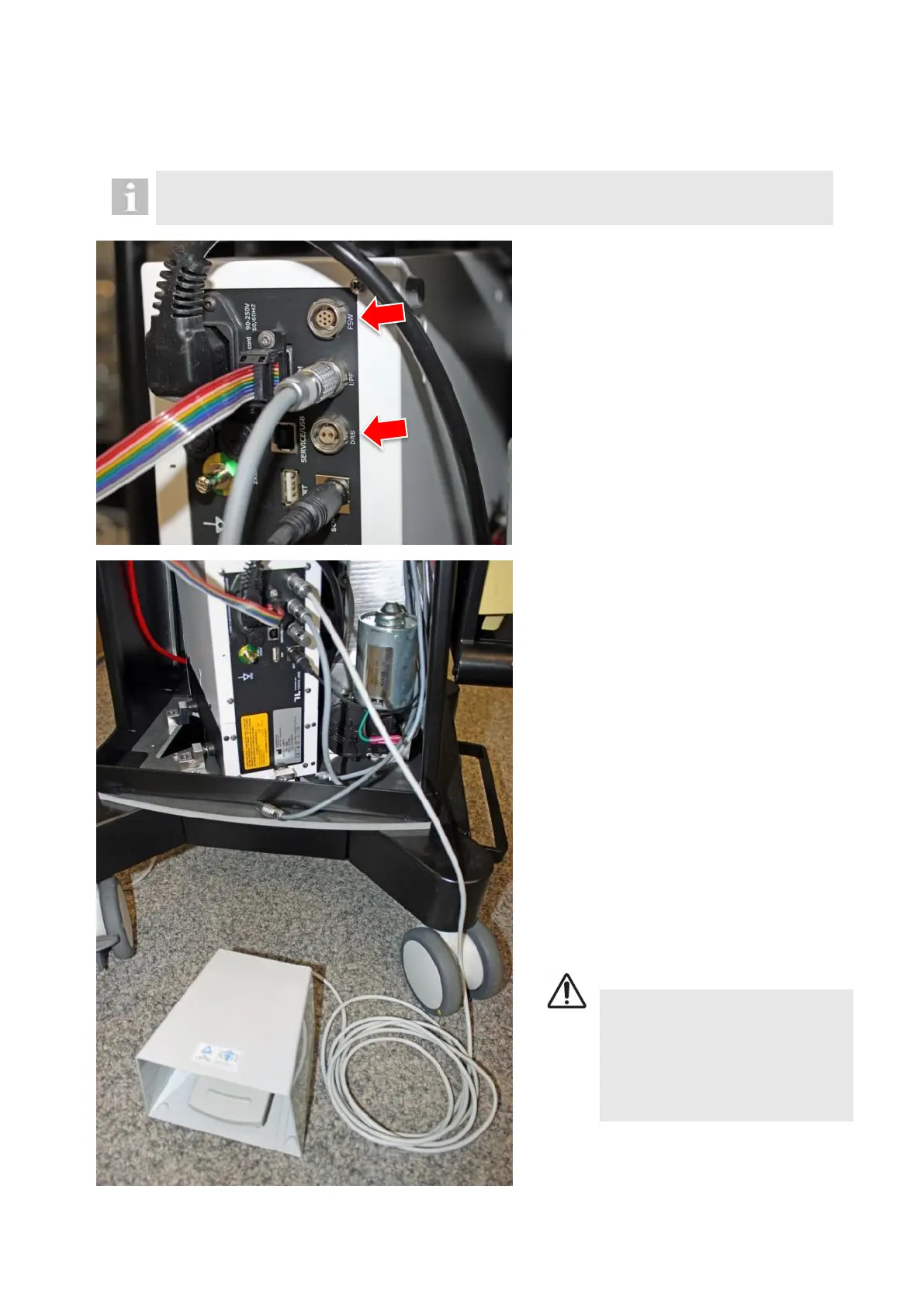
Disconnect cable from FSW.
Disconnect cable from DRS.
Plug DRS dongle directly into DRS socket of
the laser module.
Plug separate Meridian laser pedal directly
into FSW socket of the laser module.
Connect laser module with service laptop via
an USB connection.
The laser will now be checked directly by the
servicing software.
Inspect and clean the test fibre on one side
according to 9.4. Connect it to the power
sensor.
Inspect and clean the test fibre on the other
side according to 9.4. Connect the test fi-
bre to the laser probe port on the OS 4
panel.
DANGER!
Direct or scattered laser radiation
Eye or skin damage
► Never inspect a fibre end face
that is connected at the other end
to a laser
Plug in OS 4 mains cable.
Start meridian software.



 To Next Page