2021-03-23 / Rev. 10 VV016042 34
9.7.1.1 Monitor
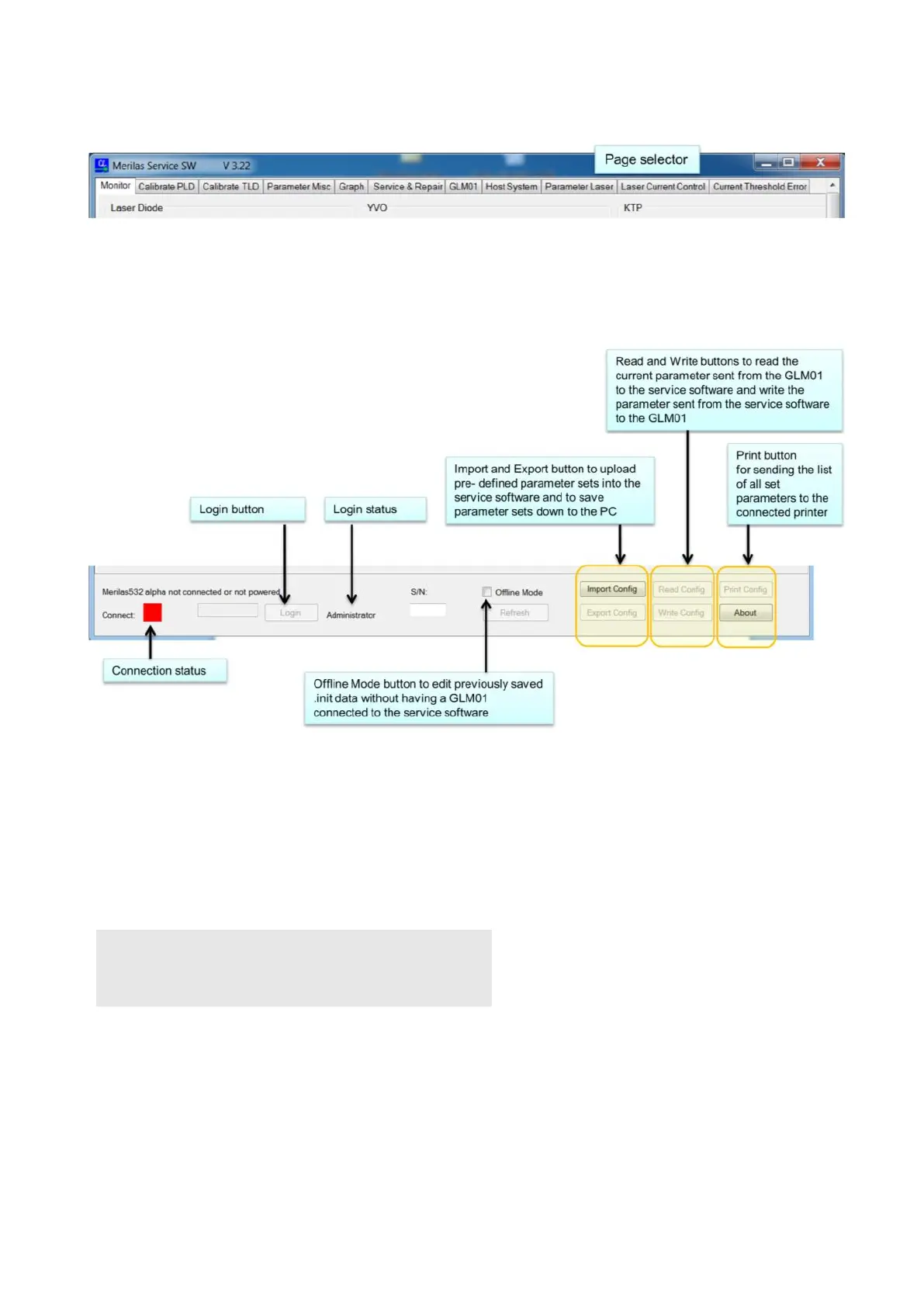
Explanation of the task bar is placed at the bottom of the window.
The bottom row displays connecting and login statuses. Moreover, the configuration of the laser module can be read, writ-
ten, imported, exported and printed out.
To have the full functional range of the software, you must login as administrator.
<Read Config> reads the values from the module and displays them.
The configuration can be saved into a file by <Export Config> and restored by <Import Config>.
Recommended file name for Config
Export as SN…….._YYMMDD_Technician_Start.ini (Use serial number of OS 4 device_Date_Technicians initials_State of
Backup.ini) Before calibration is started, make a BackUp called “Start”, and after completion of BackUp use “End” as state.
NOTE!
These files are important for future use, and also for trouble-
shooting in case of any errors!



 To Next Page