2021-03-23 / Rev. 10 VV016042 67
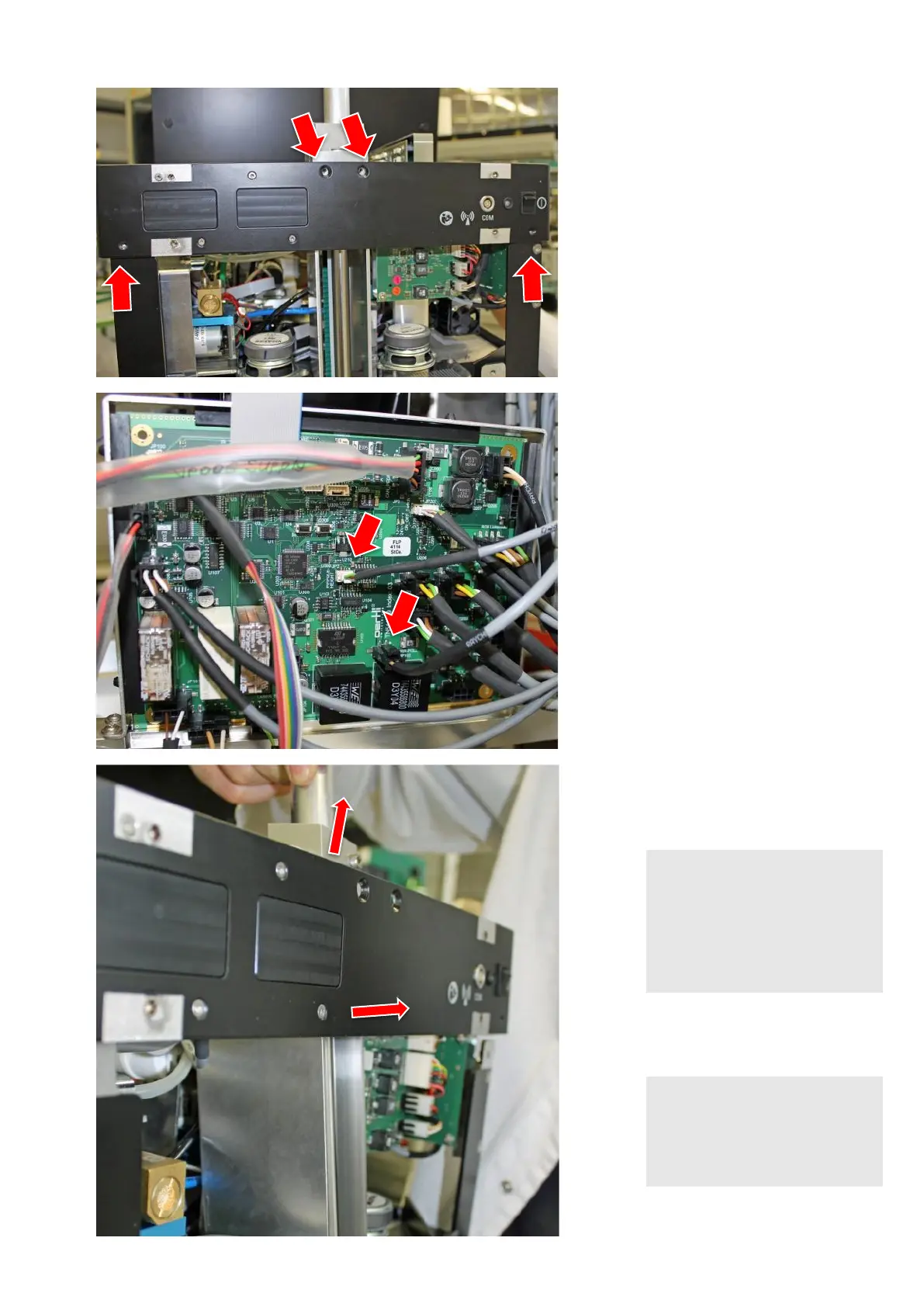
Remove black pole cover.
Remove 2 screws from the upper
mounting bracket.
Remove 2 screws at the back of the
enclosure completely.
Loosen 2 screws at the side of the
enclosure (no picture) so that the
part can be swung upwards slightly.
Disconnect 2 cables from the supply
PCB.
Push the complete assembly towards
the enclosure.
Lift assembly upwards and then back-
wards.
NOTE!
Improper dismounting
Sheet metal is deformed perma-
nently
► Push gently so that sheet
metal is not deformed
permanently.
NOTE!
Improper dismounting
Cables are damaged
► Follow the instructions
carefully.



 To Next Page