EasyManua.ls Logo

OERTLI OS 4 - Page 79

OERTLI OS 4
151 pages
Print Icon
To Next Page IconTo Next Page
To Previous Page IconTo Previous Page
Loading...
2021-03-23 / Rev. 10 VV016042 79
STEP 1:
1.
2.
3.
4.
Remove lower and upper sheet
metal enclosure according to section
11.1.5 steps 1 and 2.
Remove front enclosure according to
section 11.1.6 step 1.
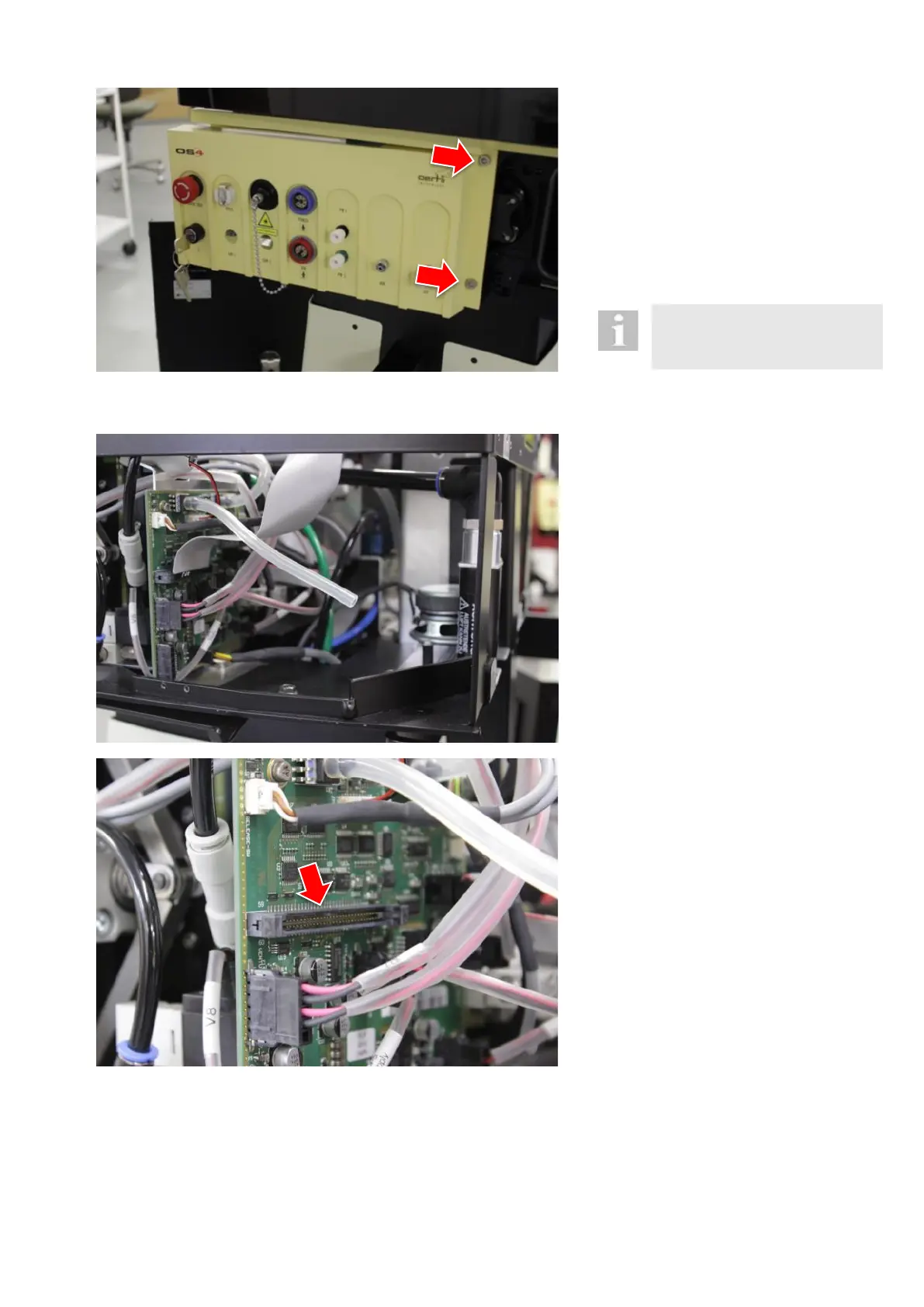
Carefully move front enclosure to the
side so as to get access to the two
fixation screws of the fluidics unit.
Loosen 2 fixation screws from the
front.

Please take great care of the key
switch on the left to avoid break-
age.
STEP 2:
5.
Dismount air module according to
11.1.21.
STEP 3:
6.
Disconnect the flat ribbon cable
from the fluidic PCB.

Table of Contents