EasyManua.ls Logo

OERTLI OS 4 - Page 83

OERTLI OS 4
151 pages
Print Icon
To Next Page IconTo Next Page
To Previous Page IconTo Previous Page
Loading...
2021-03-23 / Rev. 10 VV016042 83
STEP 11:
16.
17.
18.
19.
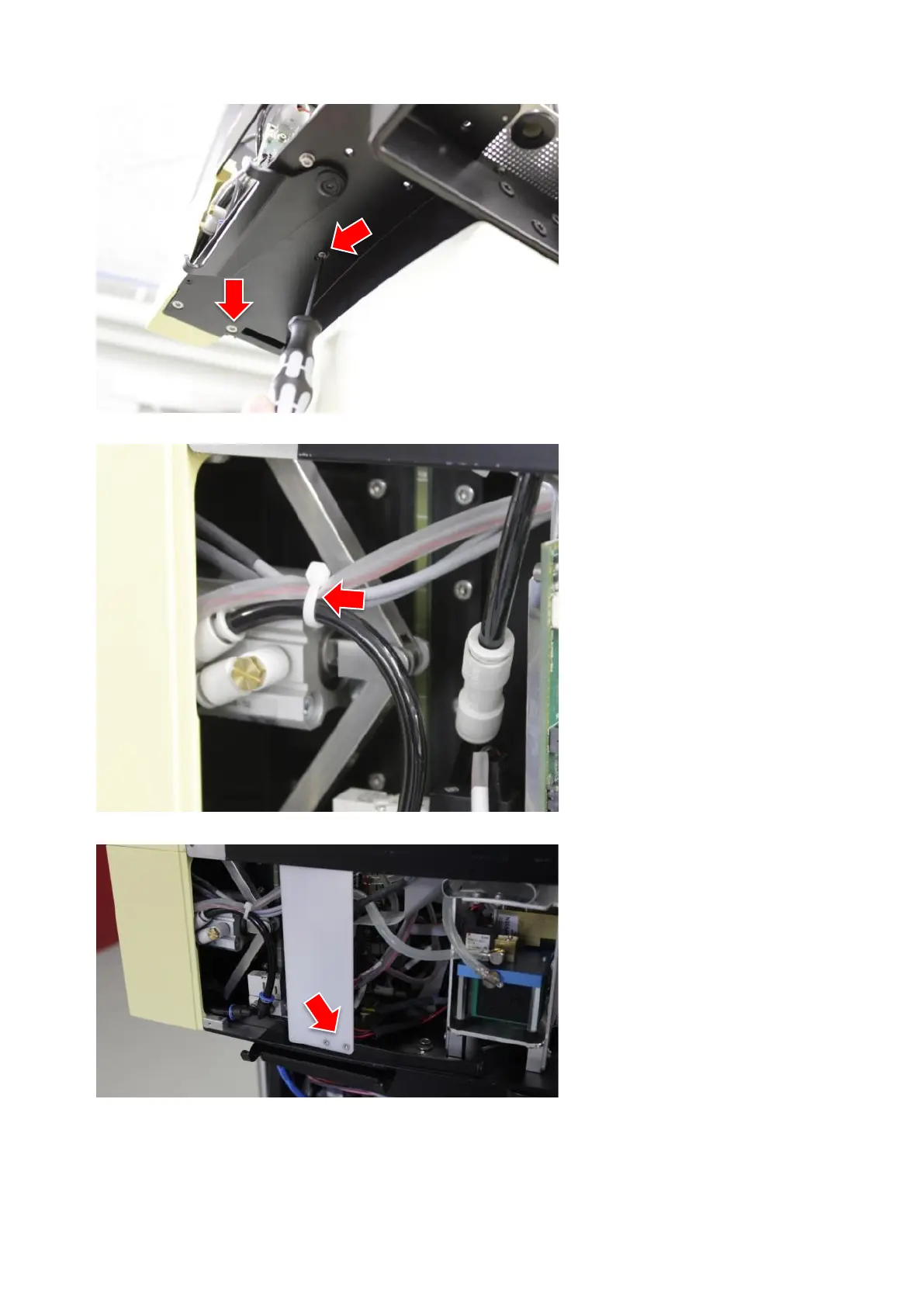
Do not tighten the screw for fixing
the fluidic print metal sheet, mount
it loosely.
Do not tighten the second of the
lower fixation screws of the fluidic
unit, mount the screw loosely.
Mount 2 fixation screws to the front
and tighten them.
Tighten the remaining fixation
screws.
STEP 12:
20.
21.
Mount all tubes and cables.
Secure the cable to the cassette
eject button with cable tie.

STEP 13:
22.
23.
Install AIR module.
Mount protection plate.
STEP 14:
24.
Load adjustment values onto the
device according to 8.2.

Table of Contents