120
Function/setting customizing
9
CUSTOM RESET SETTING
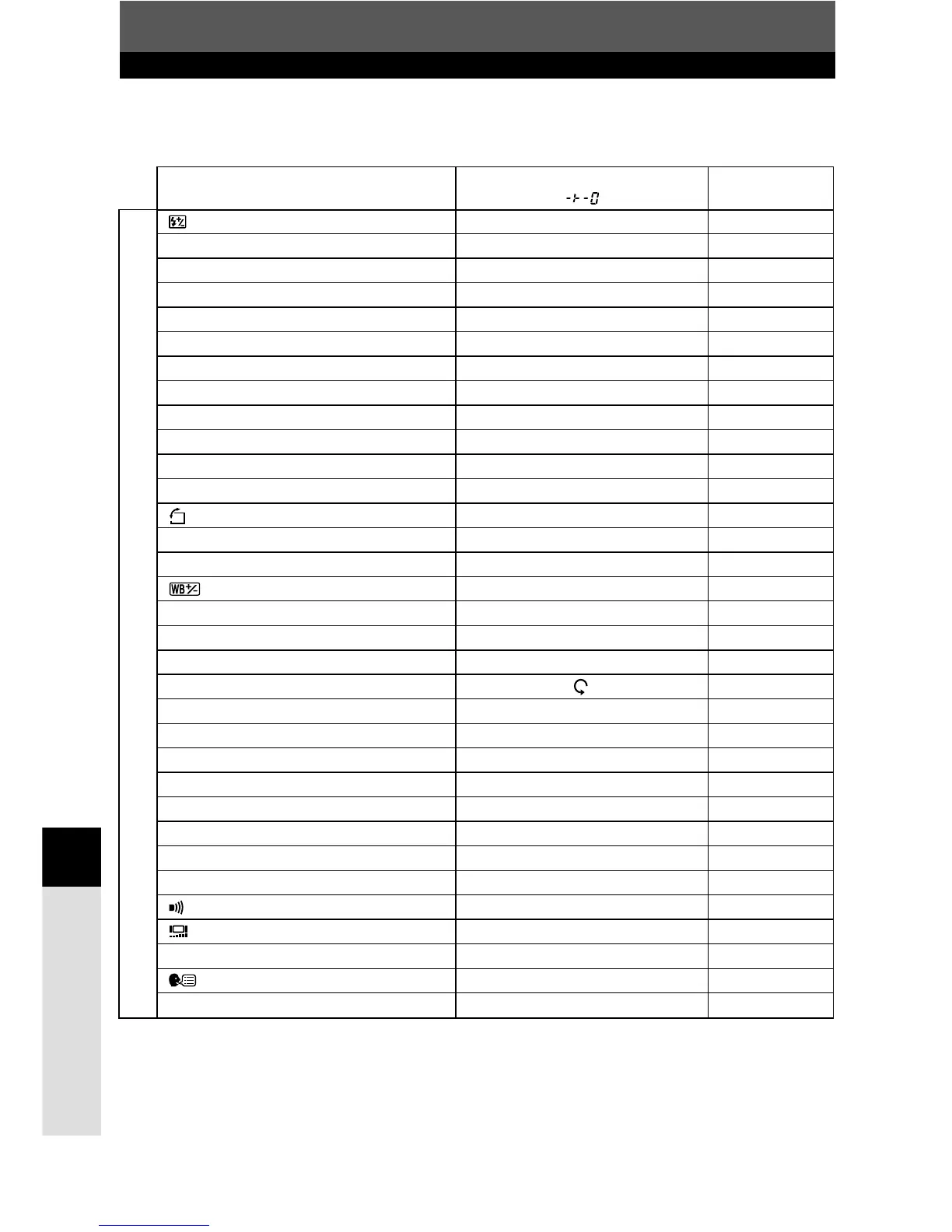
Functions that can be registered in CUSTOM RESET SETTING & functions that
reset to factory default settings are listed below
Functions
Factory default settings
Registration
()
(P.104) 0.0 √
SATURATION (P. 94) CS2 √
CONTRAST (P. 93) 0 √
SHARPNESS (P. 92) 0
√
COLOR SPACE (P. 97) sRGB
√
WB BKT (P. 72) OFF √
RAW•JPEG (P. 82) OFF
√
NOISE FILTER (P. 95) OFF √
NOISE REDUCTION (P. 95) OFF √
SHADING COMP. (P. 97) OFF √
AF ILLUMINATOR (P. 55) ON √
ANTI-SHOCK (P. 78) OFF √
(P. 111) OFF –
EV STEP (P. 125) 1/3EV √
ISO BOOST (P. 84) OFF √
(P. 90) ±0 √
SQ (P. 81) 1280 x 960, 1/8 –
AEL/AFL
*1
(P. 122) mode1/mode6 –
DIAL
*2
(P. 126) Ps/F.No./SHUTTER –
FOCUS RING (P. 127) –
S-AF+MF (P. 52) OFF –
RELEASE PRIORITY S (P. 54) OFF –
RELEASE PRIORITY C (P. 54) OFF –
RESET LENS (P. 127) ON –
PC MODE (P. 133) STORAGE –
ERASE SETTING (P. 127) NO –
FILE NAME (P. 128) AUTO –
REC VIEW (P. 129) OFF –
(P. 129) ON –
(P. 129) 0 –
SLEEP (P. 130) 1min –
(P. 131) ENGLISH –
VIDEO OUT (P. 131) *3 –
Menu function
√ : Can be registered
– : Cannot be registered. When the RESET 1-4 settings are used, functions indicated by — will retain their
current settings. The factory default settings are not restored.
*1 Depending on the selected focus mode, the factory default setting changes.
*2 Depending on the selected exposure mode, the factory default setting changes.
*3 The factory default setting varies depending on the area where you purchased this camera.


 To Next Page