46
EN
2
Recording
Monitoring while recording
Monitoring Recording Using Earphones Connected via Bluetooth
®
Recording can be monitored using earphones connected to the recorder via Bluetooth
®
.
• The earphones are optional.
• Other devices can also be connected via Bluetooth
®
. For information on supported
profiles, see “Bluetooth
®
Specification” (☞ P.159).
1
Connect the recorder and
earphones via Bluetooth
®
.
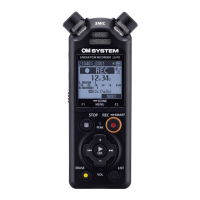
Recorder
Earphones
• For information on Bluetooth
®
connections, see “Connecting a
Bluetooth
®
device” (☞ P.137).
• Adjustments to volume have no
effect on recording level.
2
Adjust the volume using the +
or − button.
• Adjust volume while monitoring the
sound currently being recorded.
NOTE
• Sound will not be output to
Bluetooth
®
earphones if a 24-bit
[PCM] or [FLAC] option is selected for
[Rec Menu] > [Rec Mode]. Choose a
non-24-bit option (☞ P. 85).
• To avoid aural over-stimulation, set
volume to [00] before putting the
earphones on.
• To prevent feedback, keep
the earphones away from the
microphone during recording.
TIP
• If during recording sound is not
output to speakers or other devices
connected to the recorder via
Bluetooth
®
, select [Off] for [Rec
Monitor] (☞ P. 88).


 To Next Page