4-6 OmniRx G4 Console Upgrade
Remove the G3 Sled
OmniRx Service Guide/67-2023 Rev F © 2011 Omnicell, Inc.
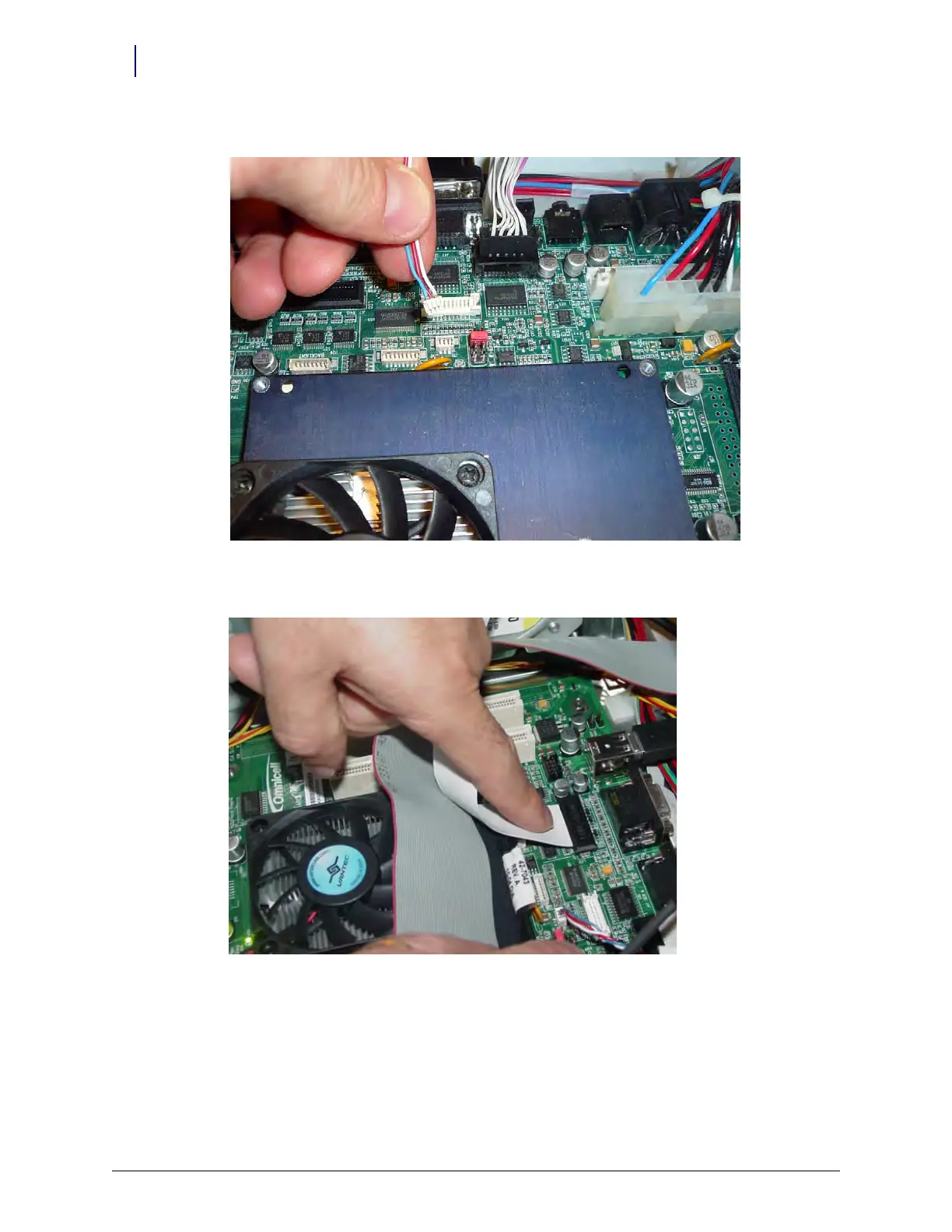
10. Disconnect the brightness control cable from J31 on the motherboard.
Figure 4-9. Disconnect the contrast cable from J31 of the motherboard
11. Disconnect the LCD data cable from J37 on the motherboard
Figure 4-10. Disconnect the LCD data cable from J37 of the motherboard
12. Disconnect any USB devices from the OmniRx.



 To Next Page