4-12 OmniRx G4 Console Upgrade
Prepare the OmniRx for Install of the G4
OmniRx Service Guide/67-2023 Rev F © 2011 Omnicell, Inc.
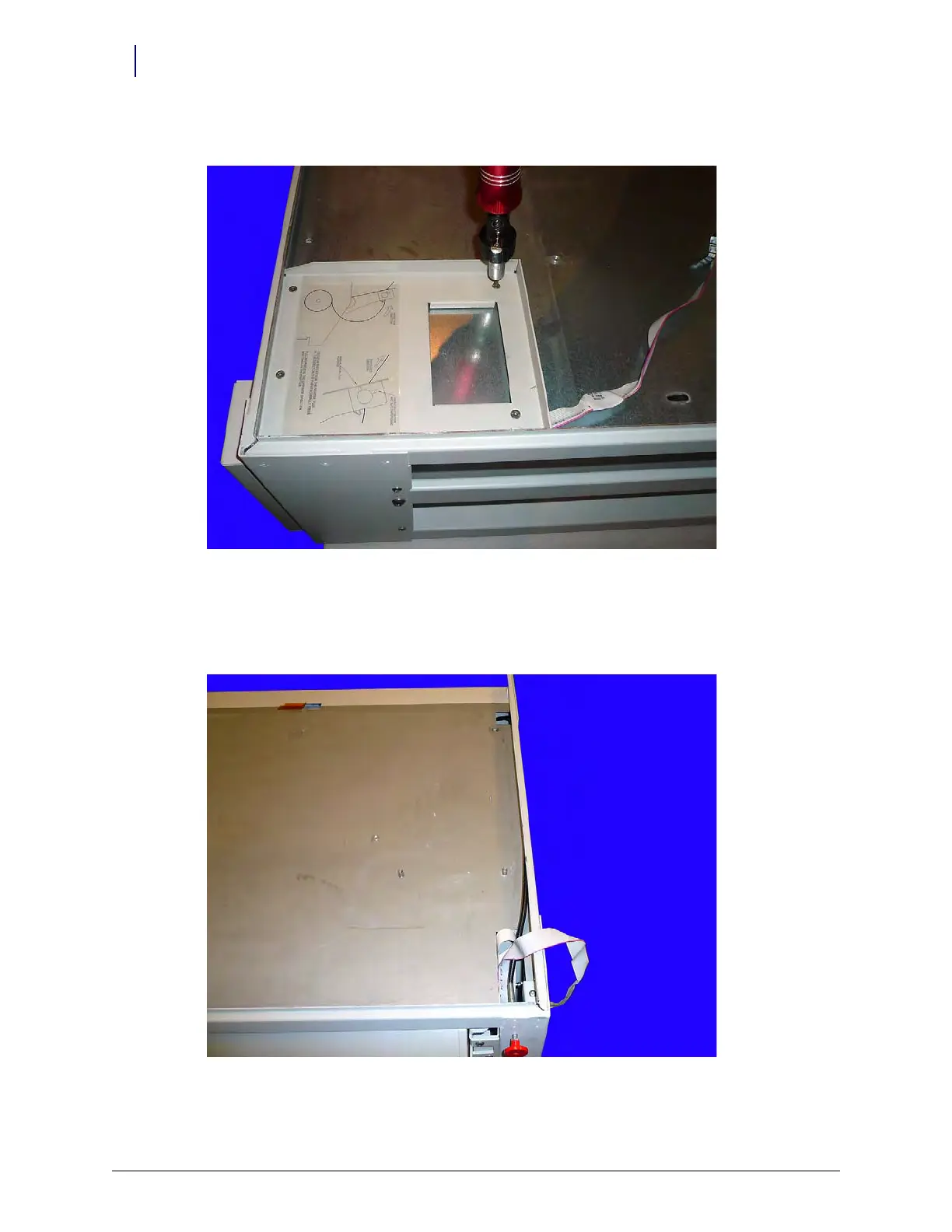
6. Remove the four screws that secure the printer tray to the frame.
Figure 4-19. Remove the screws that secure the printer tray
7. Remove the printer tray from the frame.
8. Secure the override cable underneath the side rail of the Rx frame to ensure that it does not get
pinched when installing the G4 console. If it will not stay, use tape to keep it secured.
Figure 4-20. Secure the override cable under the side of the Rx frame



 To Next Page