4-20 OmniRx G4 Console Upgrade
Add the G4 Console
OmniRx Service Guide/67-2023 Rev F © 2011 Omnicell, Inc.
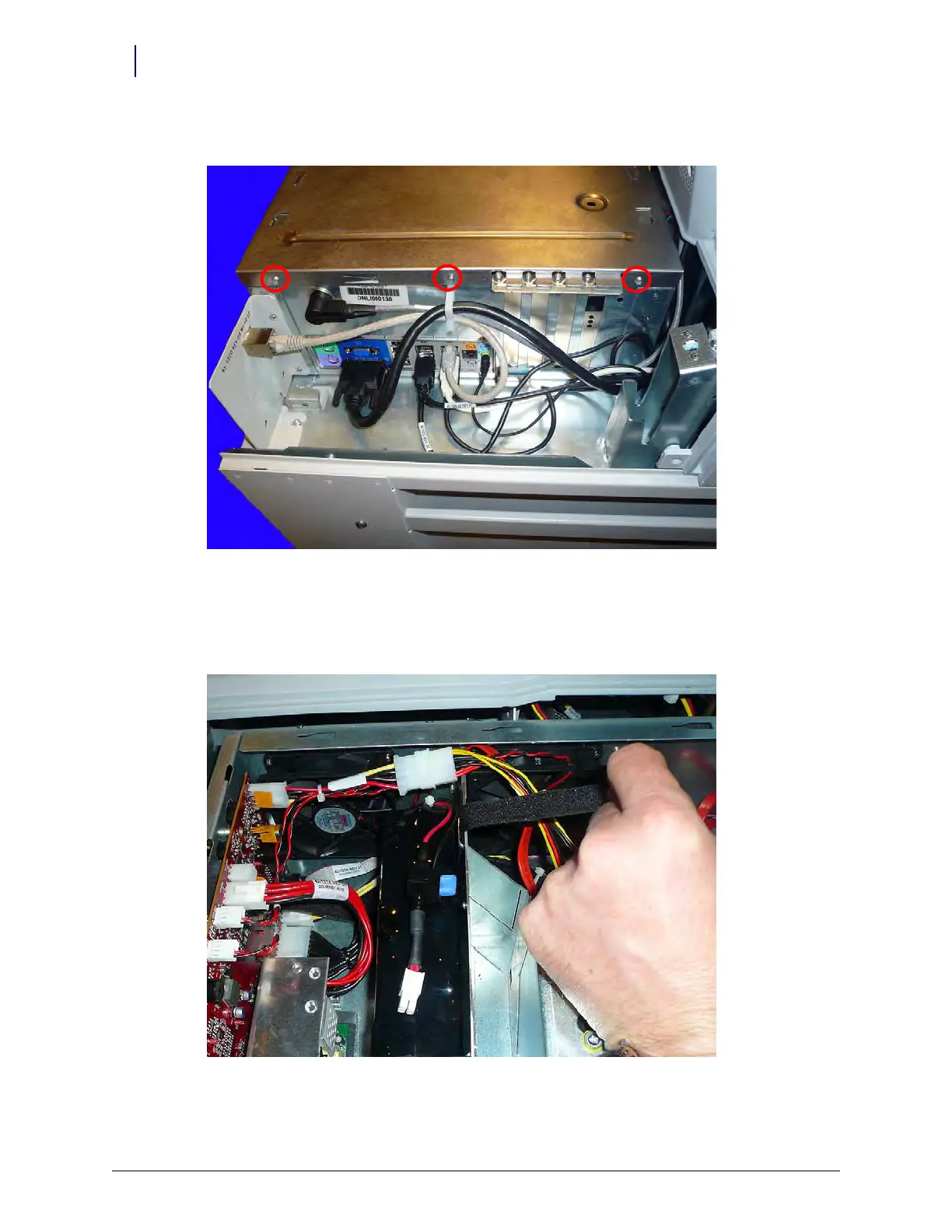
1. Remove the three screws that secure the eBox lid to the eBox.
Figure 4-32. Remove the screws that secure the ebox lid
2. Remove the eBox lid by sliding it toward the side of the eBox with the USB ports then lift.
3. Place the battery inside the eBox. Make sure the velcro straps are not caught between the
battery and the support wall.
Figure 4-33. Move the velcro straps out of the way before installing the battery



 To Next Page