© 2011 Omnicell, Inc. OmniRx Service Guide/67-2023 Rev F
OmniRx G4 Console Upgrade 4-21
Add the G4 Console
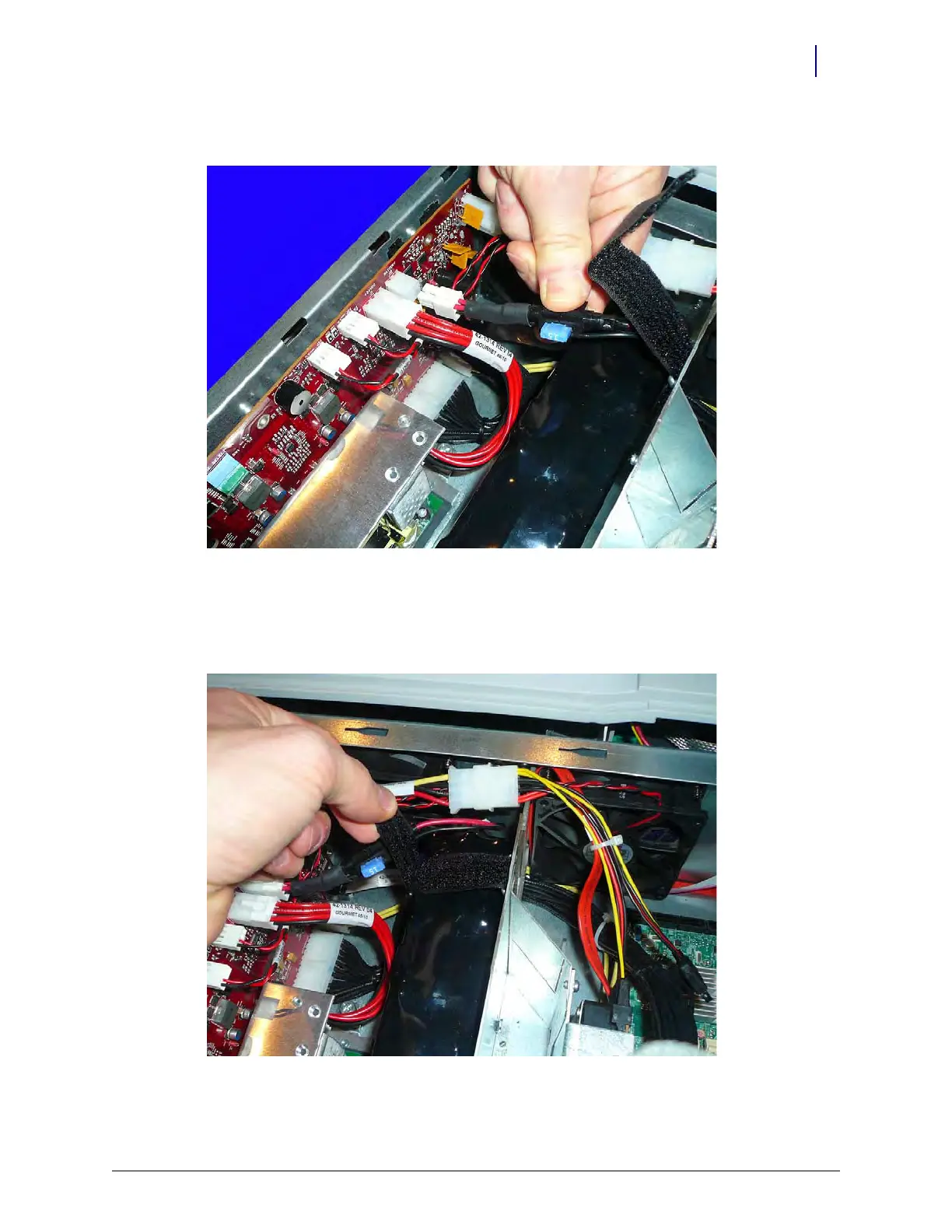
4. Connect the battery to J2 on the PowerCom4 board.
Figure 4-34. Connect the battery cable to the PowerCom4 board
5. Check the other connections on the PowerCom4 board to ensure they have not come loose.
6. Slide the top velcro straps through the bottom support straps and tighten the velcro straps to
secure the battery to the eBox wall.
Figure 4-35. Tighten the velcro straps to secure it to the eBox
7. Replace the lid on the eBox.



 To Next Page