275
Data Shift Instructions Section 3-8
Applicable Program Areas
Note St and E must be in the same data area.
Operand Specifications
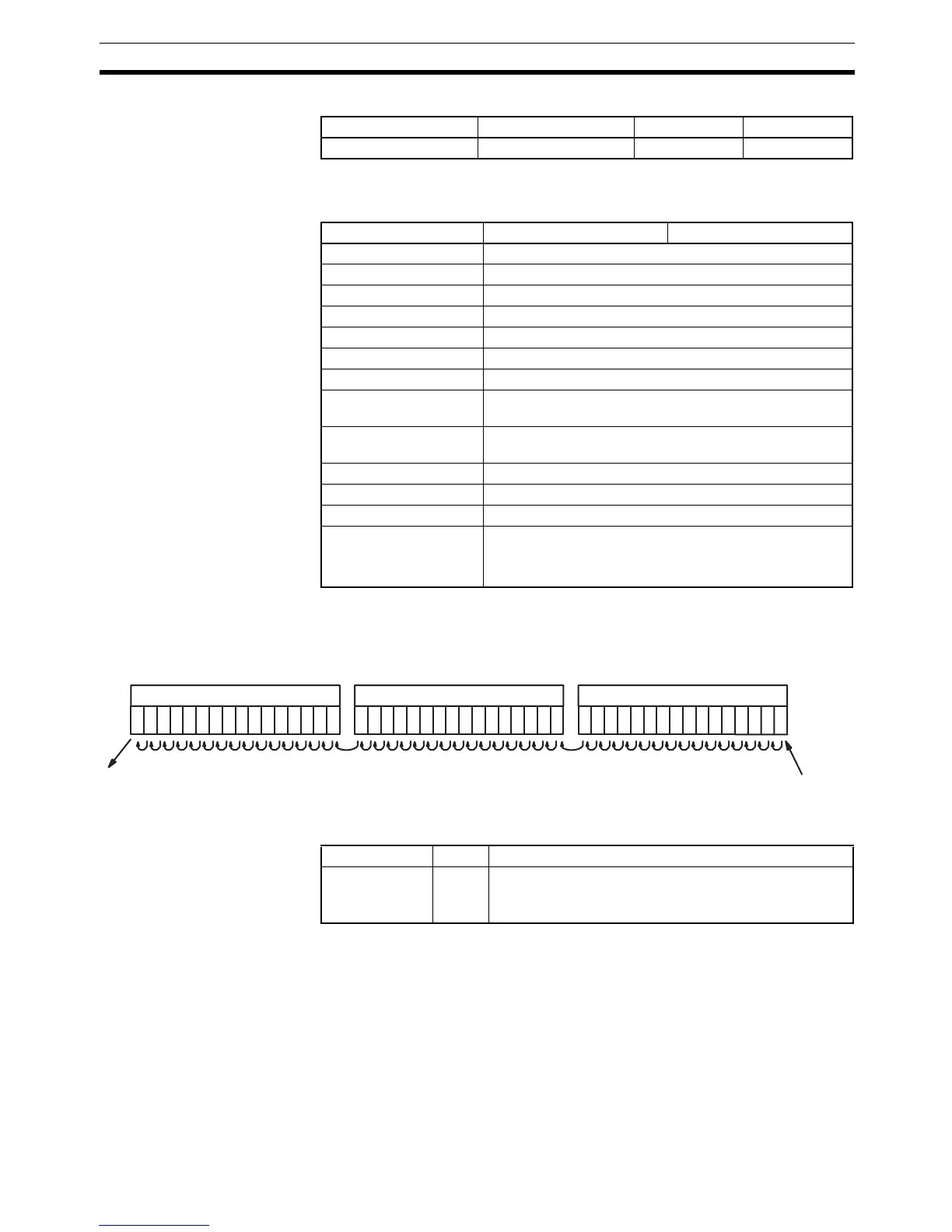
Description When the execution condition on the shift input changes from OFF to ON, all
the data from St to E is shifted to the left by one bit (from the rightmost bit to
the leftmost bit), and the ON/OFF status of the data input is placed in the
rightmost bit.
Flags
Precautions The bit data shifted out of the shift register is discarded.
When the reset input turns ON, all bits in the shift register from the rightmost
designated word (St) to the leftmost designated word (E) will be reset (i.e., set
to 0). The reset input takes priority over other inputs.
St must be less than or equal to E, but even when St is set to greater than E
an error will not occur and one word of data in St will be shifted.
When St and E are designated indirectly using index registers and the actual
addresses in I/O memory are not within memory areas for data, an error will
occur and the Error Flag will turn ON.
Block program areas Step program areas Subroutines Interrupt tasks
Not allowed OK OK OK
Area St E
CIO Area CIO 0 to CIO 6143
Work Area W0 to W511
Holding Bit Area H0 to H511
Auxiliary Bit Area A448 to A959
Timer Area ---
Counter Area ---
DM Area ---
Indirect DM addresses
in binary
---
Indirect DM addresses
in BCD
---
Constants ---
Data Registers ---
Index Registers ---
Indirect addressing
using Index Registers
,IR0 to ,IR15
–2048 to +2047 ,IR0 to –2048 to +2047 ,IR15
DR0 to DR15, IR0 to IR15
E
Status of data input
for each shift input
Lost
St+1, St+2, ... St
Name Label Operation
Error Flag ER ON if the indirect IR address for St and E is not in the CIO,
AR, HR, or WR data areas.
OFF in all other cases.



 To Next Page