281
Data Shift Instructions Section 3-8
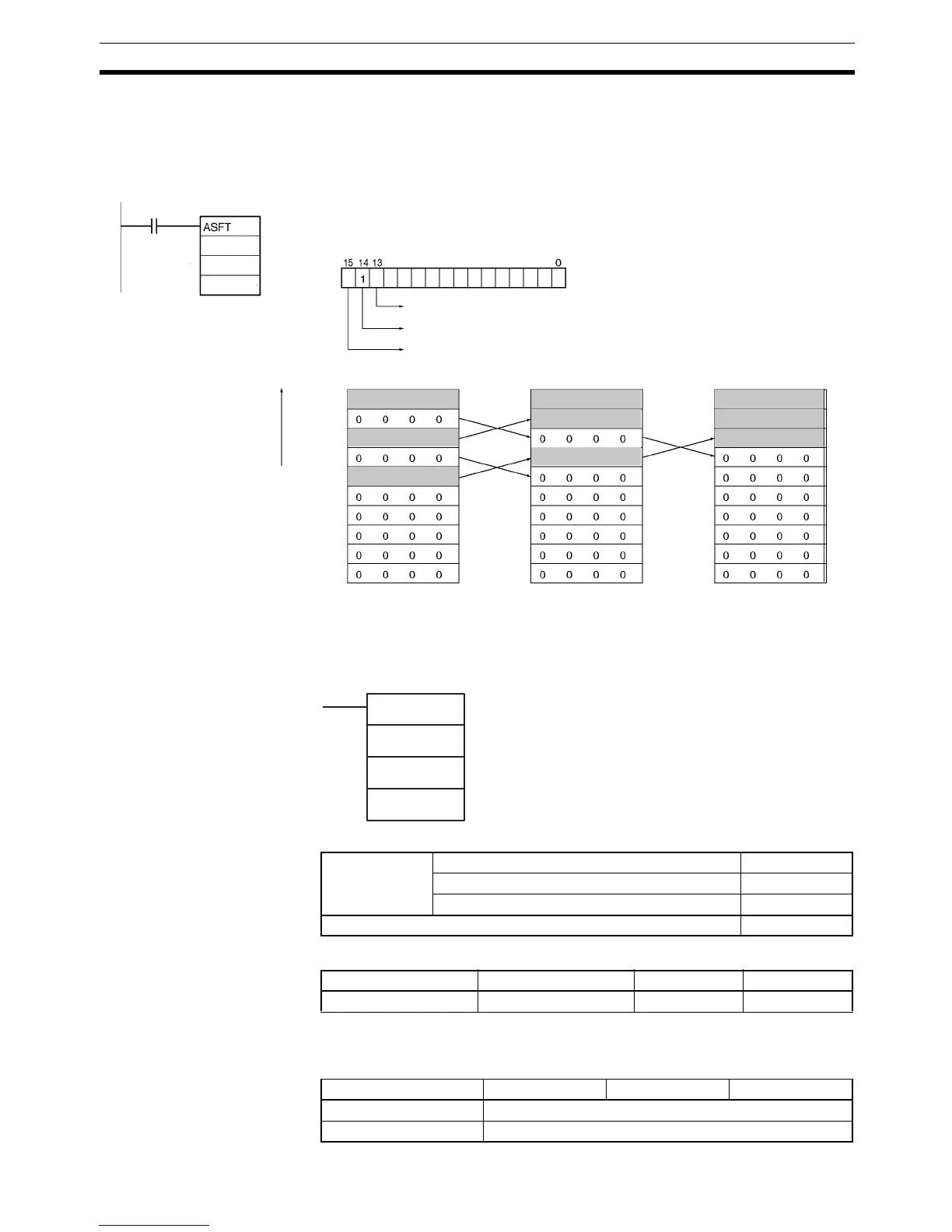
Examples Shifting Data:
If the Shift Enable Bit, H0.14, goes ON when CIO 0.00 is ON, all words with
non-zero data content from D100 through D109 will be shifted in the direction
designated by the Shift Direction Bit, H0.13 (e.g., 1: Toward St) if the word to
the left of the non-zero data is all zeros.
3-8-4 WORD SHIFT: WSFT(016)
Purpose Shifts data between St and E in word units.
Ladder Symbol
Variations
Applicable Program Areas
Note St and E must be in the same data area.
Operand Specifications
C: H0
E:
C
E
0.00
H0
D100
D109
D100
D101
D102
D103
D104
D105
D106
D107
D108
D109
12 3 4
56 7 8
9ABC
12 3 4
56 7 8
9ABC
12 3 4
56 7 8
9ABC
Non-zero data is
shifted toward St
Shift direction
1: Non-zero data shifted toward E
Shift Enable Bit: 1
Clear
Before ASFT(017) is executed
After one execution After two executions
St
St:
WSFT(016)
S
E
S: Source word
St: Starting word
E: End word
St
Variations Executed Each Cycle for ON Condition WSFT(016)
Executed Once for Upward Differentiation @WSFT(016)
Executed Once for Downward Differentiation Not supported
Immediate Refreshing Specification Not supported
Block program areas Step program areas Subroutines Interrupt tasks
OK OK OK OK
Area S St E
CIO Area CIO 0 to CIO 6143
Work Area W0 to W511



 To Next Page