512
Floating-point Math Instructions Section 3-14
For example, when the base words (B+1 and B) contain 3.1 and the exponent
words (E+1 and E) contain 3, the result is 3.1
3
or 29.791.
If the absolute value of the result is greater than the maximum value that can
be expressed as floating-point data, the Overflow Flag will turn ON.
If the absolute value of the result is less than the minimum value that can be
expressed as floating-point data, the Underflow Flag will turn ON.
Flags
Precautions The base (B+1 and B) and the exponent (E+1 and E) must be in IEEE754
floating-point data format.
3-14-21 Single-precision Floating-point Comparison Instructions
Purpose These input comparison instructions compare two single-precision floating
point values (32-bit IEEE754 constants and/or the contents of specified
words) and create an ON execution condition when the comparison condition
is true.
Ladder Symbol
Variations
Applicable Program Areas
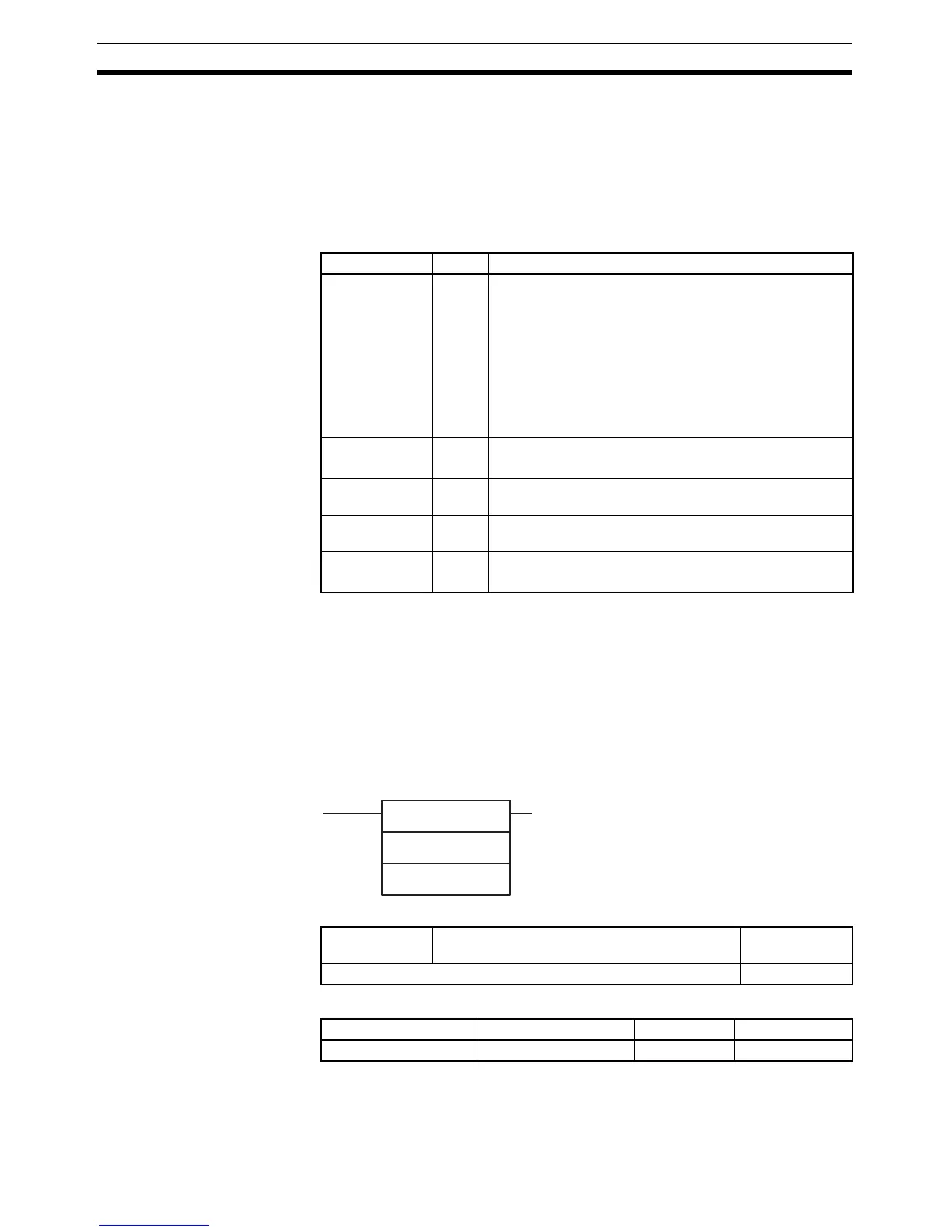
Name Label Operation
Error Flag ER ON if the base (B+1 and B) or exponent (E+1 and E) is
not recognized as floating-point data.
ON if the base (B+1 and B) or exponent (E+1 and E) is
not a number (NaN).
ON if the base (B+1 and B) is 0 and the exponent (E+1
and E) is less than 0. (Division by 0)
ON if the base (B+1 and B) is negative and the exponent
(E+1 and E) is non-integer. (Root of a negative number)
OFF in all other cases.
Equals Flag = ON if both the exponent and mantissa of the result are 0.
OFF in all other cases.
Overflow Flag OF ON if the absolute value of the result is too large to be
expressed as a 32-bit floating-point value.
Underflow Flag UF ON if the absolute value of the result is too small to be
expressed as a 32-bit floating-point value.
Negative Flag N ON if the result is negative.
OFF in all other cases.
S
1
S
2
S
1
: Comparison data 1
S
2
: Comparison data 2
Symbol & options
Variations Creates ON Each Cycle Comparison is True Input compari-
son instruction
Immediate Refreshing Specification Not supported
Block program areas Step program areas Subroutines Interrupt tasks
OK OK OK OK



 To Next Page