868
Network Instructions Section 3-24
If the Communications Port Enabled Flag is ON for the communications port
specified in C+3 when SEND(090) is executed, the corresponding Communi-
cations Port Enabled Flag (ports 00 to 07: A202.00 to A202.07) and Commu-
nications Port Error Flag (ports 00 to 07: A219.00 to A219.07) will be turned
OFF and 0000 will be written to the word that contains the completion code
(ports 00 to 07: A203 to A210). Data will be transmitted to the destination
node once the flags have be set.
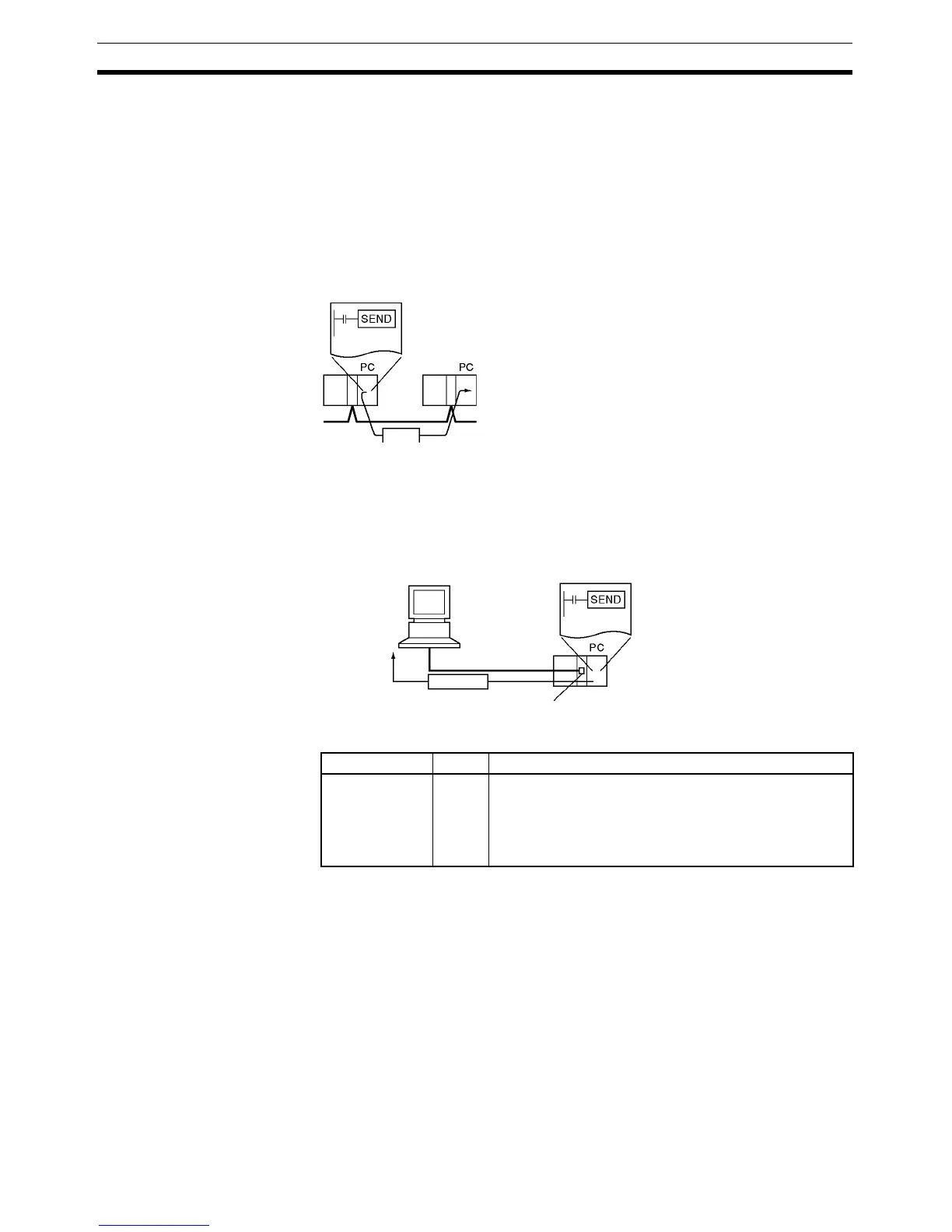
Transmission to a PLC or
Computer through the
Network (CP1H Only)
SEND(090) can be used to transmit data from a CP1H PLC to the specified
data area in a PLC or computer connected by a Controller Link network or
Ethernet link.
Transmission to a Host
Computer Connected
through Host Link
When a Serial Communications Option Board mounted on a CP-series CPU
Unit or a CJ-series Serial Communications Unit is in Host Link mode and con-
nected one-to-one with a host computer, SEND(090) can be executed to
transmit data from the PLC to the host computer the next time that the PLC
has the right to transmit. It is also possible to transmit to other host computers
connected to other PLCs elsewhere in the network.
Flags
Network
Data
Serial
ort
Data
Host Link
Host computer
Name Label Operation
Error Flag ER ON if the serial port number specified in C+1 is not within
the range of 00 to 04.
ON if the Communications Port Enabled Flag is OFF for
the communications port number specified in C+3.
OFF in all other cases.



 To Next Page