Section 2 NS Series Functions 2-1 Project Data
2-5
NS Series Programming Manual
Macros
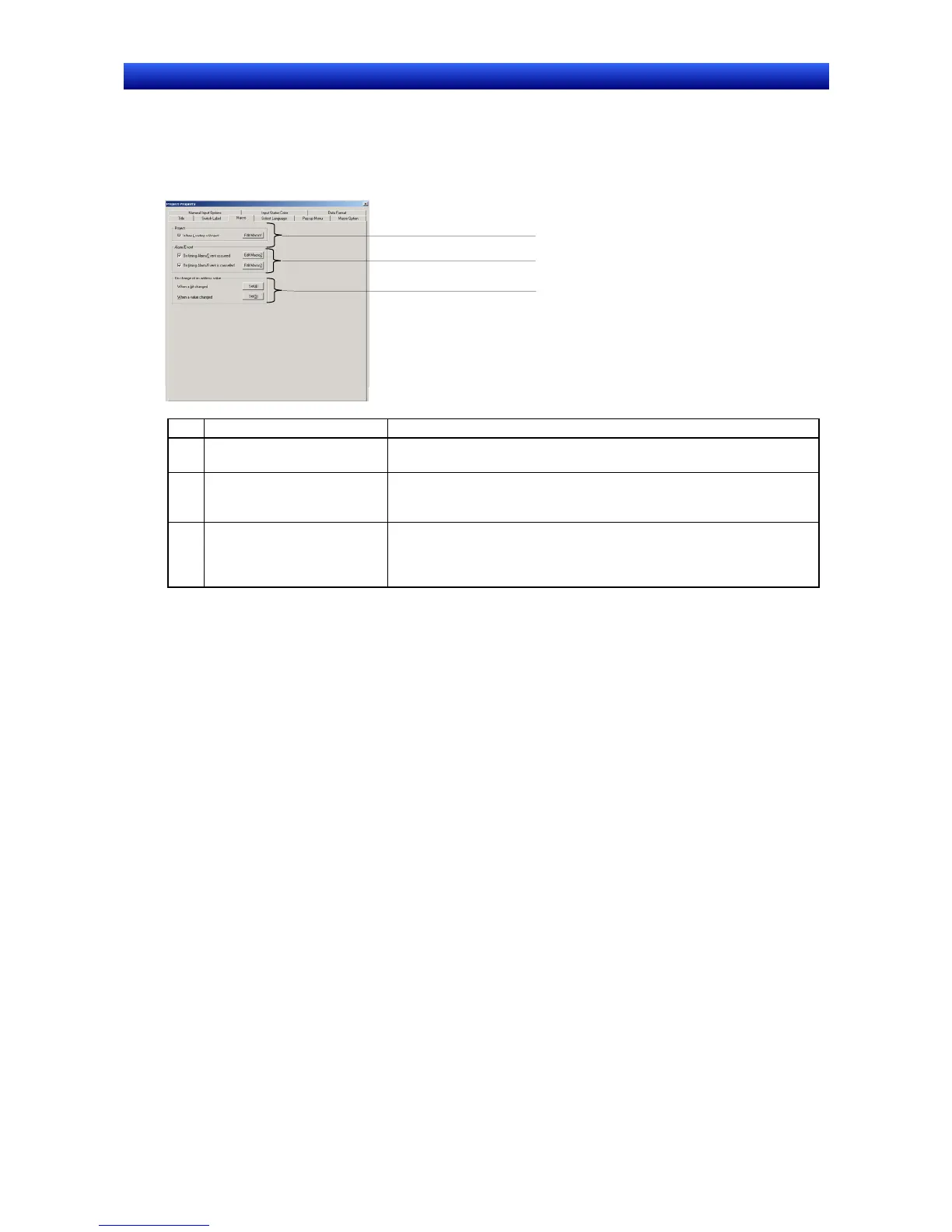
1. Select the Macro Tab.
2. Set the macros to be used for the project. Refer to Section 1 Outline of Macro Function in the
Macro Reference included on the CX-Designer CD-ROM.
1
2
3
No. Settings Contents
1 Project
Specify whether to execute the macro when loading a project. Click the
Edit Macro Button to perform programming.
2 Alarm/Event
Specify whether to execute the macro when an alarm/event occurs or
when an alarm/event is cancelled. Click the
Edit Macro Button to per-
form programming.
3 When changing value
Specify whether to execute the macro when a specified address (bit) is
turned ON/OFF or when the value in a specified address (word)
changes. For details on setting methods, refer to
System Settings and
Project Properties
in the CX-Designer Online Help.


 To Next Page
 Loading...





