5 - 17
5 Installation and Wiring
NX-series Safety Control Unit User’s Manual (Z930)
5-3 Wiring the Terminals
5
5-3-1 Wiring to the Screwless Clamping Terminal Block
This section describes how to connect and remove wires.
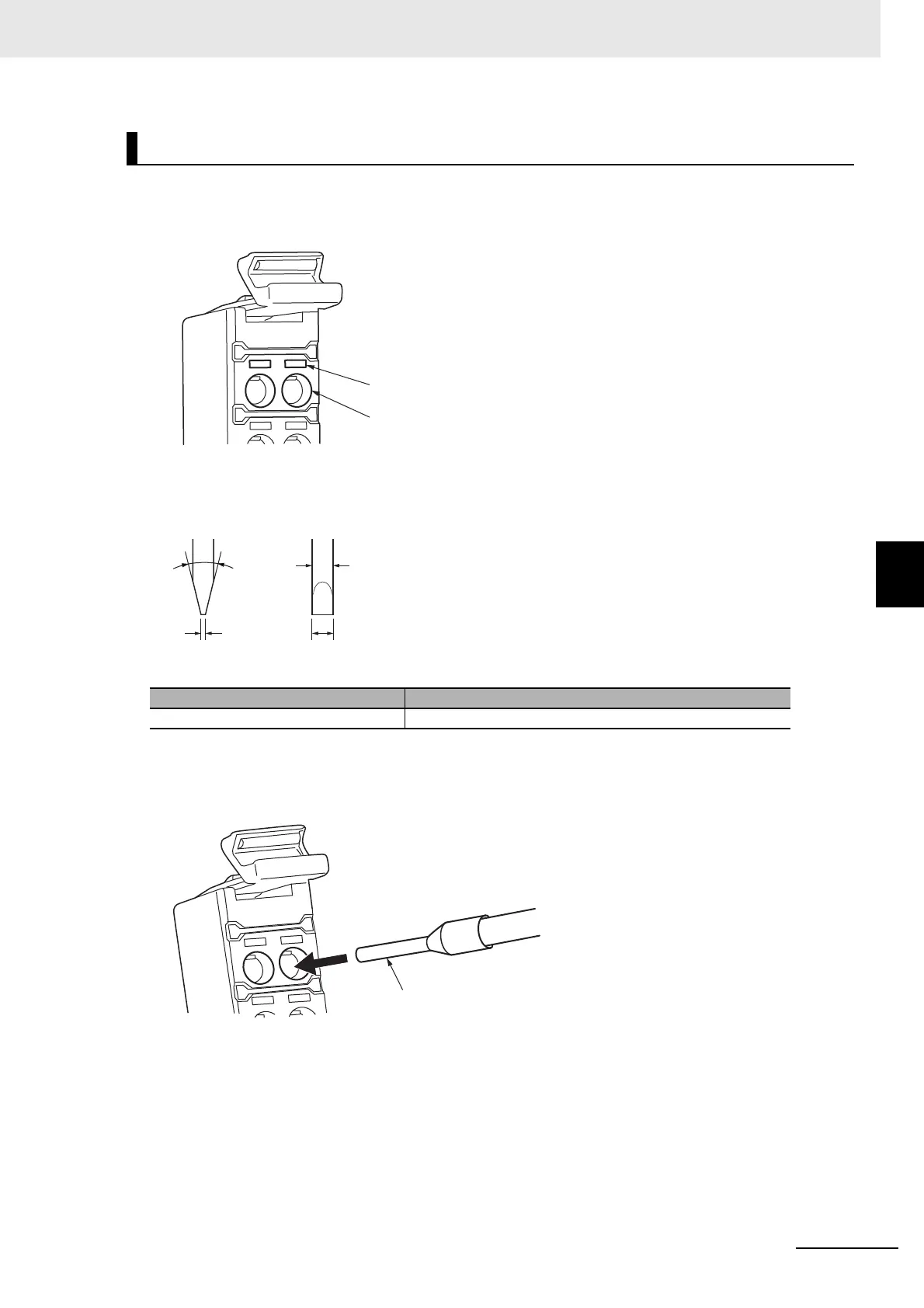
Terminal Block Parts and Names
Required Tools
Use a flat-blade screwdriver to connect and remove wires. Use the following flat-blade screwdriver.
Recommended Screwdriver
Connecting Ferrules
Insert the ferrule straight into the terminal hole.
It is not necessary to press a flat-blade screwdriver into the release hole.
After you make a connection, make sure that the ferrule is securely connected to the terminal block.
Connecting/Removing Wires
Model Manufacturer
SZF 0-0,4X2,5 Phoenix Contact
Terminal hole
Release hole
2.5 mm0.4 mm
Side View Front View
2.5-mm dia.
8° to 12°
Ferrule










 To Next Page