6 System Configuration and Setup
6 - 26
NX-series Safety Control Unit User’s Manual (Z930)
If you place a Safety CPU Unit on the NX bus of a Communications Coupler Unit, standard process
data communications are performed automatically.
Using an EtherCAT Coupler Unit
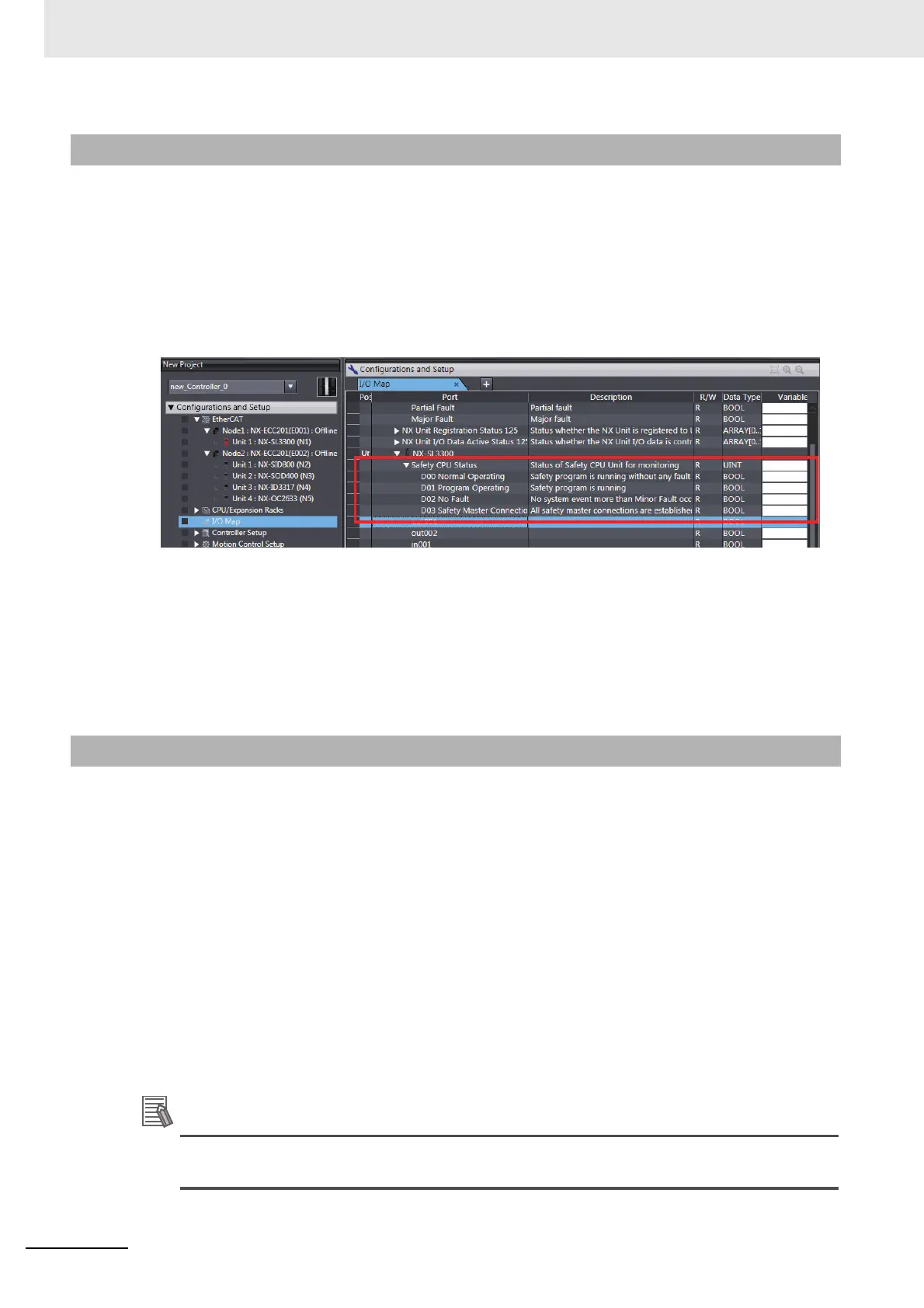
The status of a Safety CPU Unit is displayed as I/O ports in the I/O Map of the NJ/NX-series CPU
Unit.
You can use the I/O ports to monitor the status of the Safety CPU Unit from the NJ/NX-series CPU
Unit.
Refer to A-5 Safety CPU Unit Status on page A-62 for details on the items in the Safety CPU Unit
status.
Using an EtherNet/IP Coupler Unit
The Safety CPU Unit status is assigned in the I/O Map of the Communications Coupler Unit.
You can check the I/O allocation information of Communications Coupler Unit on the Edit I/O Alloca-
tion Settings Pane. You can use this status to monitor the status of the Safety CPU Unit.
You can access the values of the ports for Safety I/O Units from a standard controller.
Using an EtherCAT Coupler Unit
To access the value of an I/O port that is displayed in the I/O Map of the Safety CPU Unit, assign a
variable to the corresponding I/O port in the I/O Map of the NJ/NX-series CPU Unit.
Refer to A-6 I/O Ports for Safety I/O Units That Are Displayed in the I/O Map of the NJ/NX-series
CPU Unit on page A-63 for descriptions of the I/O ports for Safety I/O Units that are displayed in the
I/O Map of the NJ/NX-series CPU Unit.
Using an EtherNet/IP Coupler Unit
I/O port values are allocated in the I/O Map of the Communications Coupler Unit. You can check the
I/O allocation information of Communications Coupler Unit on the Edit I/O Allocation Settings Pane.
Refer to A-6 I/O Ports for Safety I/O Units That Are Displayed in the I/O Map of the NJ/NX-series
CPU Unit on page A-63 for descriptions of the I/O ports for Safety I/O Units.
You can only read the values of the ports of Safety I/O Units from an NJ/NX-series CPU Unit or
other standard controller. You cannot write the values.
6-7-3 Safety CPU Unit Status
6-7-4 I/O Ports for Safety I/O Units










 To Next Page