6 - 25
6 System Configuration and Setup
NX-series Safety Control Unit User’s Manual (Z930)
6-7 Exposing Variables to Standard Controllers
6
6-7-2 Setting Exposed Variables
Use the following procedure to select registered global variables on the Exposed Variables Tab Page
and set them as exposed variables.
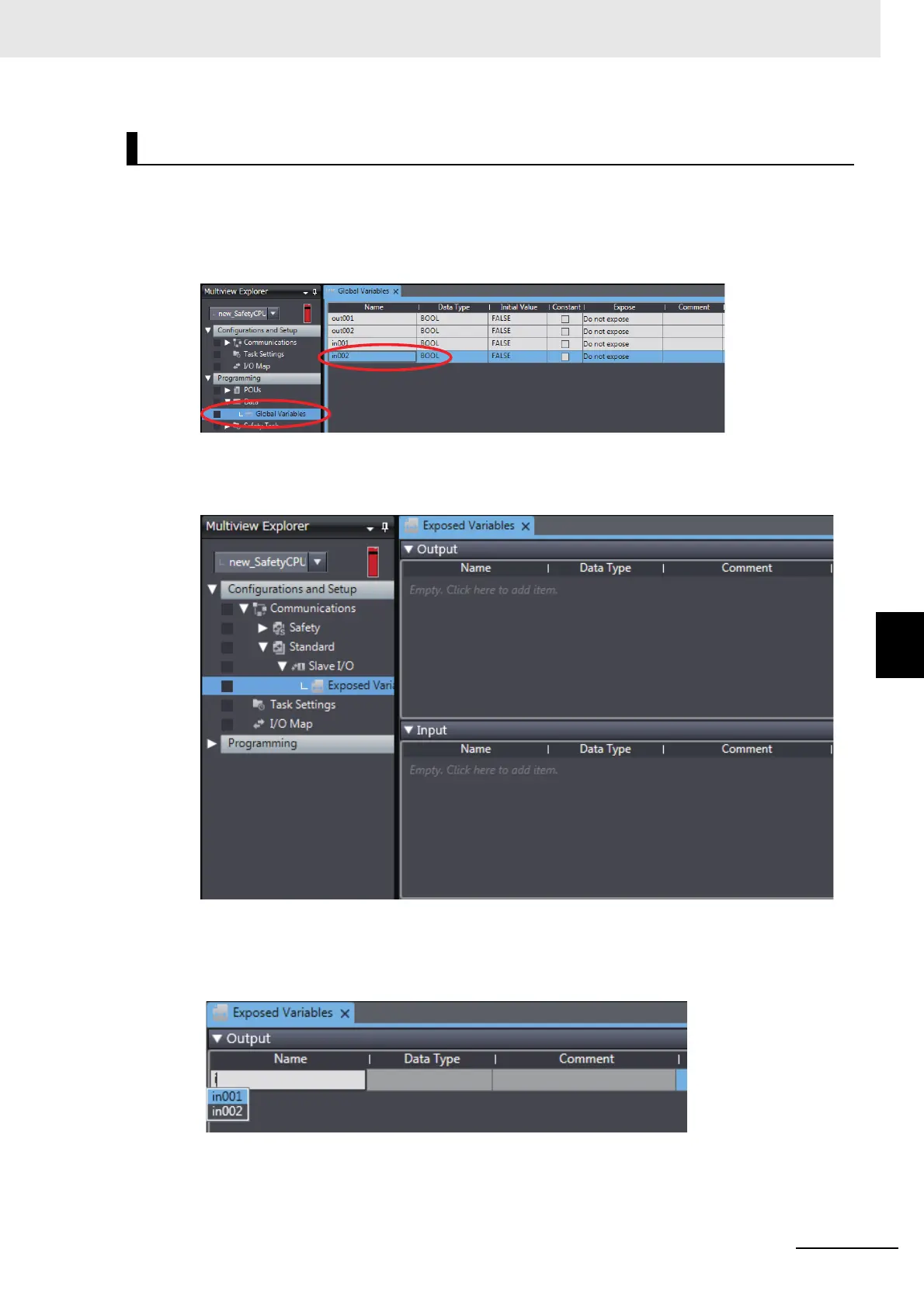
1 Register global variables with standard data types.
Refer to 7-5-3 Registering Variables on page 7-38 for details on registering variables.
2 Double-click Exposed Variables under Configurations and Setup − Communications −
Standard − Slave I/O.
The Exposed Variables Tab Page is displayed.
3 Enter the name of the variable to expose (the global variable that was registered in step 1) to
the NJ/NX-series CPU Unit.
You can also enter the first letter of the global variable in the Name Box to display a list of candi-
dates, and then double-click the desired variable.
Selecting Global Variables on the Exposed Variables Tab Page










 To Next Page