8 Checking Operation and Actual Operation
8 - 26
NX-series Safety Control Unit User’s Manual (Z930)
This section describes troubleshooting errors that may occur at a safety I/O terminal because of incor-
rect external device wiring or incorrect safety I/O settings.
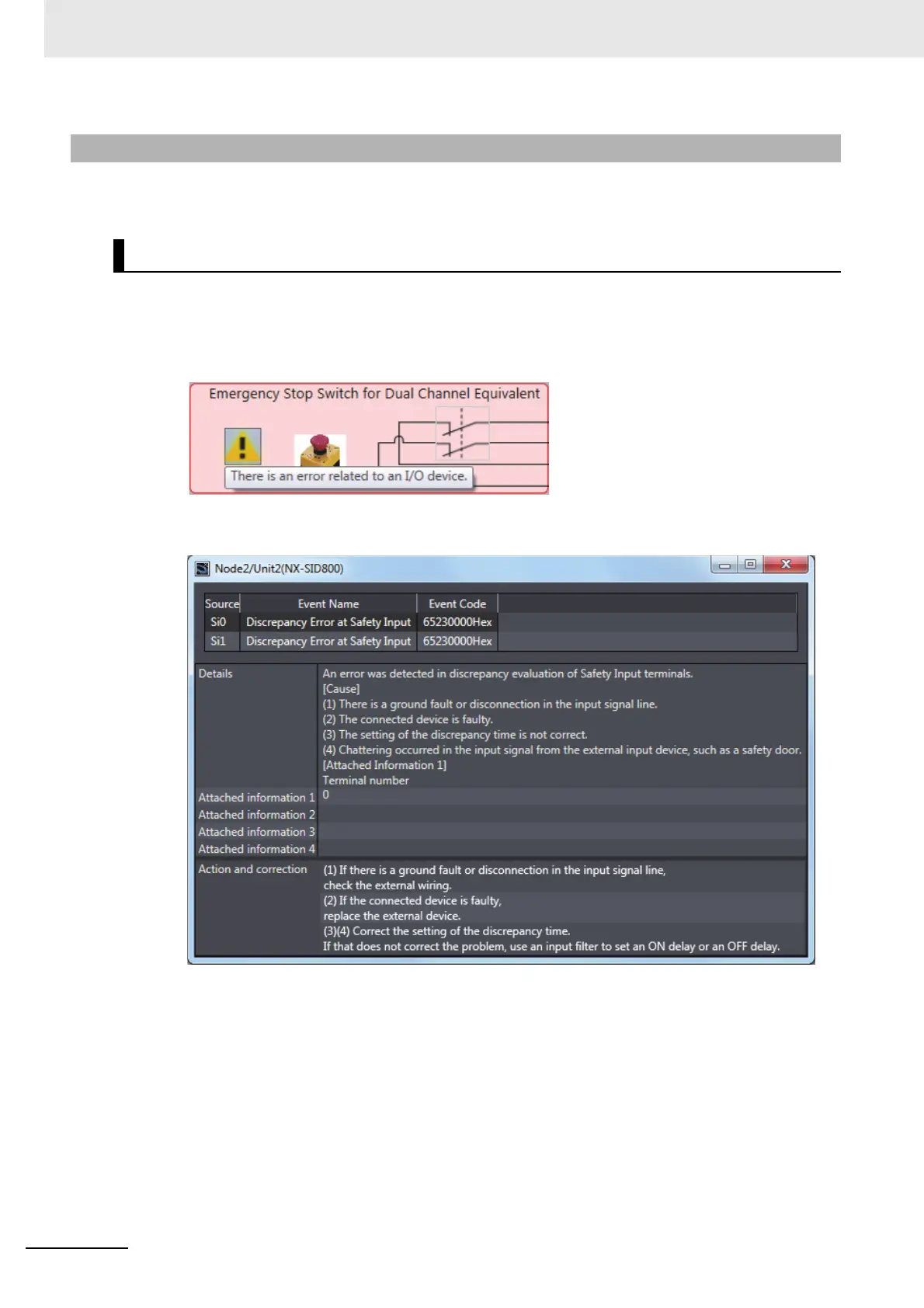
1 Open the Monitor Tab Page for the Safety I/O Unit for which there is an error in a safety I/O ter-
minal.
2 Click the ! Icon for the external device for which the error is displayed or right-click the external
device and select Troubleshooting... from the menu.
3 The Troubleshooting Dialog Box for the safety I/O terminals is displayed. Check details and cor-
rections, and then eliminate the error.
For details on safety I/O terminal errors, refer to 9-3-4 Error Descriptions on page 9-17.
8-5-3 Troubleshooting Safety I/O Terminals
Displaying Safety I/O Terminal Troubleshooting










 To Next Page