7 - 37
7 Programming
NX-series Safety Control Unit User’s Manual (Z930)
7-5 Programming Operations
7
7-5-2 Registering POUs
You can check the CRC data on the Change Tracking Tab Page or Properties Dialog Box.
You can import user-defined function blocks with Sysmac Studio version 1.12 or higher.
In the FBD editor, select the user-defined function block and then press the F1 Key to open the help file.
Setting a Help File
Use the following procedure to set a help file for a user-defined function block.
1 Prepare a help file with the same name as the function block (extension .pdf).
2 Save the help file in the specified folder.
The default folder is C:\OMRON\Data\Lib\Safety.
Changing the Save Location for Help Files
You can change the folder in which help files are saved.
Use the following procedure.
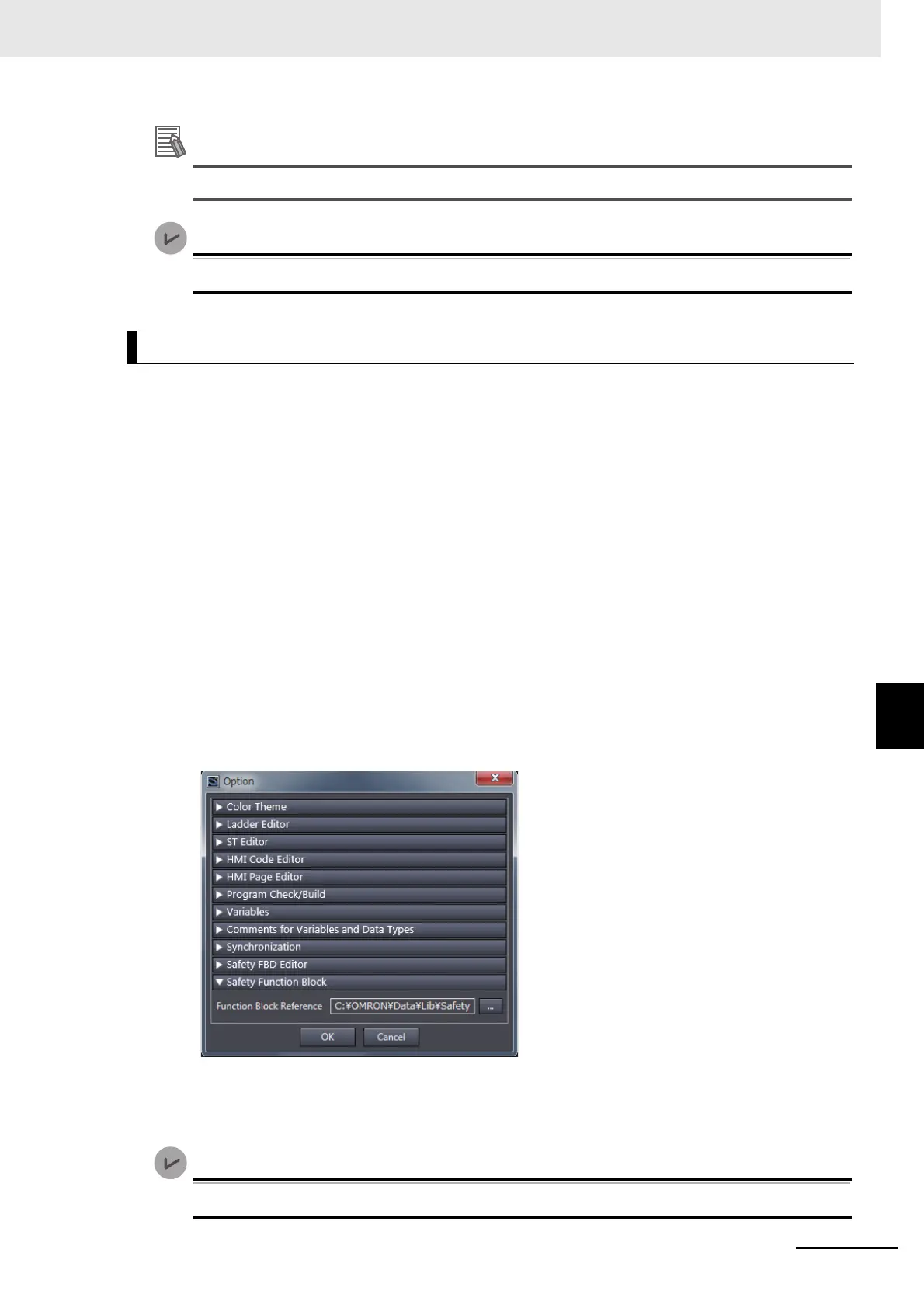
1 Select Option from the Tools Menu.
The Options Dialog Box is displayed.
2 Click Safety Function Block.
The help save location is displayed.
3 Select the folder in which to save the help files and click the OK Button.
The save location for help files for user-defined function blocks is changed.
You can use help for user-defined function blocks with Sysmac Studio version 1.12 or higher.
Help for User-defined Function Blocks










 To Next Page