7 - 57
7 Programming
NX-series Safety Control Unit User’s Manual (Z930)
7-5 Programming Operations
7
7-5-4 FBD Programming
Use one of the following procedures to edit output parameters.
If you specify a variable name that does not exist in the local variable table, that variable will be regis-
tered as a local variable.
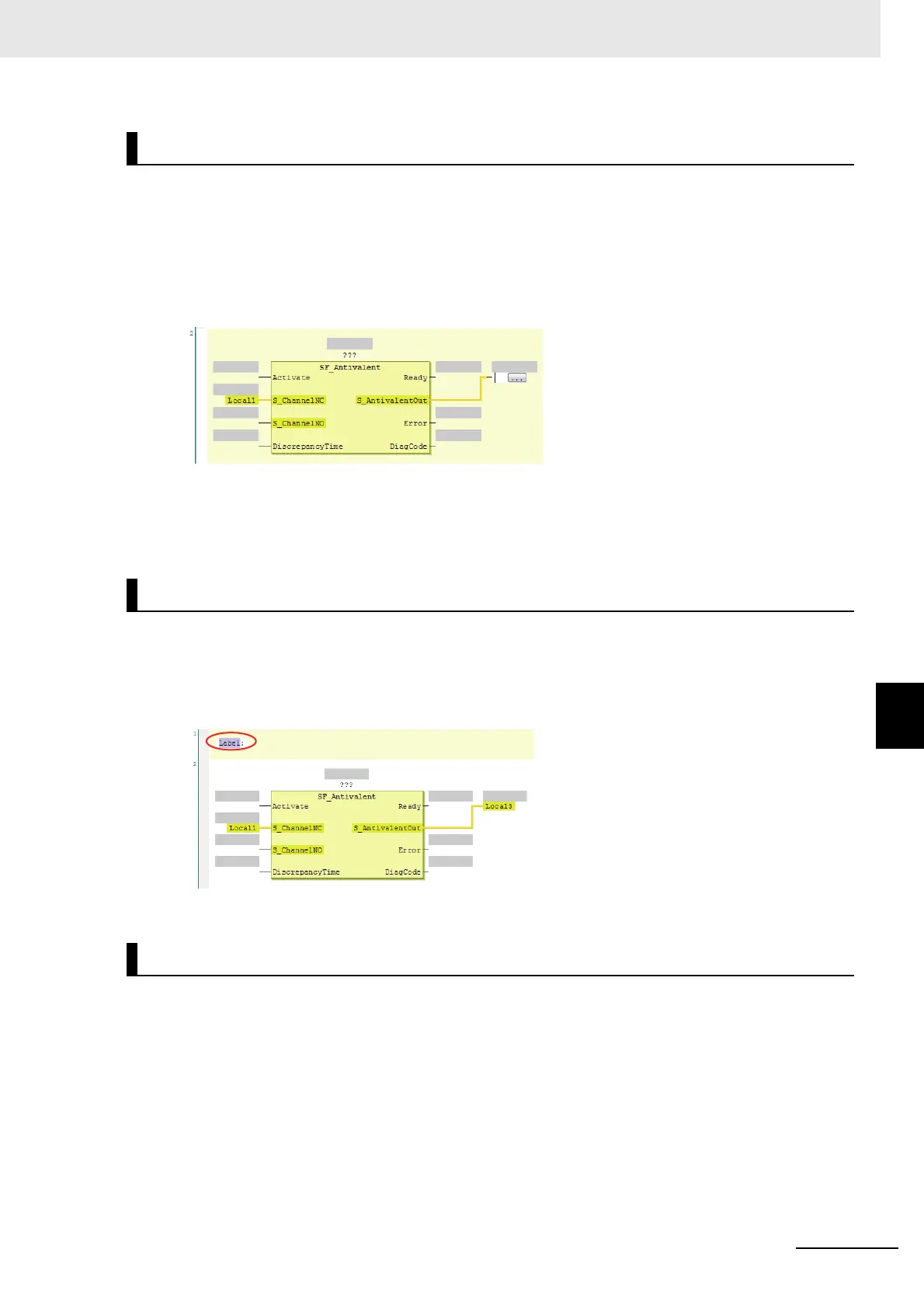
Method: Select the output variable on the FBD network and directly enter the variable name.
• Before the Output Variable Is Edited
• If you prefer to enter the variable name directly, a list of variable names that you can select from is
displayed when you begin entering the variable name.
• To create a new output variable, enter the variable name and press the Enter Key. The output vari-
able is registered, and it is also registered as a local variable in the local variable table.
Use the following procedure to insert jump labels into an FBD network.
Method: Right-click the FBD network and select Insert Jump Label from the menu.
• After the Jump Label Is Added
• You cannot add another jump label to a network if it already has one.
Use one of the following procedures to delete jump labels.
Method 1: Right-click the jump label and select Delete from the menu.
Method 2: Select the jump label and press the Delete Key.
Editing Output Parameters
Inserting Jump Labels
Deleting Jump Labels










 To Next Page