range Pi 用户手册 深圳市迅龙软件有限公司版权所有
www.orangepi.cn 141 www.xunlong.tv
correct, if not, please download the source code again
test@test:~$ md5sum -c OrangepiH3.tar.md5sum
OrangepiH3.tar: 确定
7) Then decompress the source code of android sdk, after decompressing the sdk, two
folders of android and lichee will be generated
a. android: Store android-related code
b. linchee: Store the linux kernel and u-boot code
test@test:~$ mkdir OrangePiH3
test@test:~$ tar -xf OrangePiH3.tar -C OrangePiH3
test@test:~$ cd OrangePiH3
test@test:~/OrangePiH3$ ls
android lichee
6.1.2. Build android compilation environment
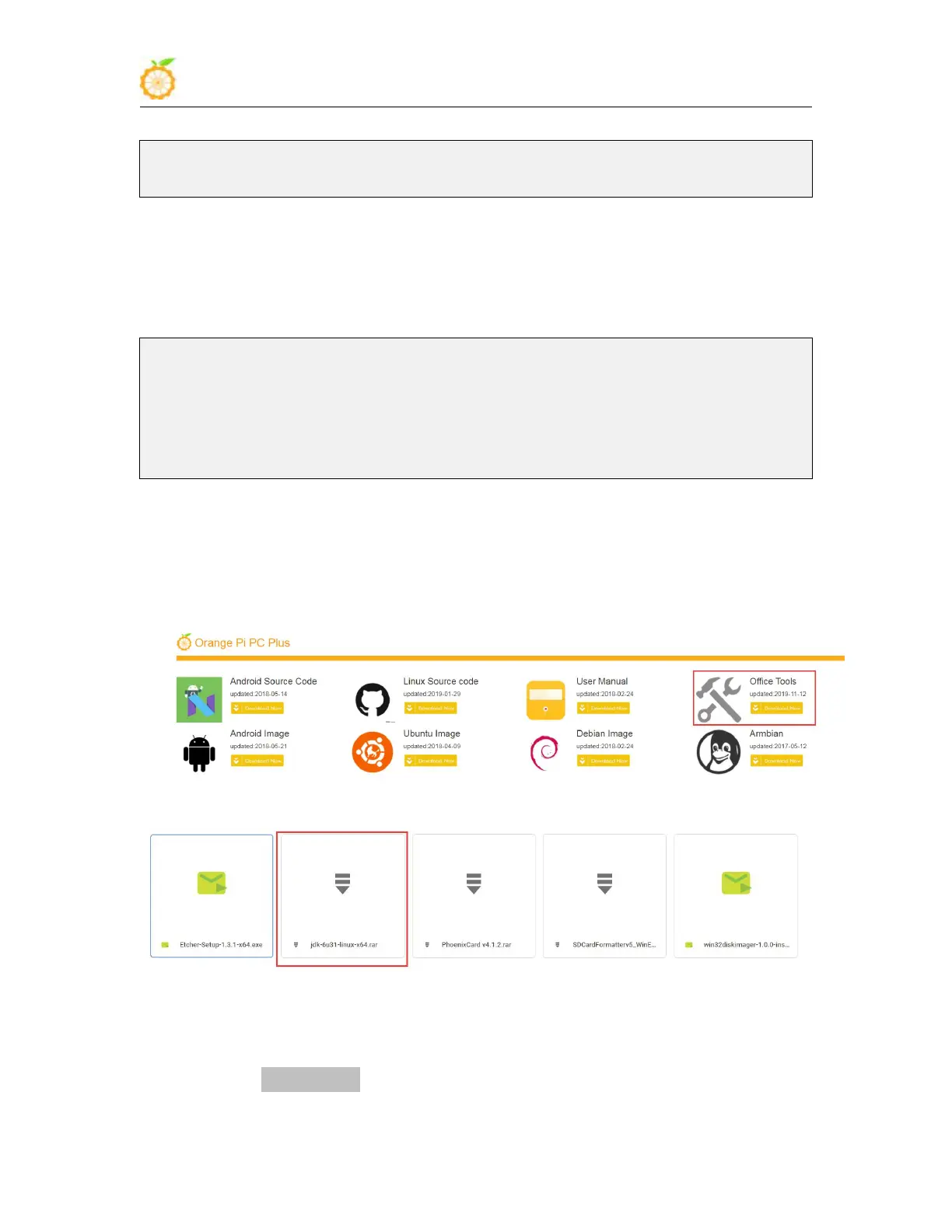
1) Download the jdk installation package
a. Select the official tool on the data download page
b. Then select jdk-6u31-linux-x64.rar in the opened Baidu cloud disk
2) Install jdk, execute the following command, a folder named jdk1.6.0_31 will be
generated under /usr/lib/jvm/ b. Then select jdk-6u31-linux-x64.rar in the opened Baidu
cloud disk



 To Next Page