range Pi 用户手册 深圳市迅龙软件有限公司版权所有
www.orangepi.cn 46 www.xunlong.tv
Connection reset by 192.168.1.149 port 22
lost connection
You can enter the following command on the development board and try to connect
root@orangepi:~# rm /etc/ssh/ssh_host_*
root@orangepi:~# dpkg-reconfigure openssh-server
3.11.2. SSH remote login development board under Windows
1) First get the IP address of the development board
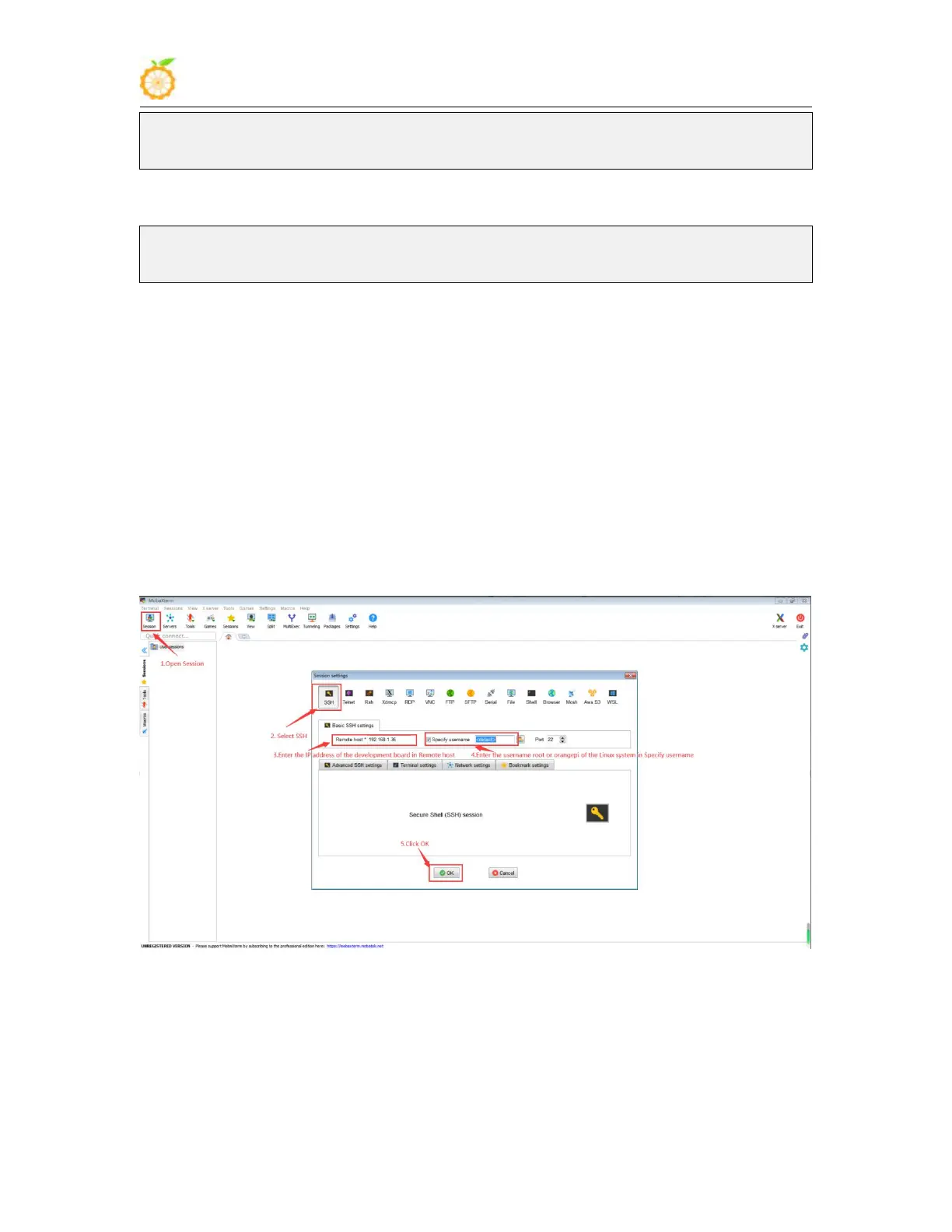
2) In windows, you can use MobaXterm to remotely log in to the development board,
first create a new ssh session
a. Open Session
b. Then select SSH in Session Setting
c. Then enter the IP address of the development board in Remote host
d. Then enter the username root or orangepi of the Linux system in Specify
username
e. Finally click OK
3) Then you will be prompted to enter a password, the default passwords for both root
and orangepi users are orangepi



 To Next Page