range Pi 用户手册 深圳市迅龙软件有限公司版权所有
www.orangepi.cn 83 www.xunlong.tv
a) I2c0 in 40pin corresponds to /dev/i2c-0
b) I2c1 in 40pin corresponds to /dev/i2c-1
2) Then start testing i2c, first install i2c-tools
root@orangepi:~# apt update
root@orangepi:~# apt install i2c-tools
3) Then connect an i2c device to the 40pin i2c0 or i2c1
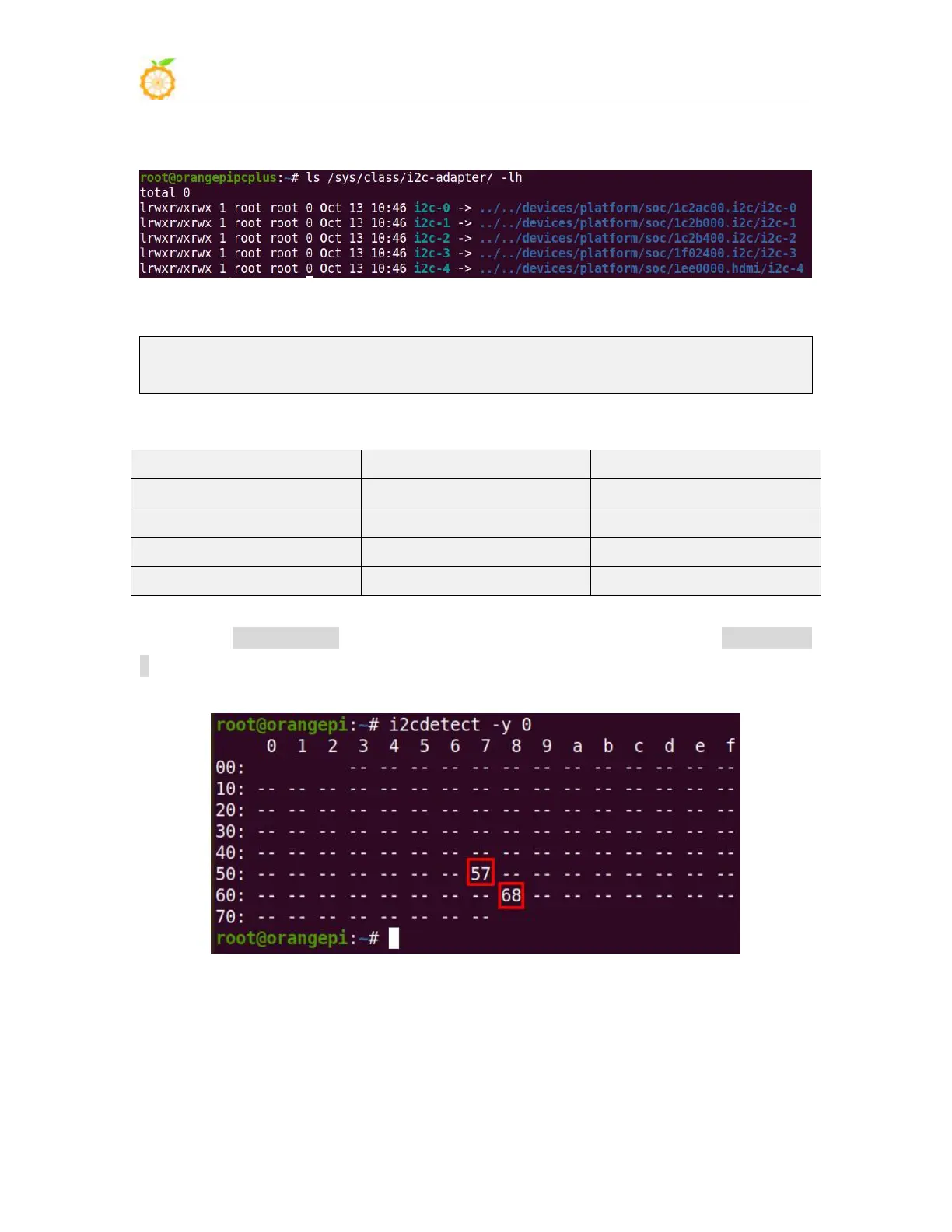
4) Then use i2cdetect -y 0 (where 0 means i2c0, i2c1 needs to be modified to i2cdetect -y
1) command. If the address of the connected i2c device can be detected, it means that i2c
can be used normally
3.24.4. UART test
1) The linux5.4 system turns off the uart controller in the 40pin by default in the dts. If
you need to use uart, you need to open the uart configuration first. The linux3.4 system is
enabled by default and no additional configuration is required. The linux5.4 system The



 To Next Page